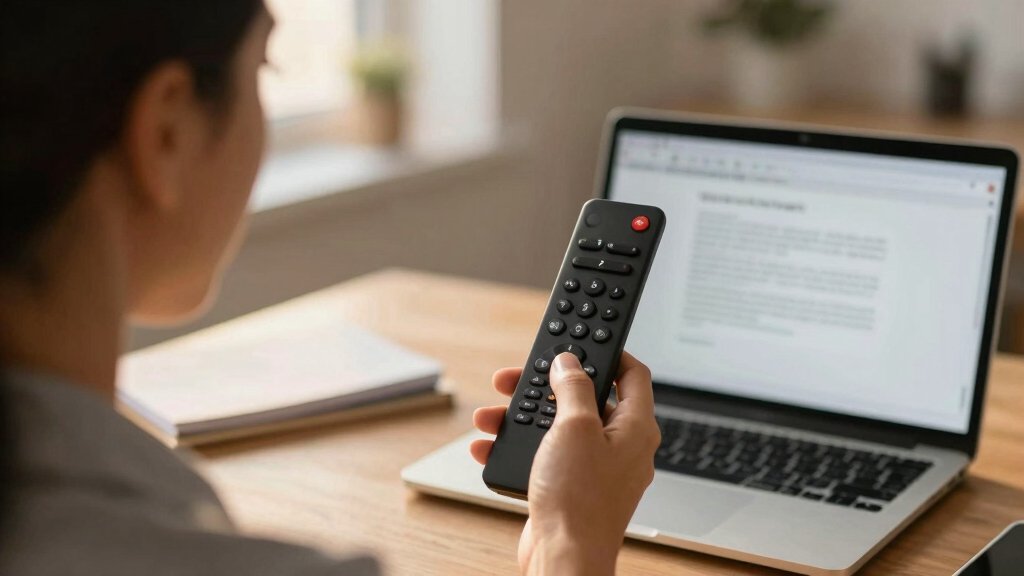

Choosing the best presentation remote is essential for business owners who want to deliver smooth, professional presentations. The Logitech Spotlight stands out for its advanced digital highlighting and 30-meter range, making it ideal for large conference rooms. The Kensington Wireless Presenter offers a reliable, straightforward experience for everyday use. Meanwhile, the Lenovo Bluetooth Remote combines portability with long battery life. The main tradeoffs include balancing features like range and compatibility against cost and simplicity. Continue reading for a detailed breakdown to find the perfect fit for your needs.

Get hardware and tech essentials delivered free with Prime
- Fast, free delivery on millions of items
- Prime Video, Amazon Music and more included
- Member-only deals all year
Key Takeaways
- Top products balance wireless range and device compatibility for seamless presentations across platforms.
- Advanced features like digital highlighting and air mouse control are mainly found in premium options.
- Battery life and charging methods vary, impacting usability during long presentation days.
- Portability and design influence ease of use in different business environments, from offices to large conference halls.
- Price often correlates with feature set, but some budget options deliver reliable performance without extra bells and whistles.




More Details on Our Top Picks
Kensington Wireless Presenter – Presentation Remote (K33271WW), Black
This remote stands out for its intuitive four-button layout, allowing seamless control over slide navigation, screen hiding, and slideshow playback. Unlike some models like the Satechi R1, it offers a plug-and-play 2.4GHz wireless connection with a 65-foot range, ensuring reliable performance in large rooms. The laser-free design makes it suitable for venues where laser pointers are restricted, though this might be a drawback if you prefer laser highlighting. Its compact USB nano receiver stores inside the battery compartment, preventing loss during transit. Compared with premium options like the Logitech Spotlight, it lacks advanced digital highlighting but offers excellent reliability for daily business use. The AES 128-bit encryption ensures data security, which is vital for corporate environments. However, it supports only one device at a time, limiting multi-device use. This pick makes the most sense for business owners who need a straightforward, dependable remote with secure wireless performance and room to roam without fuss.
Pros:- Reliable 2.4GHz wireless connection with 65-foot range
- Intuitive four-button layout for easy control
- Laser-free design suitable for restricted venues
Cons:- Limited to supporting only one device at a time
- No advanced presentation features like digital highlighting
Best for: Business owners who want a reliable, easy-to-use presentation remote with secure wireless connectivity and moderate range.
Not ideal for: Power users seeking advanced highlighting features or multi-device support, as this model lacks those functionalities.
- Maximum Range:65 Feet
- Button Quantity:6
- Connectivity Technology:Radio Frequency
- Supported Devices:Personal Computer
- Item Weight:0.17 Kilograms
- Batteries Required:1 AAA
- Color:Black
- Warranty:3 years
Bottom line: This remote offers dependable performance for everyday business presentations, ideal for owners prioritizing simplicity and security.
DINOSTRIKE Wireless Presenter Remote with Air Mouse Control, Rechargeable USB A&C Presentation Clicker PPT Pointer RF 2.4GhZ PowerPoint Clicker Slide Advancer for Computer Laptop Mac
This remote excels for its multifunctionality, combining traditional slide advancing with an air mouse feature, making it ideal for dynamic presentations. Unlike the Logitech R500s, it supports systems beyond Windows and Mac, including Linux and Android, offering broader compatibility. Its bright red laser pointer is visible against most backgrounds, but if you often present on monitors or LED screens, a green laser like the Logitech Spotlight might be preferable. The long control distances—up to 82 feet for the air mouse and 656 feet for wireless control—allow free movement, though its weight of 27 grams makes it less comfortable for extended use compared to lighter models. The rechargeable 300mAh battery charges quickly and lasts weeks, a notable advantage over battery-dependent remotes like the Satechi R1. This pick makes sense for tech-savvy business owners seeking a flexible, durable remote that combines presentation control with air mouse functionality.
Pros:- Supports multiple operating systems including Linux and Android
- Long wireless control range up to 656 feet
- Built-in rechargeable battery with weeks of use
Cons:- Heavier than some models, may cause fatigue during long sessions
- Laser pointer may require a green laser for enhanced visibility on screens
Best for: Business owners who need a versatile remote with air mouse capabilities for large, interactive presentations.
Not ideal for: Owners seeking a lightweight, simple clicker without additional features, since this model is somewhat heavier and complex.
- Maximum Range:656 Feet
- Button Quantity:6
- Connectivity Technology:Radio Frequency
- Supported Devices:Multiple OS including Linux and Android
- Item Weight:27 Grams
- Batteries Required:Rechargeable Lithium Polymer
- Color:Black
- Warranty:2 Years
Bottom line: This remote works best for tech-forward users needing a multifunctional device with extensive control range and rechargeability.
Presentation Clicker Wireless Presenter Remote for PowerPoint, Powerpoint Clicker with Volume Control PowerPoint Slide Advancer for Mac, Computer, Laptop
This clicker emphasizes ease of use with its plug-and-play design, supporting a broad range of platforms including Mac, Windows, and even MacBook Air/Pro with USB-C. Unlike the Logitech R500s with Bluetooth and app support, this model relies solely on a 2.4 GHz USB receiver for straightforward operation, making it a reliable choice for users wary of Bluetooth connectivity issues. Its bright red laser pointer enhances visibility during presentations, but for larger screens or rooms, a green laser might be more effective. The five-button control layout is simple, with volume control and slide navigation, though it lacks advanced features like screen blackout or digital annotation. Its compact size and lightweight make it ideal for frequent travelers or small business owners. The absence of a rechargeable battery is a minor downside compared to models like the Satechi R1, but overall, it offers excellent value and broad compatibility.
Pros:- Plug-and-play with USB receiver, no software needed
- Compatible with Mac, Windows, and USB-C devices
- Bright red laser pointer for visibility
Cons:- Limited to supporting a single device at a time
- No rechargeable battery; uses disposable AAA batteries
Best for: Business owners seeking a reliable, easy-to-use remote compatible with multiple platforms, especially Mac users.
Not ideal for: Power users or those requiring advanced presentation features like digital highlighting or multi-device support.
- Maximum Range:20 Meters
- Button Quantity:5
- Connectivity Technology:Radio Frequency
- Supported Devices:Multiple platforms including Mac and Windows
- Item Weight:0.05 Kilograms
- Batteries Required:2 AAA
- Color:Black
- Warranty:30 Days
Bottom line: This remote offers a straightforward, compatible solution for business owners prioritizing simplicity and broad device support.
Logitech Wireless Presenter R500s, PowerPoint Clicker with Laser Pointer, Wireless Presentation Clicker Remote
This remote shines with its broad compatibility, supporting Windows, MacOS, iOS, Android, and various presentation software like PowerPoint, Keynote, and Google Slides. Unlike the Kensington, which offers basic controls, the Logitech R500s can be customized via the Logitech Presentation App, enabling tailored button functions and on-screen timers—great for seasoned presenters. Its 20-meter operating range allows movement across large rooms, although environmental factors can affect performance. The laser pointer is bright and easy to see, but for optimal visibility on screens, a green laser like the Spotlight might be better. Its rechargeable battery lasts about 12 months, reducing the hassle of replacing batteries, unlike the Satechi R1. Heavier than some models at 63.4 grams, it’s designed for durability during frequent use. Ideal for tech-savvy business owners who want versatile, customizable control with long-range wireless operation.
Pros:- Supports multiple OS and presentation software platforms
- Customizable buttons via Logitech app
- Wireless control range up to 20 meters
Cons:- Relatively heavier, may cause fatigue over time
- Requires software installation for full customization
Best for: Business owners who want a highly compatible, customizable remote with extensive software support and long-range operation.
Not ideal for: Owners seeking a lightweight, minimal feature device, as this unit is relatively heavier and more complex.
- Maximum Range:20 Meters
- Button Quantity:3
- Connectivity Technology:Radio Frequency
- Supported Devices:Multiple OS including iOS, Android
- Item Weight:63.4 Grams
- Batteries Required:1 Lithium Polymer
- Color:Black
- Warranty:2 Years
Bottom line: This remote is ideal for business owners who need a versatile, long-range device with app customization and broad compatibility.
Satechi R1 Bluetooth Presentation Remote, Wireless Presenter for PowerPoint & Keynote, for MacBook Air/Pro/Neo, iPad Air/Pro, iPad mini, Mac mini, iMac
This remote is a strong choice for Apple ecosystem users, thanks to its Bluetooth 5.0 connectivity, supporting MacBooks, iPads, Mac minis, and more. Unlike the Kensington or the Logitech R500s, it does not require a USB receiver, reducing clutter. The built-in red laser pointer provides precise highlighting, but for presentation screens or projectors, a green laser might be more visible, similar to the Logitech Spotlight. Its rechargeable battery via USB-C lasts up to six months, offering convenience over disposable batteries. The device is lightweight at 63.4 grams, making it easy to handle during extended sessions. Its primary limitation is its exclusive support for Bluetooth-enabled devices, which excludes Windows PCs without Bluetooth. This remote makes the most sense for Mac-focused owners or those heavily invested in Apple hardware seeking a sleek, wireless control option.
Pros:- Supports Bluetooth 5.0 with up to 32ft range
- Rechargeable via USB-C, lasts up to six months
- Built-in laser pointer for highlighting
Cons:- Limited to single device support, no multi-device pairing
- Only compatible with Bluetooth-enabled devices
Best for: Mac and iPad owners who prefer a Bluetooth remote with long battery life and minimal clutter.
Not ideal for: Windows users without Bluetooth or those needing multi-device or multi-platform support.
- Maximum Range:32 Feet
- Button Quantity:5
- Connectivity Technology:Bluetooth 5.0
- Supported Devices:MacBook, iPad, Mac mini, iPad mini
- Item Weight:63.4 Grams
- Batteries Required:Rechargeable Lithium Polymer
- Color:Black
- Warranty:2 Years
Bottom line: This remote is perfect for Apple device owners seeking a sleek, rechargeable, Bluetooth control with a built-in laser pointer.
Satechi R1 Bluetooth Presentation Remote, Wireless Presenter for PowerPoint & Keynote, for MacBook Air/Pro/Neo, iPad Air/Pro, iPad mini, Mac mini, iMac
This remote is a strong choice for Apple ecosystem users, thanks to its Bluetooth 5.0 connectivity, supporting MacBooks, iPads, Mac minis, and more. Unlike the Kensington or the Logitech R500s, it does not require a USB receiver, reducing clutter. The built-in red laser pointer provides precise highlighting, but for presentation screens or projectors, a green laser might be more visible, similar to the Logitech Spotlight. Its rechargeable battery via USB-C lasts up to six months, offering convenience over disposable batteries. The device is lightweight at 63.4 grams, making it easy to handle during extended sessions. Its primary limitation is its exclusive support for Bluetooth-enabled devices, which excludes Windows PCs without Bluetooth. This remote makes the most sense for Mac-focused owners or those heavily invested in Apple hardware seeking a sleek, wireless control option.
Pros:- Supports Bluetooth 5.0 with up to 32ft range
- Rechargeable via USB-C, lasts up to six months
- Built-in laser pointer for highlighting
Cons:- Limited to single device support, no multi-device pairing
- Only compatible with Bluetooth-enabled devices
Best for: Mac and iPad owners who prefer a Bluetooth remote with long battery life and minimal clutter.
Not ideal for: Windows users without Bluetooth or those needing multi-device or multi-platform support.
- Maximum Range:32 Feet
- Button Quantity:5
- Connectivity Technology:Bluetooth 5.0
- Supported Devices:MacBook, iPad, Mac mini, iPad mini
- Item Weight:63.4 Grams
- Batteries Required:Rechargeable Lithium Polymer
- Color:Black
- Warranty:2 Years
Bottom line: This remote is perfect for Apple device owners seeking a sleek, rechargeable, Bluetooth control with a built-in laser pointer.
Logitech Wireless Presenter R800, PowerPoint Clicker with Green Laser Pointer, Wireless Presentation Clicker Remote
This remote stands out for its combination of a powerful green laser pointer, a generous 100-foot range, and an LCD timer that helps manage your presentation seamlessly. Compared with the Logitech R400, it offers a longer range and a more visible laser, making it suitable for larger rooms and more dynamic presentations. The silent vibrating alerts keep you on pace without distraction, and the storable receiver simplifies packing. However, its size and weight are slightly bulkier than compact models, which may matter to frequent travelers. The intuitive controls and ergonomic design make it easy to handle, even under pressure. While it doesn’t support smart home integration, its plug-and-play setup ensures quick deployment. Perfect for business owners who need reliability and a high-impact laser pointer for larger audiences.
Pros:- Powerful green laser pointer, visible even in bright rooms
- Long 100-foot wireless range for freedom of movement
- LCD timer with silent vibrating alerts for better time management
- Storable USB receiver for easy packing
Cons:- Slightly larger and heavier than compact models, less portable
- No smart home or advanced customization features
Best for: Business owners who present in large conference rooms and need a reliable, long-range device with a bright laser pointer.
Not ideal for: Frequent travelers who prefer ultra-compact remotes or those on a tight budget, as this model is a bit bulkier and slightly more expensive.
- Maximum Range:100 feet
- Laser Pointer Color:Green
- Buttons:Multiple, tactile
- Wireless Technology:2.4 GHz
- Receiver Storage:Yes, stores inside the unit
- Batteries:2 AAA (included)
- Weight:Approx. 0.03 lbs
- Dimensions:5.28″L x 1.5″W x 1.1″H
Bottom line: This remote is ideal for business owners needing a dependable, high-visibility laser pointer with extensive range for larger venues.
Logitech Spotlight Presentation Remote – Universal Wireless Presentation Clicker with Laser Pointer, Advanced Digital Highlighting, Bluetooth, 30 m Range and Quick Charging – Black
This remote excels in delivering a sophisticated presentation experience with its advanced digital highlighting, magnifying features, and a robust 30-meter (approximately 100 feet) range. Unlike the R800, it offers on-screen cursor control for multimedia interaction, making it suitable for high-stakes or tech-heavy presentations. The customizable pointer modes and vibration alerts provide tailored feedback, enhancing confidence. Its quick-charging feature and long battery life—up to three months on a full charge—minimize downtime. The dual connectivity options via Bluetooth or USB receiver make it highly versatile across devices. Compared to more basic models like the R400 or R600, the Spotlight is designed for professionals who demand precision and customization. The slightly higher price reflects its feature set, but for those needing advanced control, it’s worth the investment.
Pros:- On-screen highlighting and magnification for impactful visuals
- Cursor control for multimedia and hyperlink navigation
- Vibration alerts for timing without interruption
- Fast full-charge battery lasts up to 3 months
Cons:- Higher cost compared to basic models like the R400 or R800
- Slightly larger and more complex to setup for non-technical users
Best for: Business owners and presenters who require advanced highlighting, multimedia control, and a premium experience in large or hybrid environments.
Not ideal for: Casual presenters or those on a tight budget, as its price and complexity may be more than needed for simple slide shows.
- Range:30 meters
- Connectivity:Bluetooth & USB
- Highlighting:Digital magnify and highlight
- Battery Life:Up to 3 months
- Charging:Quick charge in 1 min for 3 hours use
- Supported OS:Windows, Mac
- Buttons:Multiple, customizable via app
- Weight:Approx. 0.11 lbs
Bottom line: This remote is best suited for business owners seeking a high-tech, customizable presentation tool with multimedia control capabilities.
Logitech Wireless Presenter R400, USB-A PowerPoint Clicker with Laser Pointer, Wireless Presentation Clicker Remote
This pick offers reliable basic functionality with a bright red laser pointer, up to 50 feet of wireless range, and simple slide controls. Compared to the R800, it has a shorter range and a less intense laser, but it’s easier to carry and set up, making it ideal for small to medium rooms. The intuitive touch keys allow for effortless navigation, and the plug-and-play USB receiver makes it a true one-step setup—perfect for those who want straightforward operation without fuss. Its lightweight design and included carrying case add to its portability, making it a favorite for small business owners or educators on a budget. The main tradeoff is the limited range and less powerful laser, which may affect use in larger spaces or highly visual presentations.
Pros:- Affordable and easy to use with plug-and-play setup
- Bright red laser pointer for clear visibility
- Lightweight, portable design with storage case
- Reliable 50-foot wireless range
Cons:- Limited range compared to premium models like the Spotlight
- Laser less visible in very bright environments
Best for: Small business owners or educators who need a simple, reliable remote for regular presentations in smaller rooms.
Not ideal for: Large conference settings or tech-savvy users who require advanced features like digital highlighting or long-range control.
- Range:50 feet
- Laser Pointer:Red
- Buttons:4
- Connectivity:2.4 GHz RF
- Batteries:2 AA (included)
- Weight:Approx. 0.1 kg
- Receiver Storage:Yes
- Dimensions:4.55″L x 1.08″W x 1.49″H
Bottom line: This remote suits small business owners or educators needing a simple, reliable controller without extra bells and whistles.
QUI Presentation Clicker for PowerPoint, RF 2.4GHz USB Wireless Presenter Remote with Volume Control, PowerPoint Clicker Slide Advancer for Mac, Windows, Laptop, Keynote
This remote is designed for tech-savvy presenters who want more control, including hyperlink navigation, volume, and full-screen toggling, all with a stable 328-foot range. Unlike basic models, it features an intuitive touch interface that combines multiple functions in a single device—ideal for interactive or multimedia-rich presentations. Its plug-and-play USB receiver ensures quick setup, and the bright red laser pointer makes highlighting easy across backgrounds. The impressive 100-meter (328 feet) range allows freedom of movement, even in large auditoriums or outdoor settings. Its comprehensive button controls make it suitable for business owners who frequently deliver complex presentations or training sessions. The main tradeoff is its size and the need for AAA batteries, which some users might find less convenient than rechargeable options.
Pros:- Extra-long 328-foot range for maximum mobility
- Multiple functions including hyperlink, volume, and full-screen control
- Bright red laser pointer for clear highlighting
- Plug-and-play USB receiver for instant setup
Cons:- Bulkier size may be less portable
- Requires AAA batteries, adding to maintenance
Best for: Business owners delivering multimedia or complex presentations in large venues who need extensive control and stability.
Not ideal for: Casual users or those seeking a compact, lightweight remote for quick, simple slideshows.
- Range:328 feet
- Laser Pointer:Red
- Buttons:Multiple, touch interface
- Connectivity:RF 2.4 GHz USB
- Battery:1 AAA (not included)
- Weight:Approx. 55 grams
- Supported OS:Windows, Mac
- Size:Larger than basic models
Bottom line: This remote is the ideal choice for business owners who need extensive control and a long-range, multimedia-capable presenter.
Logitech Wireless Presenter R400, USB-A PowerPoint Clicker with Laser Pointer, Wireless Presentation Clicker Remote
This remote offers reliable basic presentation support with a bright red laser pointer and a 50-foot range. It’s a straightforward, no-fuss device suitable for small to medium-sized rooms, making it perfect for small business owners or educators. Its simple touch keys provide intuitive control, and the plug-and-play USB receiver makes setup immediate—no software needed. The lightweight design and included carrying case enhance portability, ideal for those who travel or present frequently. Compared to more advanced models like the Spotlight or R800, it lacks digital highlighting and extended range, but its affordability and ease of use make it a solid choice for those who prioritize simplicity.
Pros:- Affordable and simple to operate
- Bright red laser pointer, clearly visible in most environments
- Lightweight with carrying case for portability
- Reliable 50-foot wireless range
Cons:- Limited to 50-foot range, less suitable for large auditoriums
- Laser less visible in very bright or outdoor environments
Best for: Small business owners or teachers needing a dependable, easy-to-use remote for regular in-room presentations.
Not ideal for: Large conference settings or users requiring multimedia control or long-range wireless operation.
- Range:50 feet
- Laser Pointer:Red
- Buttons:4
- Connectivity:2.4 GHz RF
- Batteries:2 AA (included)
- Weight:Approx. 0.1 kg
- Receiver Storage:Yes
- Dimensions:4.55″L x 1.08″W x 1.49″H
Bottom line: This remote is a perfect fit for small business owners or educators who want a straightforward, reliable presentation tool without extra features.
Wireless Presenter, Hyperlink Volume Control Presentation Clicker RF 2.4GHz USB PowerPoint Clicker Presentation Remote Control Pointer Slide Advancer (Black)
This presentation remote stands out for its plug-and-play simplicity, requiring no software installation, which makes it perfect for busy business owners. While it supports a variety of functions like hyperlink navigation, volume control, and full/black screen toggle, its bright red pointer offers high visibility—except on LCD screens where it’s less effective. Compared with the QUI Presentation Clicker, it offers a longer wireless range of 100 feet, ideal for large rooms, but its design sacrifices some comfort for compactness. The magnetic USB storage helps prevent loss, yet the single AAA battery limits continuous use, with an auto-sleep feature conserving power. Tradeoff: simplicity and range versus battery longevity. This is best suited for business owners needing a reliable, straightforward remote for frequent presentations in large spaces. It’s less ideal for those seeking a more ergonomic design or multi-device support.
Pros: Easy to set up, long wireless range, bright pointer, compact design.
Cons: Battery not included, limited ergonomic comfort, pointer not ideal for LCD screens.
Verdict: This pick makes the most sense for business owners prioritizing range and ease of use without complex features.Pros:- Plug-and-play setup with no software needed
- Long wireless range of up to 100 feet
- Bright red pointer for visibility
- Compact and space-saving design
Cons:- Battery not included, requiring an additional purchase
- Pointer less effective on LCD screens
- Limited ergonomic comfort for extended use
Best for: business owners who need a reliable, easy-to-use remote with a long wireless range
Not ideal for: those wanting a highly ergonomic design or multi-device support
- Wireless Range:100 feet
- Connectivity:RF 2.4GHz USB
- Pointer Type:Bright red laser
- Batteries:1 AAA (not included)
- Buttons:Multiple functions including hyperlink, volume, full/black screen
- Weight:0.3 ounces
Bottom line: This remote is perfect for business owners who need dependable range and simple controls in a straightforward package.
Presentation Clicker with Case Storage: Wireless Presenter Remote: Red Laser Pointer Computer Clickers, USB C PowerPoint PPT Clicker for Mac Laptop, Slideshow Google Slide Advancer
This presentation remote excels for USB-C convenience and its ergonomic, comfortable grip, making it ideal for professionals on the go. It pairs effortlessly with both Mac and Windows devices, including iPads, unlike the Hyperlink Volume Control Clicker which is RF-based and less versatile. Its long-range laser pointer of 328 feet allows dynamic presentations across large rooms, but the focus on USB-C makes it less compatible with older laptops lacking this port. Compared to the QUI Presentation Clicker, it offers more advanced modes like highlight and magnify via dedicated app, but its battery life depends on the rechargeable lithium polymer cell, requiring occasional charging. Tradeoff: advanced features and USB-C support versus reliance on rechargeable power. This is best suited for business owners who frequently present with newer devices and value comfort and versatility. It’s less ideal for those with older laptops or seeking simple plug-and-play solutions.
Pros: USB-C compatible, ergonomic design, long-range laser pointer, rechargeable battery.
Cons: Requires charging, less compatible with older laptops, higher price point.
Verdict: This remote makes the most sense for business owners with newer devices who want comfort and advanced features in a lightweight design.Pros:- USB-C charging with long-lasting battery life
- Ultra-lightweight and ergonomic design
- Advanced presentation modes via app
- Reliable Bluetooth 5.3 connection with 30 meters range
Cons:- Needs charging, not battery-powered
- Less compatible with older laptops lacking USB-C
- Higher cost compared to simpler remotes
Best for: business owners with modern USB-C devices seeking ergonomic comfort and advanced controls
Not ideal for: users with older laptops or those who prefer non-rechargeable, plug-and-play options
- Connectivity:Bluetooth 5.3
- Range:up to 30 meters
- Weight:18.8 grams
- Batteries:Built-in rechargeable lithium polymer (USB-C)
- Supported OS:Windows 10+, macOS 12+
- Features:Digital pointer, highlight, magnify, customizable controls
Bottom line: This remote is best for business owners who want a sleek, ergonomic, USB-C compatible device with versatile presentation features.
Wireless Presentation Clicker PowerPoint Presenter Remote : USB Type C Clicker with Red Laser Pointer Long Range PPT Control -Power Point Google Slide Advancer for Mac, Laptop PC Computer Keynote

Best for Business Owners Who Need Long Range and Compatibility with Multiple Systems
View Latest PriceThis presentation clicker is ideal for business owners needing a long-range remote capable of controlling presentations from up to 98 feet, surpassing many RF models like the Wireless Presenter RF 2.4GHz. Its USB-C receiver allows easy pairing with modern laptops and Macs, making it suitable for diverse environments. The bright red laser pointer ensures visibility even in large auditoriums, but the large range may come with a tradeoff in lightweight portability. Compared to the QUI Presentation Clicker, it offers a more streamlined design but fewer advanced modes. Its plug-and-play compatibility with multiple OSes makes it a flexible choice, though the reliance on AAA batteries means ongoing battery replacement. Tradeoff: long-range control versus battery and portability considerations. This is best suited for business owners who often present across large venues and need multi-system compatibility. It’s less suitable for those preferring ultra-lightweight devices or minimal controls.
Pros: Long-range RF control, USB-C compatibility, bright laser pointer, broad OS support.
Cons: Uses AAA batteries, less portable, fewer advanced modes.
Verdict: This remote is perfect for business owners who need extensive control across large spaces with broad compatibility.Pros:- Long-range control up to 98 feet
- USB-C receiver for compatibility with modern devices
- Bright red laser pointer for visibility
- Supports multiple operating systems
Cons:- Operates on AAA batteries, requiring replacements
- Less portable due to size and range
- Fewer advanced presentation modes
Best for: business owners presenting in large venues requiring long-range control and multi-OS support
Not ideal for: those seeking ultra-lightweight, minimal control devices or battery-free options
- Range:98 feet
- Connectivity:RF USB-C receiver
- Pointer:Red laser
- Batteries:2 AAA (included)
- Compatibility:Windows, Mac, Linux
- Buttons:Page up/down, laser, full/black screen, volume
Bottom line: This remote is best for business owners who need reliable, long-distance presentation control across large venues with broad system compatibility.
QUI Presentation Clicker for PowerPoint, RF 2.4GHz USB Wireless Presenter Remote with Volume Control, PowerPoint Clicker Slide Advancer for Mac, Windows, Laptop, Keynote
This presentation clicker offers reliable RF 2.4GHz connection with a plug-and-play design, making it perfect for business owners who prefer straightforward operation. Its simple button layout includes volume, hyperlink, slide control, and full/black screen functions, similar to the Wireless Presenter RF 2.4GHz USB. Unlike more advanced remotes, it focuses on essential features, making it less cluttered but also less versatile. The bright red pointer provides good visibility, yet it’s less feature-rich than models with app-based controls. The single AAA battery limits continuous use, but auto-sleep conserves power. Compared to the Lenovo Bluetooth Remote, it’s less portable but more universally compatible with older systems. Tradeoff: simplicity and stable RF connection versus advanced features or rechargeable power. This is best for business owners wanting a dependable, easy-to-use RF remote for routine presentations. It’s less ideal for those seeking Bluetooth or advanced modes.
Pros: Reliable RF 2.4GHz connection, straightforward controls, stable connection, bright pointer.
Cons: Battery not included, limited advanced features, less portable.
Verdict: This pick makes the most sense for business owners prioritizing reliable, simple RF operation over extra features.Pros:- Stable RF 2.4GHz connection
- Simple, intuitive button layout
- Bright red laser pointer for visibility
- Plug-and-play setup
Cons:- Requires AAA batteries (not included)
- Limited to essential functions
- Less portable due to size
Best for: business owners who need a dependable RF remote with minimal fuss
Not ideal for: those wanting Bluetooth connectivity or advanced control modes
- Range:up to 98 feet
- Connection:RF 2.4GHz USB
- Pointer:Red laser
- Batteries:1 AAA (not included)
- Compatibility:Windows, Mac
- Buttons:Volume, hyperlink, slide control, full/black screen
Bottom line: This remote is ideal for business owners seeking a reliable, straightforward RF control for routine presentations.
QUI Presentation Clicker for PowerPoint, RF 2.4GHz USB Wireless Presenter Remote with Volume Control, PowerPoint Clicker Slide Advancer for Mac, Windows, Laptop, Keynote
This presentation clicker offers reliable RF 2.4GHz connection with a plug-and-play design, making it perfect for business owners who prefer straightforward operation. Its simple button layout includes volume, hyperlink, slide control, and full/black screen functions, similar to the Wireless Presenter RF 2.4GHz USB. Unlike more advanced remotes, it focuses on essential features, making it less cluttered but also less versatile. The bright red pointer provides good visibility, yet it’s less feature-rich than models with app-based controls. The single AAA battery limits continuous use, but auto-sleep conserves power. Compared to the Lenovo Bluetooth Remote, it’s less portable but more universally compatible with older systems. Tradeoff: simplicity and stable RF connection versus advanced features or rechargeable power. This is best for business owners wanting a dependable, easy-to-use RF remote for routine presentations. It’s less ideal for those seeking Bluetooth or advanced modes.
Pros: Reliable RF 2.4GHz connection, straightforward controls, stable connection, bright pointer.
Cons: Battery not included, limited advanced features, less portable.
Verdict: This pick makes the most sense for business owners prioritizing reliable, simple RF operation over extra features.Pros:- Stable RF 2.4GHz connection
- Simple, intuitive button layout
- Bright red laser pointer for visibility
- Plug-and-play setup
Cons:- Requires AAA batteries (not included)
- Limited to essential functions
- Less portable due to size
Best for: business owners who need a dependable RF remote with minimal fuss
Not ideal for: those wanting Bluetooth connectivity or advanced control modes
- Range:up to 98 feet
- Connection:RF 2.4GHz USB
- Pointer:Red laser
- Batteries:1 AAA (not included)
- Compatibility:Windows, Mac
- Buttons:Volume, hyperlink, slide control, full/black screen
Bottom line: This remote is ideal for business owners seeking a reliable, straightforward RF control for routine presentations.

How We Picked
Each product was evaluated based on performance, usability, build quality, and feature set. We prioritized remote controls that offered reliable wireless connectivity, user-friendly interfaces, and broad compatibility with popular presentation software. Durability and battery life also played key roles, especially for users on the go. Our rankings aim to reflect the best value for various business scenarios, from simple slide advancing to advanced digital highlighting. Ultimately, products are ordered to showcase the best overall options, with clear distinctions based on their strengths and tradeoffs.Factors to Consider When Choosing Best Presentation Remotes For Business Owners
When selecting the best presentation remote for your business, it’s important to consider how you’ll use it daily, the environments you’ll present in, and your technical requirements. A good remote should be reliable, easy to operate, and compatible with your devices and software. Paying attention to range, battery life, and ergonomic design can prevent frustrations during critical meetings. Additionally, think about whether advanced features like laser pointers or digital highlighting are necessary for your presentation style. Balancing these factors can save you money and improve your professional image.Compatibility and Connectivity
Ensure your remote supports your devices, whether Windows, Mac, or tablets. Wireless options like Bluetooth and RF 2.4GHz provide different benefits—Bluetooth often offers easier pairing and device switching, while RF tends to have a more stable connection for longer ranges. Consider the software you use most often; some remotes integrate better with PowerPoint, Keynote, or Google Slides. Avoid remotes that lack compatibility with your primary presentation platform to prevent frustration during critical moments.
Range and Reliability
Wireless range varies significantly among models, with premium options offering up to 30 meters or more, ideal for large rooms or outdoor presentations. Cheaper models may only reach 10 meters, which might suffice for small conference rooms but can cause interruptions if you move too far from your device. Reliability is just as important—look for products with stable connections and minimal lag. Frequent disconnections can undermine your confidence and disrupt your flow, so prioritize trusted brands and proven connectivity technology.
Battery Life and Power Options
Long-lasting batteries or rechargeable options can make a big difference during back-to-back meetings. Some remotes use replaceable batteries, which can be convenient but also require ongoing maintenance. Others, like the Lenovo Bluetooth Remote, offer rechargeable batteries with quick charging, reducing downtime. Consider your usage patterns—if you often give lengthy presentations, a remote with a strong battery life or quick charge feature is worth the investment to avoid interruptions.
Ease of Use and Ergonomics
A remote should feel comfortable in your hand and have intuitive controls. Lightweight, ergonomic designs reduce fatigue during prolonged use, especially if you’re moving around. Simple button layouts with clearly labeled functions help prevent mistakes. Some models include extra features like volume controls or laser pointers, which can be useful but may add complexity. Think about your familiarity with tech and choose a model that minimizes learning curves for faster setup and operation.
Additional Features and Value
Features like built-in laser pointers, digital highlighting, and air mouse controls can enhance your presentation but often come at a higher price. Decide whether these extras align with your presentation style or if a straightforward slide controller suffices. Also, consider storage options like cases or clip-ons for portability. Value isn’t just about price—it’s about how well a remote’s features match your specific needs and how much they contribute to a polished delivery.
Frequently Asked Questions
Can I use a presentation remote with a Mac and Windows PC?
Yes, most modern presentation remotes support both Mac and Windows, especially those with Bluetooth or universal RF connectivity. However, compatibility can vary, so it’s wise to check each product’s specifications for platform support. Some models also come with software or driver requirements, which may need updating for full functionality. Ensuring compatibility ahead of time can prevent delays or frustration during your presentation.
What range should I look for in a presentation remote for large conference rooms?
For larger rooms, a remote with at least a 15-20 meter range is advisable to give you freedom of movement. Premium options extend even further, up to 30 meters or more, providing flexibility in big spaces. Keep in mind that obstacles like walls or furniture can reduce effective range, so choosing a remote with a higher maximum range ensures you won’t be caught short during a critical moment.
Are rechargeable presentation remotes better than those with replaceable batteries?
Rechargeable remotes eliminate the need for ongoing battery purchases and often include quick-charge features, making them more convenient for frequent use. However, they depend on charging schedules, which can cause inconvenience if the battery runs out unexpectedly. Remotes with replaceable batteries typically have a longer lifespan in terms of battery life per charge but require ongoing maintenance. Your choice depends on your presentation frequency and preference for convenience versus longevity.
Do I need a remote with a laser pointer, or is a simple slide clicker enough?
If your presentations benefit from highlighting specific points visually, a remote with a laser pointer or digital highlighting can be valuable. These features help emphasize key data or concepts, especially in larger rooms. However, they often come with higher costs and added complexity. For basic slide control, a simple clicker might be more reliable and easier to operate, making it better suited for straightforward presentations.
What should I consider when choosing a presentation remote for travel?
For travel, compact, lightweight, and durable remotes are ideal. Look for models with rechargeable batteries to avoid carrying extra batteries or adapters. Wireless options with a stable connection and good range are essential to prevent interruptions in unfamiliar environments. Some remotes also come with protective cases, which can prolong their lifespan and make packing easier. Prioritize simplicity and reliability when selecting a travel-friendly presentation remote.
Conclusion
For business owners prioritizing overall value and ease of use, the Kensington Wireless Presenter offers a reliable, straightforward experience. If advanced features like digital highlighting and long-range control matter most, the Logitech Spotlight is an excellent premium choice. Beginners or those on a budget will appreciate the simplicity of the Logitech R400. For large conference environments, models with extended range like the Lenovo Bluetooth Remote stand out. Ultimately, choosing the right remote depends on your specific presentation needs, environment, and tech preferences.