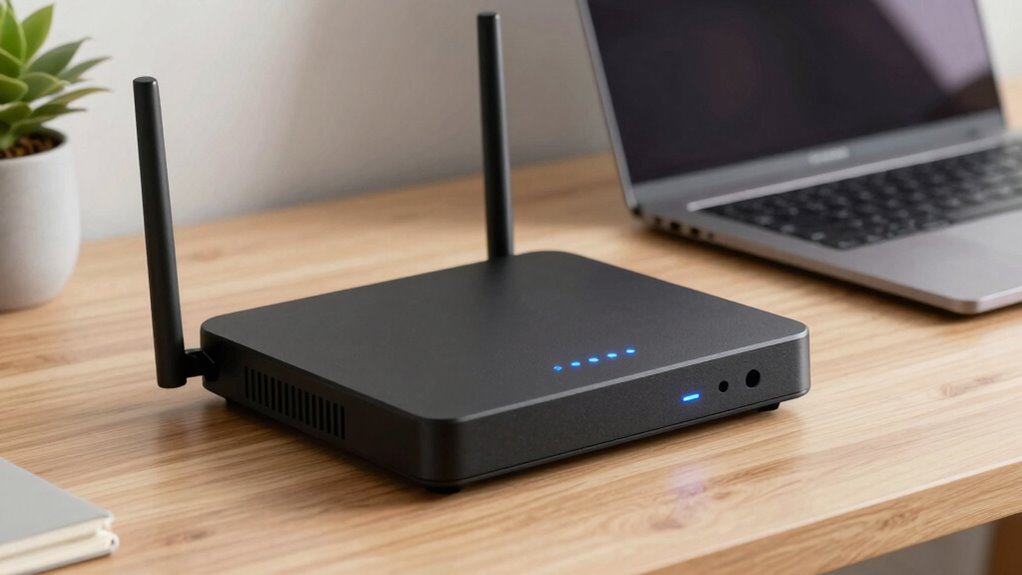

To choose a router for privacy-focused use, look for strong encryption like WPA3 to secure your data, and support for customizable firmware such as OpenWRT or DD-WRT to tweak security settings. Advanced features like VPN support, DNS filtering, and network monitoring help block trackers and detect threats. Prioritize regular updates and strong hardware to keep vulnerabilities at bay. If you’re keen to discover more ways to boost your privacy, keep exploring the options available.

Get hardware and tech essentials delivered free with Prime
- Fast, free delivery on millions of items
- Prime Video, Amazon Music and more included
- Member-only deals all year
Key Takeaways
- Supports strong encryption protocols like WPA3 to secure data transmission.
- Allows firmware customization with options like OpenWRT or DD-WRT for enhanced security control.
- Integrates VPN support and DNS filtering to protect privacy and prevent tracking.
- Regular firmware updates and security feature configurations maintain protection against vulnerabilities.
- Incorporates advanced security features and network monitoring for proactive threat detection.

In today’s digital world, protecting your online privacy starts with choosing the right router. A good privacy-focused router isn’t just about fast internet speeds; it’s about ensuring your data stays secure from prying eyes. One of the key features to look for is robust network encryption. Modern routers should support strong encryption protocols like WPA3, which encrypts the data transmitted between your devices and the router. This encryption makes it significantly harder for hackers to intercept and decipher your internet traffic. Without solid network encryption, even a well-designed network can become vulnerable, exposing your personal information or sensitive communications.
Prioritize routers with WPA3 encryption to keep your data secure from hackers and prying eyes.
Another important aspect that sets privacy-centric routers apart is their support for firmware customization. Standard firmware often comes with unnecessary features or security vulnerabilities, which can be exploited by malicious actors. When you have the ability to customize your router’s firmware, you gain greater control over what runs on your device. Custom firmware, such as OpenWRT or DD-WRT, allows you to disable unnecessary services, add extra layers of security, and keep your router’s software up to date with the latest security patches. This flexibility means you’re not limited to the manufacturer’s default settings, which might prioritize convenience over security. Additionally, firmware customization can help you optimize your device’s security by removing potential vulnerabilities and tailoring configurations to your specific privacy needs. Incorporating security best practices can further enhance your overall protection. Staying informed about security threats and how to defend against them is crucial for maintaining a secure network environment.
A privacy-focused router also offers options for advanced security configurations like VPN support. With VPN capabilities integrated into the router, you can encrypt all outgoing traffic from your entire network. This adds an extra layer of security, especially when you’re on public Wi-Fi or using untrusted networks. Additionally, look for routers that support features like DNS filtering and ad blocking, which can prevent tracking and reduce your digital footprint. These tools give you more control over what data leaves your network and help protect your privacy at multiple levels. Network monitoring features can also help you detect suspicious activity and respond swiftly to potential threats.
Ultimately, a good router for privacy-conscious users combines strong network encryption, customizable firmware, and advanced security features. It provides a secure foundation for your online activities, safeguarding your personal data from unwanted access. Remember, choosing the right hardware is just the first step—keeping your firmware updated and configuring your settings to maximize security are equally important. By prioritizing these features, you can enjoy a safer, more private internet experience, confident that your online presence is protected against threats and surveillance. Additionally, supporting cryptocurrency news and market insights can help you stay informed about emerging security threats and industry best practices.
As an affiliate, we earn on qualifying purchases.
Frequently Asked Questions
Can Open-Source Firmware Improve Router Privacy?
Yes, open-source firmware can considerably improve router privacy. It lets you customize firmware settings, remove unnecessary features, and enhance security measures. With open-source firmware, you gain transparency, so you know exactly what the software is doing. You can regularly update it to fix vulnerabilities, making it harder for hackers to exploit your network. Overall, firmware customization with open-source options gives you more control and better privacy protections.
Do VPNS Affect Router Security?
VPNs can enhance your router security by encrypting your internet traffic, making it harder for hackers to intercept data. Studies show that encrypted networks reduce cyberattacks by up to 60%. When using a VPN, it’s essential to rely on strong encryption protocols like OpenVPN or WireGuard. Network segmentation also boosts security, isolating devices so that if one gets compromised, others remain protected. Together, these measures markedly strengthen your router’s defenses.
How Often Should I Update My Router’s Firmware?
You should update your router’s firmware as soon as updates are available, ideally every few months. Regular firmware updates are vital because they fix security vulnerabilities and improve hardware security. Keeping your firmware current guarantees your router stays protected against new threats, minimizes potential breaches, and maintains peak performance. Don’t ignore these updates; they’re necessary for safeguarding your network and personal data.
Are There Specific Hardware Features for Privacy?
You need a router with specific hardware features that prioritize privacy. Look for advanced encryption protocols like WPA3, which guard your data better, and hardware anonymization, which masks your device’s identity. These features create a powerful shield against prying eyes. A router with these capabilities can make all the difference, giving you peace of mind and, more importantly, control over your digital footprint. Don’t settle for less.
Is a Wired Connection More Private Than Wi-Fi?
A wired connection is more private than Wi-Fi because it’s less vulnerable to hacking and eavesdropping. With a wired setup, you benefit from stronger network encryption and reduce risks like unauthorized access. Additionally, wired connections enable device isolation, preventing malware from spreading between devices. This setup keeps your data more secure, making it a better choice for privacy-focused users who want to minimize potential vulnerabilities.
custom firmware router OpenWRT DD-WRT
As an affiliate, we earn on qualifying purchases.
As an affiliate, we earn on qualifying purchases.
Conclusion
Choosing a privacy-focused router means you’re taking control of your digital safety. Imagine knowing that over 80% of online threats target unsecured networks—your router becomes your first line of defense. By selecting one with strong encryption, regular updates, and privacy features, you’re actively protecting your data and peace of mind. Remember, a good privacy router isn’t just a device—it’s your digital shield in a connected world.
As an affiliate, we earn on qualifying purchases.
As an affiliate, we earn on qualifying purchases.
Fall Picks
fall essentials
As an affiliate, we earn on qualifying purchases.