
Choosing between a 2-bay and 4-bay NAS depends on your current storage needs and future growth plans. A 2-bay offers simplicity and lower costs, but limits capacity and flexibility for upgrades. A 4-bay supports larger storage pools, better redundancy, and easier expansion, making it ideal if you anticipate growing data or remote work. Keep in mind, your choice today can impact your setup down the line—exploring further can help you make the best decision.

Get hardware and tech essentials delivered free with Prime
- Fast, free delivery on millions of items
- Prime Video, Amazon Music and more included
- Member-only deals all year
Key Takeaways
- 4-bay NAS offers greater scalability and easier future upgrades compared to limited 2-bay models.
- Larger capacity and advanced RAID options in 4-bay units enhance data redundancy and security.
- 2-bay NAS consumes less power and generates less heat, reducing ongoing costs.
- 4-bay models support seamless cloud integration and remote access for better flexibility.
- Initial cost is lower for 2-bay NAS, but 4-bay units better accommodate long-term storage needs.
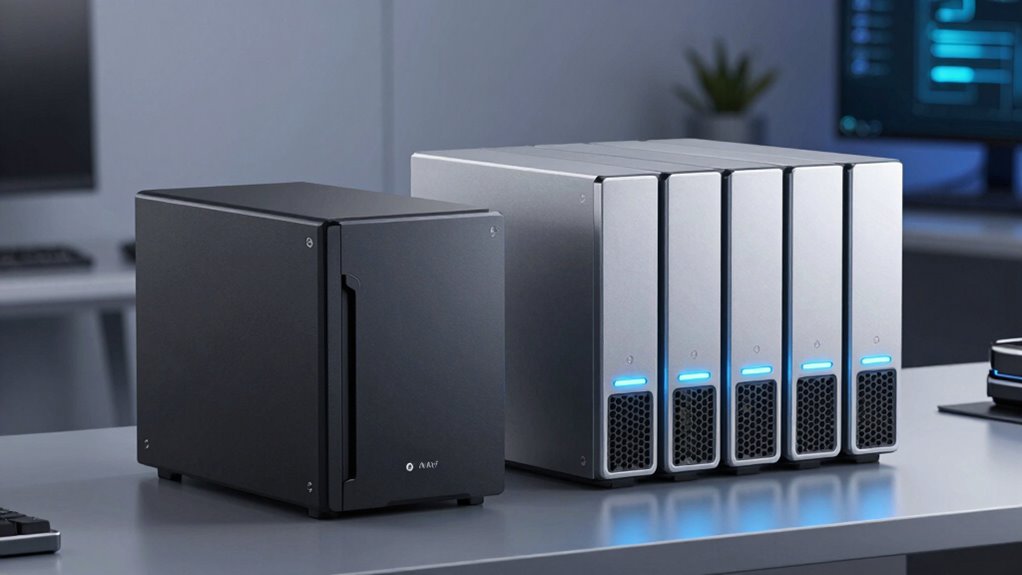
When choosing a Network-Attached Storage (NAS) device, understanding the differences between 2-bay and 4-bay models is essential. Your decision will shape your storage capacity, flexibility, and overall system management. A 2-bay NAS typically offers a straightforward setup, making it ideal for personal use or small offices. It usually consumes less power, which means lower ongoing energy costs and less heat generation. This can be a significant advantage if you’re concerned about power consumption or working within a limited budget. However, with only two drive bays, your storage capacity is limited, and upgrading later might mean replacing the entire unit or adding external drives.
Choosing between 2-bay and 4-bay NAS devices impacts storage, flexibility, and energy use for your setup.
On the other hand, a 4-bay NAS provides more room to grow. It allows you to install more drives, which can be configured for larger storage pools or different RAID setups for redundancy and performance. If you’re planning to expand your data needs over time, a 4-bay model offers the scalability you’ll need. Plus, many 4-bay NAS units support advanced features like cloud integration, enabling seamless syncing with cloud services for backup or remote access. This makes managing your data more flexible and accessible, especially if you work remotely or want to share files easily across devices. Keep in mind, though, that a 4-bay NAS generally consumes more power, which can lead to higher electricity bills and increased heat output. This might require better cooling solutions and more careful energy management.
Additionally, the larger capacity of a 4-bay NAS often makes it easier to implement data redundancy strategies, ensuring your data remains safe even if a drive fails. The ability to employ different RAID configurations can significantly improve your data security and performance. Your choice also hinges on how much emphasis you place on cloud integration. Both 2-bay and 4-bay NAS devices can support cloud services, but the larger capacity of a 4-bay device often makes it easier to manage backups and synchronize large volumes of data with cloud platforms. If your goal is to streamline workflows and ensure data redundancy, a 4-bay model could serve you better. Conversely, if your storage needs are minimal and you prefer a simple, energy-efficient device, a 2-bay NAS might suffice, especially if you’re just starting out.
Ultimately, your decision should balance current needs with future growth. Think about how much data you handle now, how much more you may need later, and how much you’re willing to invest in power consumption and cloud compatibility. Both options have their merits, but choosing the right NAS now can save you the hassle of upgrading and reconfiguring down the line.
As an affiliate, we earn on qualifying purchases.
Frequently Asked Questions
Can I Upgrade a 2-Bay NAS to 4 Bays Later?
You can’t upgrade a 2-bay NAS directly to 4 bays, as it typically requires a new device. However, you can transfer your data for remote access and media streaming to a new 4-bay NAS later. Upgrading lets you expand storage, improve performance, and enhance media streaming capabilities. This guarantees your setup remains flexible and scalable, supporting your growing needs without losing access to your essential files and media.
How Does NAS Bay Count Affect Power Consumption?
The number of NAS bays influences power consumption because more bays generally mean increased energy use. With higher bay counts, your device consumes more power due to additional drives and components. To optimize energy efficiency, look for models with advanced power management features that reduce energy when idle. Choosing a NAS with efficient power management not only saves energy but also cuts costs, especially as you add more drives over time.
Are There Differences in Noise Levels Between 2-Bay and 4-Bay NAS?
Think of your NAS as a busy engine—more bays, more noise. A 4-bay NAS typically produces higher fan noise and vibration levels than a 2-bay model because it has more components working simultaneously. If you’re in a quiet space, a 2-bay might be better, offering less fan noise and vibration. With extra bays, expect a slight increase in noise levels, but good design can help keep it manageable.
Which NAS Type Offers Better Data Redundancy Options?
A 4-bay NAS offers better data redundancy options, enhancing your network scalability and data security. With four drives, you can set up RAID configurations like RAID 5 or RAID 6, providing fault tolerance and protecting your data against drive failures. In contrast, a 2-bay NAS typically supports fewer RAID options, limiting redundancy and making your network more vulnerable. Opt for a 4-bay NAS if data security and scalable storage are priorities.
Is There a Significant Cost Difference Over Time?
Like a river that steadily flows, the cost difference over time can be noticeable. Generally, a 2-Bay NAS is more affordable initially, but long-term expenses may rise if you need more storage or redundancy. A 4-Bay NAS might cost more upfront, but it often offers better scalability and lower long-term expenses, especially as your storage needs grow. So, think about your future needs to make the best choice.
As an affiliate, we earn on qualifying purchases.
Conclusion
So, whether you start with a 2-bay or 4-bay NAS, remember that your choice sets the stage for future growth—sometimes, it’s just a matter of luck. You might find yourself upgrading sooner than expected, or discovering new needs down the line. Either way, it’s a coincidence that your initial decision can ripple into your digital life for years to come. Choose wisely, knowing that sometimes, the smallest choices turn out to be the biggest ones.
As an affiliate, we earn on qualifying purchases.
As an affiliate, we earn on qualifying purchases.
Fall Picks
fall essentials
As an affiliate, we earn on qualifying purchases.