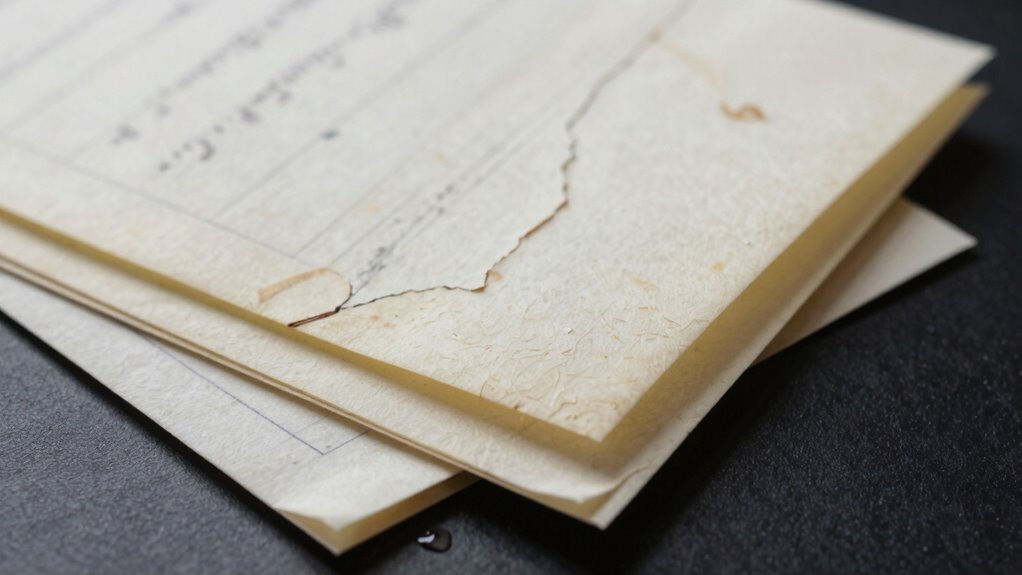

Paper backups might seem secure, but they’re more vulnerable than you think. Physical damage from fire, floods, or mishandling can wipe out essential data. Theft or unauthorized access poses additional risks, while deterioration over time can make information unreadable. Fireproof safes help, but they don’t offer complete protection. Combining physical safeguards with digital encryption creates a stronger defense. If you want to discover effective ways to better protect your backups, keep exploring.
Key Takeaways
- Paper backups are vulnerable to physical damage, theft, and deterioration over time, risking data loss.
- Fireproof storage alone does not prevent theft or subtle physical degradation.
- Physical backups can be easily compromised if not combined with secure digital encryption.
- Relying solely on physical protection underestimates evolving cyber and physical threats.
- Layered security—combining physical, digital, and procedural measures—ensures comprehensive data safety.
Have you ever considered how vulnerable your paper backups are to unexpected threats? While paper may seem like a tangible, straightforward way to preserve important information, it’s far from invulnerable. Physical documents can easily be damaged by fire, flood, or simple mishandling. That’s why understanding the importance of additional protections, like fireproof storage, becomes essential. However, even with fireproof safes, your paper backups are still susceptible to risks. Theft, unauthorized access, or even subtle deterioration over time can compromise your data. To truly safeguard your backups, you need to think beyond physical barriers and embrace modern security measures like digital encryption.
Digital encryption might sound like a tool for electronic data, but its principles can apply to how you protect your paper copies too. By encrypting your digital records of the paper backups, you add an extra layer of security, guaranteeing that even if someone gains access to your stored documents, they can’t decipher the content without the decryption key. This approach makes your backups much harder to exploit, especially if they’re stored in a shared or unsecured location. Combining fireproof storage with encryption means your physical documents are protected from physical threats, while their digital counterparts are shielded from cyber threats. It’s a layered approach that addresses vulnerabilities on multiple fronts.
You might think that keeping your paper backups in a fireproof safe is enough, but that’s only part of the solution. Fireproof storage protects against one of the most devastating risks—fire—yet it doesn’t defend against theft or accidental exposure. If someone breaks into your storage, they could access sensitive information unless you’ve also encrypted the digital copies or added other security layers. Furthermore, paper documents can degrade over time, becoming illegible or damaged physically. To prevent this, consider regularly digitizing your backups, encrypting the digital files, and storing both physical and digital copies securely. Additionally, understanding the importance of digital security measures can help you better protect your data from modern cyber threats. Incorporating physical security practices such as controlled access and surveillance can further fortify your storage solutions, ensuring comprehensive protection. Recognizing the significance of regular updates and audits is also vital to maintaining the integrity of your backup system over time.
In today’s world, threats evolve rapidly, and relying solely on physical protections isn’t enough. Implementing digital encryption alongside fireproof storage creates an all-encompassing safety net. It guarantees that, whether your backups are physical or digital, they remain protected from physical damage, theft, or unauthorized access. Recognizing the importance of layered security is crucial in safeguarding sensitive information effectively. Your data’s security depends on layered protections, and understanding these strategies helps you stay ahead of unexpected threats. Don’t wait until it’s too late—strengthen your paper backup defenses now by combining fireproof storage with digital encryption, and give yourself peace of mind knowing your essential information is truly safeguarded.
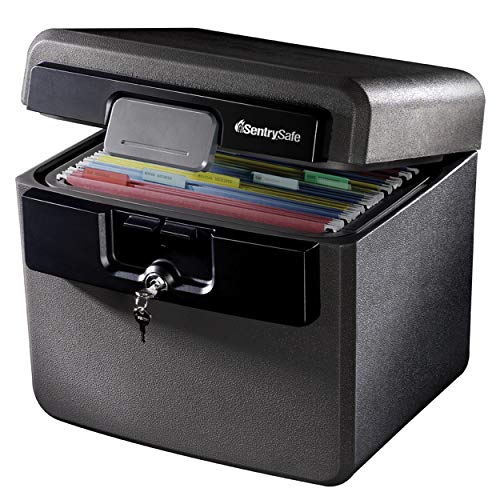
SentrySafe Black Fireproof and Waterproof Safe, File Folder and Document Box with Key Lock, Ex. 14.3 x 15.5 x 13.5 inches, HD4100
FIREPROOF: Safe is UL Classified to endure 1/2 hour at 1550°F and keep interior temperatures safe for irreplaceable…
As an affiliate, we earn on qualifying purchases.
As an affiliate, we earn on qualifying purchases.
Frequently Asked Questions
How Long Can Paper Backups Last Without Deterioration?
Paper backups can last decades if you store them properly, but without protection, ink fading and mold growth become risks. Exposure to light, humidity, and poor storage conditions accelerate deterioration. You might find your documents fading or developing mold after just a few years. To guarantee longevity, keep your backups in a cool, dry, dark place, and consider using protective covers or climate control to prevent damage over time.
What Are the Best Storage Conditions for Long-Term Paper Backup Preservation?
You should store your paper backups in a cool, dry, and dark environment, where temperature stays between 65-70°F and humidity hovers around 30-50%. Use acid-free storage materials to prevent deterioration, and choose archival inks for any writing or printing. Imagine a pristine, untouched archive—this careful environment keeps your backups vibrant and intact, resisting the effects of age and environmental damage.
Can Digital Backups Replace the Need for Paper Backups Entirely?
Digital backups can’t fully substitute paper backups because digital redundancy and cloud security aren’t infallible. You might face hacking, data corruption, or loss due to technical failures. Paper backups provide a tangible, offline safeguard that remains unaffected by cyber threats. Relying solely on digital means risks losing critical information, so keeping paper backups guarantees you have a reliable, permanent record that digital solutions can’t always assure.
What Are Common Physical Damages That Threaten Paper Backups?
You should be aware that common physical damages threatening paper backups include ink fading over time and mold growth in damp conditions. Excessive exposure to light or humidity accelerates ink fading, making your documents hard to read. Mold thrives in moisture, causing stains and deterioration. To protect your paper backups, store them in a cool, dry place, and consider using protective coverings to prevent these damages from compromising your valuable records.
How Often Should Paper Backups Be Inspected or Updated?
You should inspect and update your paper backups at least once a year. Digital security threats evolve quickly, and even archival quality paper can deteriorate over time. Regular checks help catch signs of damage early, ensuring your backups remain intact and legible. Don’t wait until it’s too late—staying vigilant preserves your priceless information, protecting it from unseen risks lurking in the shadows of time and environment.
digital encryption software for backups
As an affiliate, we earn on qualifying purchases.
As an affiliate, we earn on qualifying purchases.
Conclusion
You might think paper backups are outdated or easily replaceable, but they deserve your utmost protection. Just like a knight guards a royal scepter, you must shield these irreplaceable records from damage, theft, or loss. Remember, in an era where digital is king, paper still holds secrets that can’t be replicated with a mere quill. Protect your paper backups fiercely—lest your digital age forget the value of good old parchment and ink.
secure physical document storage
As an affiliate, we earn on qualifying purchases.
As an affiliate, we earn on qualifying purchases.
tamper-proof storage box
As an affiliate, we earn on qualifying purchases.
As an affiliate, we earn on qualifying purchases.