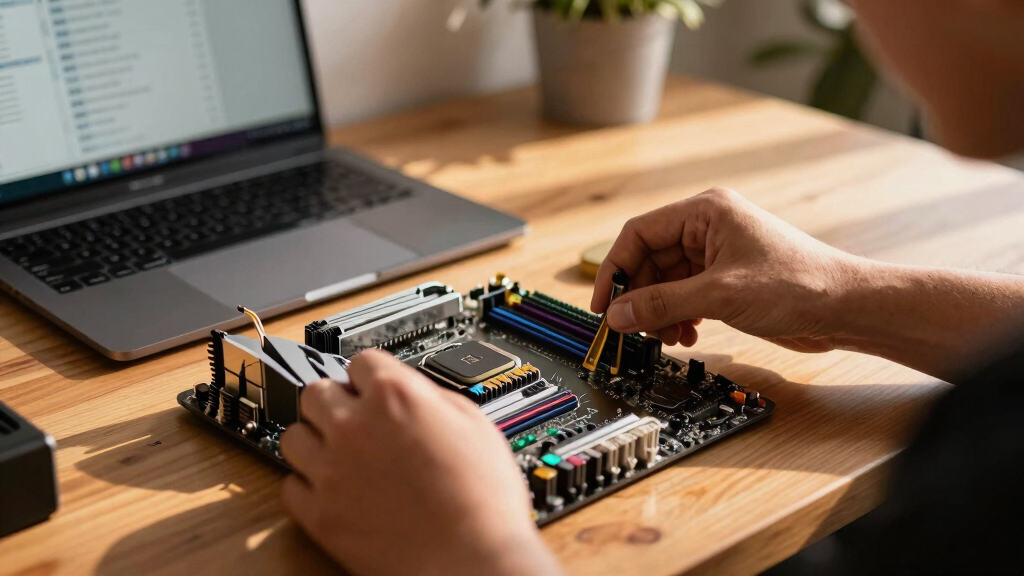

Looking for the best PC motherboards on Prime Day? The sheer variety can be overwhelming, with options supporting everything from latest-generation Intel and AMD chips to budget-friendly choices. The MSI MPG Z790 Carbon MAX WiFi II stands out as the best overall, offering cutting-edge features like PCIe 5.0 and Wi-Fi 7. For those prioritizing value, the GIGABYTE B760M DS3H DDR4 delivers solid performance at a lower price point, while the GIGABYTE Z790 UD AX provides premium features for enthusiasts. The main tradeoffs involve balancing features against price, compatibility, and future-proofing—continue reading for a detailed breakdown of each option.

Get hardware and tech essentials delivered free with Prime
- Fast, free delivery on millions of items
- Prime Video, Amazon Music and more included
- Member-only deals all year
Key Takeaways
- High-end motherboards like the MSI MPG Z790 maximize future-proofing with PCIe 5.0 and Wi-Fi 7, but come at a higher cost.
- For budget-conscious buyers, DDR4 support can significantly reduce costs without sacrificing essential features.
- AMD and Intel boards are quite distinct; choose based on your preferred CPU platform for compatibility and upgrade paths.
- Micro-ATX and mini PC options like the MINISFORUM BD790i suit space-constrained builds and specific use cases.
- Feature sets such as multiple M.2 slots and advanced LAN options are key differentiators for gaming and high-performance setups.


More Details on Our Top Picks
MSI MPG Z790 Carbon MAX WiFi II Gaming Motherboard (Supports 12th/13th/14th Gen Intel Processors, LGA 1700, DDR5, PCIe 5.0, M.2, 2.5Gbps LAN, USB 4, Wi-Fi 7, ATX)
This motherboard stands out for supporting the latest 14th, 13th, and 12th Gen Intel processors, making it a versatile choice for future-proofing. Its high-quality PCIe 5.0 slot and Lightning Gen 5 M.2 ensure maximum transfer speeds, surpassing GIGABYTE’s PCIe 4.0 offerings like the B760M DS3H. The Wi-Fi 7 and 2.5Gbps LAN provide excellent networking, ideal for streaming and online gaming. The robust 19+1+1 power phases help maintain stability during overclocking, but the premium features come with a higher price tag, and the ATX size may be less suitable for compact builds. Compared with the GIGABYTE Z790 UD AX, it offers more advanced connectivity options but at the expense of increased complexity and cost.
Pros:- Supports Intel 14th/13th/12th Gen processors with wide compatibility
- Includes Wi-Fi 7 and 2.5Gbps LAN for fast networking
- Premium PCIe 5.0 and lightning-fast M.2 slots
Cons:- Higher price point may be prohibitive for some users
- ATX form factor limits compatibility with smaller cases
Best for: Enthusiasts building high-performance, future-proof Intel systems with overclocking in mind.
Not ideal for: Budget-conscious builders or those seeking a smaller form factor for compact cases.
- Processor Socket:LGA 1700
- Memory Support:DDR5 up to 7800+ MHz
- PCIe Slots:5
- Network:Wi-Fi 7, 2.5Gbps LAN
- M.2 Slots:2 screwless Shield Frozr
- Power Phases:Lightning Gen 5 19+1+1
- Form Factor:ATX
Bottom line: This motherboard is best suited for gamers and builders seeking cutting-edge features and maximum future-proofing at a premium price.
GIGABYTE B760M DS3H DDR4 Intel LGA 1700 mATX Motherboard, Supports Intel Core 14th/13th/12th Gen, DDR4, 6+2+1 Power Phase, 2X M.2, PCIe 4.0, USB-C, 2.5GbE LAN, Q-Flash Plus, PCIe EZ-Latch
Compared with the MSI Z790, this GIGABYTE B760M offers a more affordable entry point with support for Intel’s 12th, 13th, and 14th Gen processors, but it sticks with DDR4, which means it lacks the speed and future-proofing of DDR5 options. Its 6+2+1 power phases provide solid stability for mid-range systems, and the PCIe 4.0 slots are still capable for most gaming needs. The USB-C port and 2 M.2 slots deliver good connectivity, but the motherboard’s microATX size limits expandability and is less suitable for larger, multi-GPU setups. Its thermal design is improved with heatsinks, but it doesn’t match the advanced cooling solutions found on premium models like MSI’s Z790 Gaming Plus.
Pros:- Supports Intel 14th/13th/12th Gen CPUs with LGA 1700 socket
- Affordable price point with solid feature set
- Includes USB-C and dual M.2 slots for versatile storage options
Cons:- Limited to DDR4 RAM, less future-proof than DDR5
- MicroATX size reduces expansion options
Best for: Budget builders seeking a reliable motherboard with DDR4 support for mid-tier Intel systems.
Not ideal for: Users wanting DDR5 support or planning to build for heavy overclocking or future upgrades.
- Processor Socket:LGA 1700
- Memory Support:DDR4
- Power Phases:6+2+1
- PCIe Slots:2 M.2, 1 PCIe 4.0 x16
- Network:2.5GbE LAN
- Form Factor:mATX
Bottom line: This motherboard makes the most sense for budget-conscious users who want a dependable DDR4 platform without sacrificing essential features.
GIGABYTE Z790 UD AX (LGA 1700/ Intel/ Z790/ ATX/DDR5/ Triple M.2/ PCIe 5.0/ USB 3.2 Gen2X2 Type-C/Intel Wi-Fi 6E/ 2.5GbE LAN/PCIe EZ-Latch/Multi-Key/Motherboard)
This GIGABYTE Z790 UD AX offers a compelling balance of features for mainstream users who want PCIe 5.0 and DDR5 support without the premium price of higher-end boards. Its Triple M.2 slots and PCIe 5.0 support make it more future-ready than the B760M DDR4, and the Wi-Fi 6E ensures fast wireless connectivity. While not as feature-rich as MSI’s Z790 Carbon MAX WiFi II, it provides excellent networking and robust power delivery with 16+1+1 phases. The main tradeoff is fewer bells and whistles, and some may find the lack of advanced cooling or RGB features limiting. Still, it surpasses entry-level options by offering solid core features at a reasonable price point.
Pros:- Supports DDR5 and PCIe 5.0 for future-proofing
- Triple M.2 slots and Wi-Fi 6E included
- Good power delivery with 16+1+1 phases
Cons:- Limited RGB customization options
- No extensive cooling or aesthetic features
Best for: Mainstream users who want a balanced motherboard with PCIe 5.0 and Wi-Fi 6E support.
Not ideal for: High-end overclockers or gaming enthusiasts seeking extensive RGB lighting or premium cooling features.
- Processor Socket:LGA 1700
- Memory Support:DDR5
- PCIe Support:PCIe 5.0
- M.2 Slots:3
- Network:Wi-Fi 6E, 2.5GbE
- Form Factor:ATX
Bottom line: This motherboard suits buyers who want modern features like PCIe 5.0 and Wi-Fi 6E without paying the premium for flagship boards.
MSI Z790 Gaming Plus WiFi-AMZ Gaming Motherboard (Support 14th/13th/12th Gen Intel Processors, LGA 1700, DDR5, PCIe 5.0, M.2 Slots, 2.5Gbps LAN, USB 3.2 Gen2, Wi-Fi 6E, Bluetooth 5.3, ATX)
This MSI Z790 Gaming Plus offers a strong set of features for gamers and overclockers who want to push their systems. Its Core Boost and Memory Boost optimize stability while overclocking DDR5 memory at speeds over 7200 MHz, outperforming the more basic B760M. The PCIe 5.0 slot and M.2 Shield Frozr ensure fast storage and graphics performance. It also includes Wi-Fi 6E and Bluetooth 5.3 for seamless connectivity. However, its ATX size can be less suitable for compact builds, and some users might find its premium features lacking compared to more expensive Z790 models. Still, it balances performance and price well for gaming setups.
Pros:- Supports DDR5 over 7200 MHz
- PCIe 5.0 and M.2 Shield Frozr for fast storage
- Includes Wi-Fi 6E and Bluetooth 5.3 for connectivity
Cons:- ATX form factor limits compatibility with smaller cases
- Lacks some advanced cooling and aesthetic features
Best for: Gamers and overclockers looking for a reliable, feature-rich motherboard for high-performance Intel builds.
Not ideal for: Small form factor builders or those not interested in overclocking or gaming-centric features.
- Processor Socket:LGA 1700
- Memory Support:DDR5
- PCIe Slots:1 PCIe 5.0, 2 M.2
- Network:Wi-Fi 6E, 2.5GbE LAN
- Form Factor:ATX
Bottom line: This motherboard is ideal for gamers and overclockers wanting a balanced mix of speed, stability, and connectivity.
ASRock B650M-HM.2+ AMD AM5 Micro-ATX Motherboard, Supports AMD Ryzen 9000/8000/7000 Series Processors, DDR5 6400+ (OC), PCIe 5.0 M.2, Gigabit LAN, 6+1+1 Power Phase
This ASRock B650M-HM.2+ stands out for offering a solid feature set at an affordable price point, making it ideal for budget-conscious builders who want next-gen AMD support. Compared with higher-end options like the MSI MPG Z790 Carbon MAX WiFi II, it sacrifices some advanced features like Wi-Fi 7 and additional PCIe lanes, but provides essential capabilities such as PCIe 5.0 storage and DDR5 support. The 6+1+1 power phase ensures stable power delivery for moderate workloads, though it might struggle under heavy overclocking. Its micro-ATX form factor suits compact builds, yet that limits compatibility with larger cases. Overall, this board makes sense for users seeking a dependable, future-proof platform that won’t break the bank, but those needing extensive expansion might find it limiting.
Pros:- Supports AMD Ryzen 9000/8000/7000 series processors, ensuring compatibility with latest CPUs
- DDR5 memory support up to 6400+ (OC), providing future-proof system memory performance
- PCIe 5.0 M.2 slot for ultra-fast NVMe SSDs
Cons:- Limited to micro-ATX form factor, constraining case and expansion options
- Basic networking with only Gigabit LAN, lacking Wi-Fi or 2.5GbE support
Best for: Budget-minded gamers or DIY PC builders aiming for a future-ready AMD platform with moderate overclocking.
Not ideal for: Enthusiasts requiring extensive PCIe expansion or advanced networking options, as this board offers basic connectivity and limited slots.
- Socket:AM5
- Memory Support:DDR5 6400+ (OC)
- Form Factor:Micro-ATX
- PCIe Slots:PCIe 5.0 M.2
- Power Phases:6+1+1
- Networking:Gigabit LAN
Bottom line: This motherboard is ideal for budget-conscious users seeking a reliable AMD AM5 platform with DDR5 and PCIe 5.0 support, but not for those needing extensive expandability.
MINISFORUM BD790i X3D Motherboard AMD Ryzen 9 7945HX3D(16C/32T) Gaming Mini PC Without RAM/SSD/OS, 2xDDR5 SODIMM Slots, 2xPCIe5.0 SSD, M.2 2230 Key E Slot, HDMI+DP+USB-C Triple Video Outputs Computer
This MINISFORUM BD790i X3D is tailored for users wanting a compact yet powerful gaming or workstation mini PC, featuring a high-end Ryzen 9 7945HX3D processor with 16 cores and 32 threads, comparable to premium desktop CPUs. Its triple video outputs—HDMI, DisplayPort, and USB-C—allow multi-monitor setups, ideal for content creators or gamers who need immersive visuals. The inclusion of dual PCIe 5.0 SSD slots and DDR5 SODIMM support up to 5200 MT/s ensures rapid storage and memory performance, though you’ll need to supply your own RAM, SSD, and OS. Compared to the ASRock B650M-HM.2+, it offers significantly higher CPU power, but at the cost of increased complexity and size constraints. This motherboard is best suited for those who want a small footprint without sacrificing top-tier performance, but it’s not suitable for users needing extensive expansion or traditional desktop form factors.
Pros:- High-performance AMD Ryzen 9 7945HX3D CPU with 16 cores and 32 threads
- Triple video outputs support multi-monitor setups with 8K@60Hz and 4K@60Hz options
- Dual PCIe 5.0 SSD slots and DDR5 SODIMM support for ultrafast storage and memory
Cons:- Requires users to supply RAM, SSD, and OS, adding to setup complexity and cost
- Limited expandability with only 2 M.2 slots and small form factor
- Designed for mini PC cases, not traditional desktops, restricting upgrade options
Best for: Power users building a compact gaming or high-performance workstation with minimal space, who are comfortable upgrading components themselves.
Not ideal for: Casual users or those seeking a simple, plug-and-play desktop, as this requires assembling and installing components separately.
- Processor:AMD Ryzen 9 7945HX3D
- Memory:2x DDR5 SODIMM up to 5200 MT/s
- Storage Slots:2x PCIe 5.0 M.2, 1x M.2 2230 Key E
- Video Outputs:HDMI, DisplayPort, USB-C
- Form Factor:Mini ITX
- Cooling:Dedicated cooling system included
Bottom line: This motherboard is perfect for those seeking a high-performance, small form factor system with the latest CPU and storage tech, but not for users wanting a ready-to-use, all-in-one desktop.
How We Picked
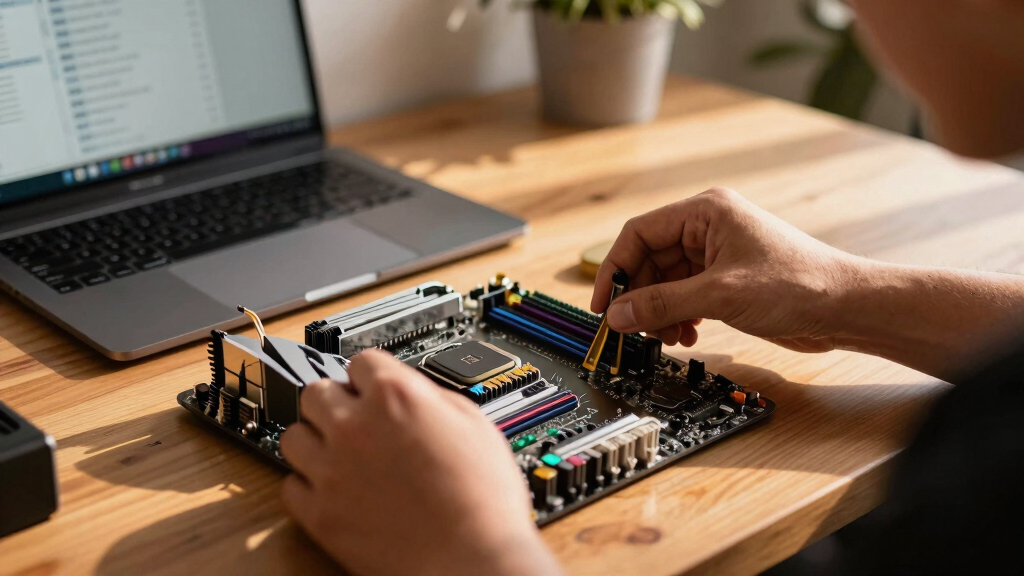
These motherboards were evaluated based on their support for the latest CPU generations, build quality, feature sets, and value during Prime Day sales. Priority was given to models that offer a balance of performance and affordability, along with future-proofing features like PCIe 5.0 and Wi-Fi 6E. We also considered user reviews, compatibility options, and design quality to ensure each pick serves a distinct buyer need. The ranking reflects a combination of these factors, aiming to help different types of consumers find the best deal for their specific build goals.Factors to Consider When Choosing Pc Motherboards Prime Day Deals
Choosing the right motherboard during Prime Day requires understanding several key factors. Beyond just features, consider your CPU compatibility, future upgrade plans, and budget constraints. A well-chosen motherboard can extend the lifespan of your build and improve overall system stability. This guide highlights the main considerations to help you make an informed decision and avoid common pitfalls like mismatched components or missing essential features.Compatibility and CPU Support
Ensuring your motherboard supports your chosen CPU is the first step. Intel and AMD sockets are incompatible, so selecting a motherboard with the right socket (LGA 1700 for recent Intel, AM4 or AM5 for AMD) is essential. Additionally, check the chipset to understand the supported features, such as PCIe versions and USB ports. Investing in a motherboard that supports your current CPU and offers upgrade paths can save money in the long run, but avoid overpaying for features you won’t use immediately.
Features and Expansion Options
Evaluate the number of M.2 slots, RAM slots, PCIe lanes, and network options. Gamers and content creators benefit from multiple M.2 slots and high-speed LAN or Wi-Fi. However, more features often mean a higher price. Consider your specific needs—if you’re building a compact PC, a smaller form factor like microATX might limit expansion but save space. Balance your feature requirements against your budget to avoid paying for extras you don’t need.
Future-Proofing and Connectivity
Look for features like PCIe 5.0, DDR5 RAM support, and Wi-Fi 6E or Wi-Fi 7, which ensure your system remains relevant longer. These features tend to come at a premium but can be worthwhile if you plan to upgrade components over time. Conversely, if you’re building a basic or budget system, DDR4 support and PCIe 4.0 may suffice, offering better value without sacrificing core performance.
Build Quality and Reliability
Motherboard durability depends on the quality of components and manufacturing standards. During Prime Day, heavily discounted models may sometimes cut corners, so consider brand reputation and user reviews. A stable power delivery system and good VRM design are vital for overclocking and high-performance use. Avoid extremely cheap options that might compromise longevity or stability, especially if you’re investing in a high-end CPU.
Price and Value
While discounts are tempting, ensure that the deal offers real value. Sometimes, paying a little more for a better feature set or future compatibility results in a more satisfying long-term build. Consider your upgrade plans—if you’re sticking with current components, a mid-range motherboard may be ideal. For cutting-edge builds, investing in premium models with the latest standards pays off, but always weigh the cost against your actual needs.
Frequently Asked Questions
Can I upgrade my CPU later without changing the motherboard?
Upgrading your CPU without changing the motherboard depends on socket compatibility and chipset support. If you choose a motherboard supporting a wide range of CPUs, you might upgrade later within the same socket family. However, newer generations often require newer chipsets, so check the manufacturer’s CPU compatibility list. Planning for future upgrades during your initial purchase can save money and effort down the line.
Is it worth paying extra for Wi-Fi 7 support now?
Wi-Fi 7 offers faster speeds and lower latency, which can future-proof your system, especially if you rely on wireless connectivity. However, at the moment, Wi-Fi 7 routers are still emerging, and many users won’t see immediate benefits. If your current setup includes Wi-Fi 6E or wired connections, investing in Wi-Fi 7 now might be unnecessary. Consider your network needs and whether your budget allows for this premium feature.
How important are multiple M.2 slots for most builds?
Multiple M.2 slots are beneficial if you plan to add several NVMe SSDs for fast storage or dedicated applications like gaming and content creation. For typical gaming or everyday use, one or two M.2 slots are sufficient. Over-investing in multiple M.2 slots when you don’t need them may increase the price without tangible benefits. Consider your storage plans and choose accordingly.
Should I prioritize overclocking features in my motherboard?
If you plan to overclock your CPU or RAM, selecting a motherboard with robust VRM cooling and power delivery is essential. High-quality VRMs ensure system stability under increased loads. For casual users or office setups, overclocking features are less critical, and you can save money by opting for more basic models. Match your motherboard choice to your performance ambitions.
Are expensive motherboards worth it for a mid-range build?
Expensive motherboards often include features like PCIe 5.0, Wi-Fi 7, and enhanced power delivery, which benefit high-end systems. For a mid-range build, these features may be overkill, and a more affordable motherboard can deliver excellent performance without extra cost. Focus on what features you actually need—if overclocking or future upgrade support isn’t a priority, a budget or mid-range board provides better value.
Conclusion
For most users, the MSI MPG Z790 Carbon MAX WiFi II offers the best overall value, combining high-end features with a reasonable price during Prime Day. Budget builders should consider the GIGABYTE B760M DS3H DDR4 for solid performance without overspending, while enthusiasts seeking the latest tech will appreciate the GIGABYTE Z790 UD AX or MSI Z790 Gaming Plus WiFi. Beginners or those upgrading existing systems might favor simpler, more compatible options, whereas power users building for gaming or productivity should look toward premium models that support future upgrades. Tailor your choice based on your current needs and upgrade plans to maximize Prime Day savings.
Halloween Picks
halloween
As an affiliate, we earn on qualifying purchases.