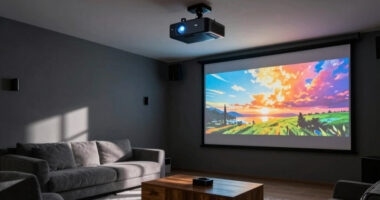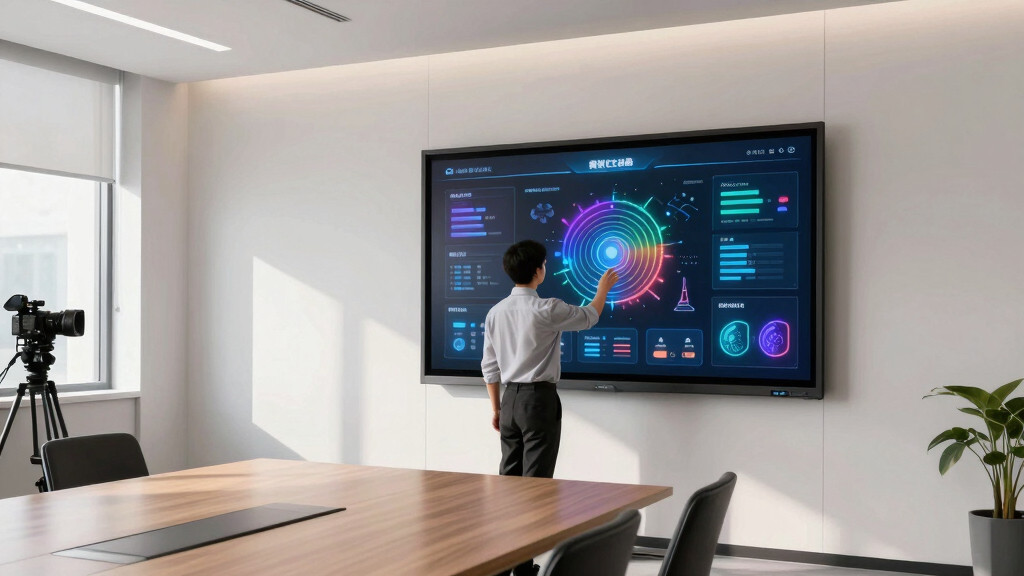

When selecting the best interactive displays for training rooms, the main considerations are performance, ease of use, and integration capabilities. The AVOCOR 75″ E30 Series stands out as the overall top pick thanks to its 4K UHD clarity and versatile connectivity. The Promethean ActivPanel LE 86” offers a robust Android-based experience suited for more intensive training needs, while the JAV 75″ Smart Board Pro provides advanced AI features ideal for interactive classrooms. However, buyers face tradeoffs between price, user-friendliness, and feature set. Continue reading for a detailed comparison to help you find the best fit for your training environment.
Key Takeaways
- High-resolution displays (4K UHD) are common among top models, enhancing clarity for detailed training content.
- Connectivity options like USB-C, HDMI, and wireless presentation software significantly improve usability in multi-device environments.
- Built-in cameras and microphones are crucial for hybrid training setups, and quality varies widely between models.
- Ease of setup and user interface consistency are decisive factors for training rooms with multiple users or less tech-savvy staff.
- Premium models tend to offer longer support and software updates, but at a higher initial cost.


More Details on Our Top Picks
AVOCOR 75″ Interactive Display | E30 Series | 4K UHD, 20-Point IR Touch, Anti-Glare Glass
The Avocor E30 Series 75″ stands out for its crystal-clear 4K UHD visuals combined with ultra-responsive 20-point IR touch technology, supporting multiple users simultaneously—making it ideal for classrooms and training rooms. Its optically bonded, anti-glare glass reduces parallax, ensuring touch accuracy even in brightly lit environments, outpacing many competitors like the NEC CB861Q with its superior clarity. The built-in 30W speakers deliver clear audio without external equipment, and modern connectivity options like USB-C and HDMI facilitate seamless device integration. A tradeoff is its hefty weight at over 100 pounds, requiring sturdy mounting and space. Compared to the Promethean ActivPanel LE, this display offers higher resolution and touch precision, making it perfect for interactive training sessions. However, its size and weight mean installation is more involved. This pick makes the most sense for institutions prioritizing touch accuracy and visual clarity in collaborative settings.
Pros:- Exceptional 4K UHD resolution delivers crisp, detailed visuals
- Supports 20-point multi-touch for simultaneous user input
- Anti-glare, fingerprint-resistant glass enhances clarity in bright rooms
- Versatile connectivity with USB-C, HDMI, and OPS slot
Cons:- Heavy weight at over 100 pounds makes installation complex
- Relatively high price point for budget-conscious buyers
- Large footprint may not fit small training rooms
Best for: Training centers, educational institutions, and corporate classrooms requiring precise multi-user interaction.
Not ideal for: Small or portable setups where mobility and space are limited, due to its weight and size.
- Display Size:75 inches
- Resolution:3840 x 2160 (4K UHD)
- Touch Technology:20-point IR
- Glass Type:Anti-glare, fingerprint resistant
- Connectivity:USB-C, HDMI, OPS slot
- Speakers:30W integrated
- Dimensions:42.2″ H x 69.7″ W x 4.4″ D
- Weight:106.9 pounds
Bottom line: Ideal for large training rooms and classrooms demanding high-resolution visuals and precise multi-touch capabilities.
Shiarffe R9 Smart Board 86 Inch 4K Interactive Whiteboard
The Shiarffe R9 86-inch Smart Board is designed for enterprise and hybrid environments, supporting 4K resolution and a built-in 50MP AI camera, mics, and 60W speaker, making it an excellent choice for remote and in-room collaboration. Its large size surpasses the NEC CB861Q in display real estate, ideal for big training rooms and conference spaces. The device offers seamless wired and wireless screen mirroring, with native Zoom and Teams support—streamlining hybrid meetings. Its enterprise-grade security and no subscription fees reduce long-term costs. A notable tradeoff is its high price and complexity, which may be overkill for small training rooms or classrooms. Compared to the Promethean ActivPanel LE, the Shiarffe offers broader collaboration tools tailored for professional settings. The setup can be complex, and its size requires ample wall space. Best suited for large corporate training rooms and conference centers prioritizing remote collaboration and high-quality audio-visuals.
Pros:- Large 86-inch 4K display provides expansive visual workspace
- Built-in 50MP AI camera and 60W speakers enhance hybrid meetings
- Supports wired and wireless mirroring with native Zoom/Teams
- Enterprise security with no subscription fees
Cons:- High cost may be prohibitive for smaller organizations
- Large size demands significant wall space and installation effort
- Complex setup might require professional installation
Best for: Large corporate training rooms or hybrid work environments needing extensive collaboration features.
Not ideal for: Small classrooms or offices with limited space or budget constraints, due to its size and cost.
- Display Size:86 inches
- Resolution:3840 x 2160 (4K UHD)
- Camera:50MP AI
- Speakers:60W built-in
- Connectivity:Wireless & wired mirroring
- OS:Built-in SoC
- Viewing Angle:178 degrees
- Weight:Over 150 pounds
Bottom line: Perfect for large-scale enterprise training and hybrid collaboration, where space and budget allow.
Classroom Interactive Whiteboard and Projector for Interactive Presentations
This interactive whiteboard and projector combo simplifies classroom engagement with an intuitive touch-sensitive surface and included projector, making it ideal for educators seeking a plug-and-play solution. Unlike larger displays like the NEC CB861Q, it combines a whiteboard with a projector, supporting interactive lessons and presentations in smaller or medium-sized classrooms. Its flexible wall-mount setup and included accessories facilitate quick installation. The system’s digital ink and annotation features provide a mess-free alternative to traditional dry erase boards. A key tradeoff is its lower resolution compared to dedicated large displays, and the projector’s brightness may be affected by ambient light. Compared to the Promethean ActivPanel LE, it offers more integrated hardware for interactive teaching but less in the way of advanced collaboration tools. It’s best for teachers who want a straightforward, all-in-one interactive solution without complex IT requirements. This model is ideal for educators emphasizing ease of use and integrated projection for interactive lessons.
Pros:- All-in-one system with integrated projector and whiteboard
- Includes pens, cables, and mounting accessories for quick setup
- Interactive surface supports multi-user touch and annotations
- Affordable alternative to large interactive screens
Cons:- Lower resolution compared to dedicated large displays
- Ambient light can reduce projector visibility
- Limited connectivity options for external devices
Best for: K-12 teachers and small to medium-sized classrooms needing an all-in-one interactive teaching system.
Not ideal for: Large training rooms or corporate environments requiring high-resolution large displays, due to its lower resolution and projector dependency.
- Screen Size:53″ W x 71.25″ H (projected size varies)
- Touch Technology:Capacitive touch with pens
- Projection System:Ultra short throw
- Resolution:Lower than 4K, suitable for classroom use
- Accessories:Pens, cables, mounting kit included
- Connectivity:USB, HDMI
- Setup:Wall-mounted
- Use Case:Education, interactive lessons
Bottom line: Best for educators who want an easy, integrated interactive whiteboard with projector in small to medium classrooms.
Promethean ActivPanel LE 86” High Specification Digital Whiteboard, 4K UHD, Android OS
The Promethean ActivPanel LE 86” combines 4K UHD resolution with a familiar Android interface, making it highly accessible for educators and trainers seeking a plug-and-play large-format display. Its Android OS ensures easy access to Google apps and Promethean’s own whiteboard tools, reducing the need for additional devices or complex setups. Compared to the NEC CB861Q, it offers a more user-friendly experience with a touchscreen designed specifically for interactive teaching. Its 86-inch size provides ample space for collaborative activities, but its weight and size may require professional installation. The device’s 3-year onsite warranty adds reliability. A potential drawback is its glossy screen finish, which may cause glare in bright rooms. Its straightforward interface makes it ideal for those who prioritize ease of use over advanced features like built-in AI or extensive collaboration tools found in higher-end models. This model is perfect for schools or training rooms seeking a large, easy-to-operate interactive display with familiar Android features.
Pros:- Large 86-inch 4K UHD display with vibrant visuals
- Android OS with access to Google apps and Promethean tools
- Includes a 3-year onsite warranty for peace of mind
- Preloaded with collaborative and whiteboarding software
Cons:- Bulky size requiring significant wall space and professional installation
- Glossy screen may cause glare in brightly lit environments
- Higher price point than some non-Android alternatives
Best for: Educational institutions and training centers prioritizing ease of use and integrated Android environment.
Not ideal for: Small offices or spaces where portability and minimal setup are critical, due to its large size and weight.
- Display Size:86 inches
- Resolution:3840 x 2160 (4K UHD)
- Operating System:Android
- Connectivity:HDMI, USB, Ethernet
- Warranty:3 Years onsite
- Display Finish:Glossy
- Viewing Angle:178 degrees
- Ports:Multiple HDMI, USB
Bottom line: Ideal for schools and training centers that value a large, user-friendly Android-based interactive display with reliable support.
NEC CB Series CB861Q 86″ 4K UHD S-IPS Collaborative Touchscreen Display
The NEC CB861Q 86” offers a professional-grade S-IPS panel with 4K UHD resolution and a robust build suited for demanding environments. Its built-in SoC and whiteboarding software support seamless collaboration without external PCs, making it ideal for training rooms and conference spaces. With multiple HDMI, USB, and VGA ports, it excels in connectivity flexibility, surpassing many competitors like the Promethean ActivPanel LE in hardware options. The device’s durability and 3-year warranty make it a reliable long-term investment. However, its higher cost and slightly lower touch responsiveness compared to newer IR-based models can be drawbacks. Its matte finish reduces glare, unlike glossy screens, making it suitable for brightly lit rooms. Compared to the NEC RXZER23, it offers a more rugged build for high-traffic environments. This display is best for professional settings demanding durability and versatile connectivity.
Pros:- 4K UHD resolution with accurate color reproduction
- Multiple HDMI, USB, and VGA ports for flexible connectivity
- Built-in SoC simplifies setup with preloaded whiteboarding software
- Matte finish minimizes glare in bright rooms
Cons:- Higher price compared to consumer-grade displays
- Touch responsiveness slightly less refined than IR-based models
- Requires professional installation due to size and weight
Best for: Corporate training rooms and high-use environments requiring durable, high-resolution collaborative displays.
Not ideal for: Small training rooms or educational settings with budget limitations, due to its higher cost and setup complexity.
- Display Size:86 inches
- Resolution:3840 x 2160 (4K UHD)
- Touch Technology:Capacitive touch
- Ports:HDMI, USB, VGA
- Finish:Matte
- Warranty:3 Years
- Viewing Angle:178 degrees
- Built-in Software:Whiteboarding & wireless sharing
Bottom line: Best suited for durable, high-performance collaboration in professional environments with ample space.
Music Punching Machine for Kids Adults,Bluetooth Wall Mounted Boxing Trainer with Gloves,Rhythm Lights,2 Player Battle Mode,Reaction Training Pad,Home Gym Sport Toys Gifts for Boys Girls Teens 3-12+
This punching machine stands out for transforming simple reaction training into an energetic, music-synced experience. Compared to the 65″ Interactive Smart Board, it offers a more dynamic, physical activity suited for all ages, especially those seeking a playful workout rather than visual collaboration. Its Bluetooth connectivity and LED lights create an engaging atmosphere, making every punch feel like part of a game—ideal for stress relief and family bonding. However, it sacrifices the visual interactivity and presentation capabilities of larger displays, making it less suitable for formal training or collaborative lessons. The impact surface and wall-mount design emphasize space-saving, while the multiple modes cater to different skill levels.
Pros:- Highly engaging with music synchronization and LED beat lights
- Suitable for all ages with adjustable modes for beginners and advanced users
- Space-efficient wall-mount design with soft rebound surface
Cons:- Limited in visual or collaborative capabilities compared to larger screens
- Primarily focused on reaction training, not suitable for detailed presentations
- Requires wall mounting, which may not be ideal for all spaces
Best for: Families and fitness enthusiasts wanting a fun, reaction-based activity for all skill levels.
Not ideal for: Professional trainers or educators needing a visual display for lessons or presentations, as it lacks a large screen interface.
- Number of Modes:3 (Boxing, Rhythm, Battle)
- Bluetooth Music Sync:Yes
- Wall Mountable:Yes
- Impact Surface:High-elastic rubber
- Suitable Age Range:3-12+
- Power Source:Wall-mounted, no drilling
- Dimensions:13.58 x 13.58 x 1.97 inches
- Weight:1 kg
Bottom line: This pick is perfect for families and individuals seeking a lively, reaction-focused workout device rather than a training or presentation tool.
65″ Interactive Smart Board for Classroom & Office, 4K UHD Touchscreen Digital Whiteboard Display, Flat Panel with 8GB RAM, 256GB Storage, 48MP Camera, 8-Array Mic for Teaching & Meetings
This 65″ 4K UHD touchscreen excels in educational and professional environments needing high-performance collaboration. Unlike the 55″ model, it offers a larger, more immersive visual experience suitable for interactive lessons, team meetings, and remote training sessions. Its high capacity RAM and storage support multitasking with multimedia content, while the 48MP camera and 8-array microphones enable clear video conferencing—ideal for hybrid classrooms or remote workshops. The multi-touch support and wireless sharing make it versatile for group interactions, surpassing the basic connectivity of smaller displays. The tradeoff involves its size and cost, which may not suit smaller or budget-constrained spaces, but for training rooms requiring detailed visuals and multi-user input, it’s a strong choice.
Pros:- Crisp 4K UHD resolution for detailed visuals
- Supports multi-user touch and annotation for collaborative activities
- Built-in high-quality camera and microphone system for seamless video conferencing
- Wireless screen sharing from multiple device platforms
Cons:- Size may be cumbersome for small or confined spaces
- Higher price point compared to smaller or less advanced displays
- Requires more setup and maintenance effort
Best for: Educational institutions and corporate training rooms seeking a large, high-performance interactive display for lessons and meetings.
Not ideal for: Small offices or home use where space is limited or budget restricts a large setup, where a smaller or simpler display would suffice.
- Screen Size:65 Inches
- Resolution:4K UHD 3840×2160
- RAM:8GB
- Storage:256GB
- Camera:48MP
- Microphone:8-Array
- Connectivity:Wireless, HDMI, DisplayPort
- Built-in Speakers:Yes
Bottom line: Ideal for training rooms and classrooms that prioritize visual clarity, multitasking, and collaborative technology integration.
JAV 75″ Smart Board Pro Google EDLA Certified 4K UHD Interactive Whiteboard for Classroom Office All-in-One Touchscreen Display with 48MP AI Camera 100W Soundbar Android 14 8+128GB Wall Mount Included
This 75″ 4K UHD smart board offers comprehensive features tailored for advanced educational and corporate environments. Unlike the smaller 65″ display, it integrates AI-driven camera and audio systems, including a 48MP camera, 100W soundbar, and multiple AI-enhanced functions like auto-framing and noise suppression—making it ideal for remote learning, hybrid meetings, and interactive lessons. Its Android 14 OS and Google integration enable a rich app ecosystem and seamless content sharing, surpassing standard whiteboards in connectivity and multimedia capabilities. The built-in whiteboarding, multi-user touch, and extensive app support make it suitable for intensive use, but its size and complexity might be overkill for casual or small-scale settings. It’s best for organizations that need a versatile, enterprise-grade, all-in-one interactive solution.
Pros:- Ultra-high 4K UHD resolution for crystal-clear visuals
- Advanced AI camera with auto-framing and noise suppression
- Deep Google ecosystem integration with app support
- Built-in 8-mic array for clear audio pickup
Cons:- Size and cost may be prohibitive for small institutions
- Requires professional installation and maintenance
- Complex feature set may be overwhelming for basic use
Best for: Large training centers, universities, and corporations seeking a fully integrated, high-performance interactive display.
Not ideal for: Small or budget-conscious users who need a simple display for basic presentations, as this model has a higher cost and complexity.
- Screen Size:75 Inches
- Resolution:4K UHD
- Processor:Arm DynamIQ G52 GPU
- Camera:48MP AI Camera
- Soundbar:100W
- OS:Android 14
- Memory:8GB RAM
- Storage:128GB
Bottom line: This display suits large, tech-forward training environments that demand a fully integrated, high-end interactive solution.
55 Inch Interactive Whiteboard, 4K Smart Board, Touchscreen Built in Ultra High Definition Camera Open App Ecosystem, Presentation Electronic Smart Board for Classroom Home Office (With Stand)
This 55″ 4K smart board offers a balanced combination of size, performance, and connectivity. Compared with the larger 65″ and 75″ models, it is more suited for smaller classrooms, offices, or home environments where space is limited. Its built-in Android 13 system, 8GB RAM, and 64GB storage support a variety of apps for presentations, collaboration, and remote learning, making it versatile for different needs. The 20-point multi-touch touchscreen facilitates collaborative activities, and the included camera and microphone support video conferencing. While it provides excellent interactive features, the smaller size limits the visual impact for large groups, and the lower storage capacity may restrict extensive app use or content storage. It’s a practical choice for those prioritizing space and affordability.
Pros:- High-quality 4K UHD resolution with detailed visuals
- Supports 20-point multi-touch for collaborative work
- Built-in Android 13 with open app ecosystem
- Includes camera, microphones, and stand for easy setup
Cons:- Smaller screen size limits group visibility
- Lower internal storage compared to larger models
- Less suitable for large audiences or detailed visual training
Best for: Small classrooms, home offices, or small meeting rooms requiring a capable, space-saving interactive display.
Not ideal for: Large training rooms or audiences, where a bigger display would be more effective for engagement and visibility.
- Screen Size:55 Inches
- Resolution:4K UHD
- Operating System:Android 13
- RAM:8GB
- Storage:64GB
- Built-in Camera:13MP
- Microphones:8-Array
- Included Accessories:Stand, pens, eraser
Bottom line: This compact, versatile smart board is ideal for smaller settings that require reliable interactivity without the need for extensive space or high-end features.
Classroom Interactive whiteboard and Projector for Interactive Presentation (NEC UM330X Projector and SB680 (77” Smart Board))
This 77″ interactive whiteboard combined with a compact projector creates an all-in-one solution for engaging classrooms and training spaces. Unlike standalone displays, this setup integrates projection and interactive surface into a single package, offering a large visual area suitable for active group lessons and presentations. The contact-sensitive surface allows for direct interaction, annotations, and content sharing across multiple devices. Its versatility makes it ideal for educators and trainers who want a comprehensive, adaptable system—though it involves more setup and maintenance than simple flat-panel displays. The projector’s 1024×768 resolution is adequate for most instructional content, but not as crisp as 4K screens. It’s best for environments where space accommodates a combined projector and interactive whiteboard for immersive engagement.
Pros:- Large 77″ interactive surface for engaging group activities
- Includes projector, mount, and accessories for all-in-one setup
- Touch-sensitive surface supports annotations and collaboration
- Connects to various devices for flexible content sharing
Cons:- Requires additional space for projector setup
- Lower resolution (1024×768) compared to modern 4K displays
- More complex installation and maintenance
Best for: Large classrooms or training facilities that want an integrated projection and touch system for active instruction.
Not ideal for: Small rooms or users needing a sleek, space-saving display, as this setup requires room for projector placement and might be more complex to maintain.
- Screen Size:77 Inches
- Projection Resolution:1024×768
- Touch Capability:Contact-sensitive
- Included Components:Projector, wall mount, pens
- Connectivity:USB, HDMI, wireless
- Intended Use:Classroom, training
Bottom line: This all-in-one interactive projection system is best for sizable classrooms aiming for an immersive, collaborative environment.
Interactive Smart Board for Classroom, 55” 8+128 GB Electronic Digital Whiteboard Built-in Android OS & Open App Ecosystem – 4K Touchscreen Smartboard for Home Office School Studio Display
This smart board stands out for its multifunctional capabilities, seamlessly integrating as a high-resolution 4K display, whiteboard, TV, and projector in a single device. Compared with the 65″ EUNIVON model, it offers a more compact size suited for smaller training rooms while still supporting 20 touch points and multi-user annotation. Its built-in Android OS and open app ecosystem provide flexibility, but the 55″ screen limits the visual impact in larger spaces. The device’s open connectivity options, including AirPlay and HDMI, promote smooth remote collaboration, making it ideal for hybrid training scenarios. However, its relatively modest contrast ratio and weight (31.75 kg) mean it’s more suited for fixed setups rather than frequent movement. Overall, this pick makes the most sense for smaller training rooms needing multifunctionality without sacrificing visual clarity.
Pros:- Combines whiteboard, TV, projector, and monitor in one device
- Supports 20 touch points with ultra-responsive 6ms latency
- Built-in Android OS with open app ecosystem for customization
- Seamless wireless casting and multiple connectivity options
Cons:- Limited contrast ratio (3000:1) impacts visual depth in bright rooms
- Relatively heavy (31.75 kg), less suitable for frequent repositioning
- 55-inch size may be too small for large training environments
Best for: Training room managers who need a versatile, high-quality display with remote collaboration features in a compact size.
Not ideal for: Large training spaces or conference centers where a bigger screen with higher contrast is preferable.
- Display Size:55 inches
- Resolution:3840 x 2160 (4K UHD)
- Touch Points:20
- Built-in OS:Android
- Ports:4 HDMI, 4 USB, Thunderbolt
- Contrast Ratio:3000:1
- Response Time:6ms
- Dimensions:49.61″ W x 30.31″ H
- Weight:31.75 kg
Bottom line: Ideal for small to medium training rooms seeking a flexible, all-in-one interactive display with remote capabilities.
Interactive Whiteboard, 65” 4K UHD Smart Whiteboard with 13MP Camera, 8+128GB Interactive Touch Screen Smartboard, Smart Board for Classroom and Business (Wall Mount Included)
This 65″ model excels in larger training environments where a bigger, more impactful display is necessary. Its 4K UHD resolution and 13MP camera enable clear visuals and high-quality video conferencing, ideal for professional training or corporate meetings. Compared to the 55″ KEINONE, it provides a more expansive visual field, making it suitable for bigger rooms, but it may require more space and a dedicated mounting setup. Its Android-based system and open app ecosystem offer flexibility, but the weight and size demand permanent installation, limiting portability. The included wall mount ensures stability, yet the larger size could be a drawback if the room layout changes frequently. This makes it a solid choice for training centers or conference rooms that prioritize large, high-res displays with integrated camera features.
Pros:- Large 65-inch 4K UHD display for high-impact visuals
- Integrated 13MP camera suitable for professional video conferencing
- Supports a broad app ecosystem for customization
- Wall mount included for secure installation
Cons:- Heavy and bulky, less suited for frequent repositioning
- Higher cost compared to smaller models like KEINONE
- Requires dedicated wall space, limiting flexibility
Best for: Large training rooms or corporate spaces needing a high-resolution, camera-equipped interactive display for presentations and remote meetings.
Not ideal for: Small classrooms or training rooms with limited wall space and a need for portable devices.
- Display Size:65 inches
- Resolution:3840 x 2160 (4K UHD)
- Camera:13 MP
- OS:Android
- Included Mount:Wall mount
- Connectivity:HDMI, USB
- Weight:Heavy (not specified)
- Application Ecosystem:Open
- Dimensions:Approx. 58″ W x 34″ H
Bottom line: Best for large training environments where size, resolution, and integrated camera are priorities over portability.
Smart Board 55 inch 4K Interactive Whiteboard Touch Screen, Digital Smart Whiteboard for Classroom and Business with Android 14.0-8+128 GB(Wall Mount Included)
This 55″ smart board runs on Android 14 with 8GB RAM and 128GB storage, delivering smooth performance for classrooms and small training rooms. Its 4K UHD touch screen provides sharp visuals, similar in size to the KEINONE model but with a more recent operating system that ensures better app compatibility and security. Unlike the JYXOIHUB model, it emphasizes collaboration features with support for multiple users and device pairing, suitable for interactive training sessions. The device supports wireless screen mirroring and comes with a sturdy wall mount, but it’s slightly more expensive and less feature-rich in terms of camera or built-in audio. This makes it perfect for classrooms or training rooms focused on group interaction and multimedia presentations, but less ideal for large-scale or video-intensive sessions.
Pros:- Runs smoothly on Android 14 with 8GB RAM
- Supports 4K UHD visuals and multi-touch interaction
- Open app ecosystem for customization
- Includes wall mount for secure setup
Cons:- Limited built-in camera and audio features
- Price point is higher than some comparable models
- No integrated microphone or speaker system
Best for: Educational institutions or corporate trainers seeking a reliable, high-resolution display with strong collaboration tools.
Not ideal for: Large venues or training spaces requiring massive screens or integrated high-quality cameras.
- Display Size:55 inches
- Resolution:3840 x 2160 (4K UHD)
- OS:Android 14
- RAM:8GB
- Storage:128GB
- Touch Points:20
- Ports:HDMI, USB
- Included Mount:Wall mount
- Dimensions:55″ W x 55″ H
Bottom line: A strong choice for interactive education and training sessions emphasizing collaboration and multimedia support.
Smart Board, 49 Inch Digital Electronic Whiteboard with 8-Core CPU, Support 8K UHD Decoding, Support Screen Mirroring for Live Streaming, Advertising (Board Only)
This 49″ digital whiteboard features an 8-core CPU and supports 8K UHD decoding, making it a powerful tool for live streaming, digital signage, and interactive collaboration. Compared with larger models like the 55″ KEINONE or the 55″ JYXOIHUB, it offers a more compact footprint suitable for smaller training rooms or personal offices. Its multi-touch support and back-of-hand erasing provide a natural, intuitive user experience, while its advanced hardware ensures smooth performance during high-quality video streaming. However, the smaller size limits its visibility in larger spaces, and its focus on streaming and signage may mean fewer collaboration features compared to dedicated education boards. This device is best for environments where high-performance streaming and digital signage are priorities, rather than large-scale group interaction.
Pros:- Supports 8K UHD decoding for high-quality streaming
- Powerful 8-core CPU ensures smooth operation
- Supports multi-touch and gesture controls
- Compact size for versatile placement
Cons:- Smaller 49″ screen may limit visibility in large spaces
- Limited native camera or microphone features
- Primarily focused on streaming and signage, not group interaction
Best for: Training rooms or offices needing a high-performance, compact interactive display optimized for live streaming and signage.
Not ideal for: Large conference rooms or classrooms where bigger screens and extensive collaboration features are required.
- Display Size:49 inches
- Resolution:1920 x 1080 (Full HD)
- UHD Support:8K decoding
- Processor:8-core CPU
- Touch Support:Multi-touch
- Connectivity:Screen Mirroring, HDMI
- Hardware Features:Support for live streaming and signage
- Size:Approx. 49″ W
- Weight:Light (not specified)
Bottom line: Best suited for high-performance streaming, signage, and smaller collaborative environments requiring compact size.

How We Picked
The products were evaluated based on a combination of display quality, usability, connectivity options, build quality, and support features. Prioritizing performance and user experience, I looked for models that balance visual clarity with practical features like wireless sharing and integrated audio. Price was also considered, to highlight options that deliver good value without sacrificing essential features. The ranking reflects a mix of high-end options for demanding training environments and more affordable choices for budget-conscious buyers, aiming to provide a comprehensive overview for different needs.Factors to Consider When Choosing Best Interactive Displays For Training Rooms
Choosing the right interactive display for training rooms involves several key considerations that go beyond just screen size and resolution. Understanding your specific needs—whether for classroom instruction, corporate training, or hybrid setups—helps narrow down options. Factors like connectivity, ease of use, and software compatibility can make or break your experience. Being aware of common pitfalls, such as overpaying for unnecessary features or selecting models with limited support, ensures you make a smarter investment.Display Quality and Size
High-resolution screens, ideally 4K UHD, are essential for clear, detailed visuals that keep trainees engaged. Larger sizes, such as 75 or 86 inches, are generally more effective for group settings, but they also come with higher costs and installation requirements. Consider your room size and viewing distance to find a balance between screen size and clarity. Avoid opting for lower resolutions that can hinder content visibility, especially for detailed diagrams or fine print.
Connectivity and Compatibility
Look for displays with versatile inputs like HDMI, USB-C, and wireless sharing options such as Miracast or AirPlay. These features facilitate seamless content sharing from multiple devices, which is vital in training environments. Beware of models that rely solely on proprietary software or connections, as this can limit flexibility. Investing in displays with built-in wireless presentation capabilities can save setup time and reduce clutter.
Ease of Use and Interface
A user-friendly interface reduces training time for instructors and minimizes frustration. Touch responsiveness and intuitive menus help ensure that anyone can operate the display confidently. Devices with Android or similar open ecosystems tend to support a wider range of apps, which can be useful for interactive learning. Avoid overly complex systems that require extensive training or frequent troubleshooting, especially in fast-paced training settings.
Audio and Collaboration Features
Built-in speakers, microphones, and cameras are increasingly important for hybrid or remote training. High-quality audio ensures clear communication, while good cameras enable effective remote participation. Some models include AI-powered features like auto-framing or noise reduction, which can significantly improve hybrid sessions. However, these advanced features often come at a premium and may require additional maintenance or upgrades.
Support and Software Ecosystem
Reliable customer support and consistent software updates are vital for long-term use. Brands with extensive support networks or warranties tend to reduce downtime and repair costs. Additionally, compatibility with popular training or presentation software should be verified beforehand. A higher upfront investment in well-supported models can translate into lower overall costs and fewer frustrations down the line.
Frequently Asked Questions
How do I choose the right size for my training room?
Choosing the right display size depends on your room dimensions and viewing distance. Larger screens like 75 or 86 inches are ideal for bigger rooms where trainees sit farther away, ensuring everyone has a clear view. Smaller rooms or spaces with close seating arrangements might benefit from 55-inch models, which are easier to install and more cost-effective. Always consider sightlines and the ability to see content comfortably from all seating positions.
Is 4K resolution necessary for training displays?
While not strictly necessary, 4K resolution greatly enhances clarity, especially when displaying detailed charts, technical diagrams, or multiple windows side-by-side. For most training applications, higher resolution reduces eye strain and makes content more engaging. However, 4K models tend to be more expensive, so if budget is tight, a high-quality 1080p display might still serve well, provided the content is optimized.
What connectivity features should I prioritize?
Wireless presentation options like Miracast, AirPlay, or proprietary apps are increasingly important for flexible content sharing. HDMI and USB-C ports are standard for wired connections, but having multiple inputs allows for connecting various devices simultaneously. Prioritize displays that support multiple wireless protocols and have easy-to-use interface options, reducing setup time and technical issues during training sessions.
Are built-in cameras and microphones essential?
Yes, especially for hybrid training environments where remote participants need to see and hear the instructor clearly. Good-quality cameras and microphones improve interaction and engagement, making the experience more natural. Some models include AI features like auto-framing or noise suppression, which enhance remote collaboration. However, these features often add to the cost, so evaluate your specific hybrid needs before investing.
Should I consider support and warranty options?
Absolutely. Reliable support and warranties can prevent costly downtime and repairs, especially in busy training environments. Brands offering extended support or on-site service reduce the hassle of troubleshooting issues. When investing in a high-end display, check what support options are included and whether software updates are provided regularly, ensuring your investment remains functional and up-to-date over time.
Conclusion
For organizations seeking a comprehensive, high-performance solution, the AVOCOR 75″ E30 Series is the best overall choice. Those prioritizing value without sacrificing core features will find the NEC CB Series CB861Q compelling. If budget is a concern, the 55 Inch Interactive Whiteboard offers solid functionality at a lower cost. For training rooms with hybrid needs or remote participants, models with built-in cameras and microphones, like the JAV 75″ Smart Board Pro, provide the most seamless experience. Finally, for users desiring a premium, feature-rich experience, the Promethean ActivPanel LE 86” delivers robust performance and extensive support.