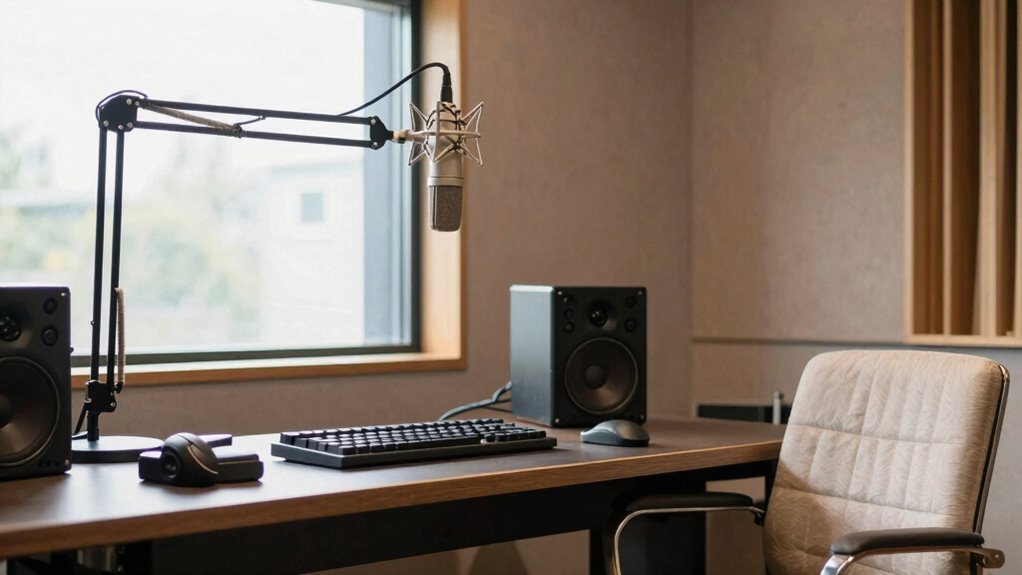
When upgrading a home studio, creators face a key decision: should they prioritize professional-quality audio, versatile equipment, or budget-friendly options? The PreSonus AudioBox GO Creator Complete Studio Bundle stands out as the best overall for its all-in-one design and portability. For those focused on high-fidelity sound, the Focusrite Scarlett 2i2 4th Gen offers excellent audio clarity. Meanwhile, the RØDE RØDECaster Pro II provides an integrated broadcast-quality production environment. Each choice involves tradeoffs, like balancing cost versus versatility or compactness versus expandability. Continue reading for a detailed breakdown of these top picks and what makes them ideal for different creators.

Get hardware and tech essentials delivered free with Prime
- Fast, free delivery on millions of items
- Prime Video, Amazon Music and more included
- Member-only deals all year
Key Takeaways
- The top picks balance audio quality, ease of use, and value, with many options serving multiple functions in a single package.
- Portability and all-in-one solutions are especially appealing for creators who record on the go or have limited space.
- Microphone quality and sound isolation remain crucial, but budget options can still deliver professional results with proper setup.
- More advanced creators will prioritize expandability, audio interface quality, and mixing capabilities over simple plug-and-play devices.
- Choosing the right upgrade depends heavily on whether the creator’s focus is podcasting, singing, mixing, or video production.
| PreSonus AudioBox GO Creator Complete Studio Bundle |  | Best All-in-One Portable Solution | Audio Interface: PreSonus AudioBox GO USB | Software: Studio One 6 Artist Edition | Microphone: PreSonus M7 Microphone | VIEW ON AMAZON | See Our Full Breakdown |
| PreSonus AudioBox 96 USB Recording Bundle with Monitors, Microphone, Headphones, and Software |  | Best for Home Studios and Streaming | Audio Interface: PreSonus AudioBox 96 USB | Inputs: 2 Class-A mic/line/instrument XLR/TRS combo | Sample Rate: 24-bit/96 kHz | VIEW ON AMAZON | See Our Full Breakdown |
| PULUZ 16×16 Inch Light Box & Soft Box with 480 LED Lights for Photography |  | Best for Product Photography with Natural Lighting | Light Source: 480 LED lights | Color Temperature: 5500 Kelvin | Color Rendering Index: 95+ | VIEW ON AMAZON | See Our Full Breakdown |
| Dmsky Microphone Isolation Shield with Pop Filter & Tripod Stand |  | Best for Clear Vocal Recordings and Podcasting | Material: High-density acoustic foam, steel | Height: 78.7 inches (2 meters) | Adjustable Height Range: 42 to 71.5 inches | VIEW ON AMAZON | See Our Full Breakdown |
| Focusrite Scarlett 2i2 4th Gen USB-C Audio Interface Bundle with Studio Monitors and Microphone |  | Best for Musicians and Serious Home Producers | Audio Interface: Focusrite Scarlett 2i2 4th Gen USB-C | Inputs: 2 XLR/TRS combo | Monitors: PreSonus Eris 3.5 | VIEW ON AMAZON | See Our Full Breakdown |
| Fender Quantum Creator Bundle | Home Recording Kit with Quantum LT 2 USB-C Interface, M7 Condenser Microphone, HD7 Headphones, XLR Cable, Mic Stand, Fender Studio Pro |  | Best All-in-One Beginner Setup | Interface: Quantum LT 2 USB-C | Microphone: M7 Large-Diaphragm Condenser Microphone | Headphones: HD7 Professional Headphones | VIEW ON AMAZON | See Our Full Breakdown |
| RØDE NT1 Signature Series Studio Condenser Microphone, Black |  | Best for Studio-Quality Vocal Recording | Type: Condenser Microphone | Color: Black | Included Accessories: Shock mount, pop filter, XLR cable, dust cover | VIEW ON AMAZON | See Our Full Breakdown |
| Upgraded Studio Recording Microphone with Isolation Shield & Pop Filter for Podcasting and Singing |  | Best USB Microphone Kit with Noise Reduction | Polar Pattern: Cardioid | Diaphragm Size: 16mm | Sampling Rate: 192kHz/24Bit | VIEW ON AMAZON | See Our Full Breakdown |
| RØDECaster Pro II All-in-One Audio Production Studio |  | Best Streaming and Podcasting Console | Number of XLR inputs: 4 | Outputs: Headphone outs | Recording options: Multitrack to computer, microSD, or USB drive | VIEW ON AMAZON | See Our Full Breakdown |
| Mackie DLZ Creator XS Compact 6-channel Digital Mixer Bundle with Headphones and XLR Cables |  | Best Compact Mixer for Versatile Control | Number of channels: 6 | Touchscreen size: 7 inches | Connectivity: Bluetooth, USB | VIEW ON AMAZON | See Our Full Breakdown |
More Details on Our Top Picks
PreSonus AudioBox GO Creator Complete Studio Bundle
The PreSonus AudioBox GO Creator Complete Studio Bundle stands out for creators who need a compact, mobile setup without sacrificing essential tools. Compared to larger, more complex bundles like the Focusrite Scarlett 2i2 Bundle, this package prioritizes portability with its lightweight design and integrated microphone and headphones, making it ideal for on-the-go recording. However, its limited feature set means it’s best suited for basic demos or quick sessions, not advanced multi-track production. The included Studio One 6 Artist Edition software provides a solid starting point, but serious producers may find it restrictive for complex projects. If portability and simplicity are your main criteria, this bundle delivers. Still, those seeking extensive connectivity or multiple inputs should consider more advanced options.
Pros:- Compact and lightweight for easy portability
- Includes professional-grade microphone and headphones
- All-in-one bundle with recording software
Cons:- Limited to basic recording needs
- Lacks advanced features for multi-track or complex production
Best for: Traveling creators or hobbyists who want a simple, all-in-one portable recording kit
Not ideal for: Professionals requiring extensive input options or advanced editing tools, as it may be too limited
- Audio Interface:PreSonus AudioBox GO USB
- Software:Studio One 6 Artist Edition
- Microphone:PreSonus M7 Microphone
- Headphones:PreSonus HD7
Our verdict“This bundle is perfect for creators prioritizing portability and simplicity over advanced features.”
PreSonus AudioBox 96 USB Recording Bundle with Monitors, Microphone, Headphones, and Software
The PreSonus AudioBox 96 USB Recording Bundle offers a comprehensive setup suited for serious home creators, especially those focused on streaming or podcasting. Its 24-bit/96 kHz recording quality surpasses entry-level interfaces like the AudioBox GO, providing clearer audio for both music and spoken content. The inclusion of Eris 3.5 monitors and a large-diaphragm condenser mic makes it ready for professional-sounding recordings, but setup complexity can challenge beginners. Compared to the Scarlett 2i2 Bundle, this package emphasizes monitoring quality and versatility but is slightly bulkier and more involved to configure. It’s an excellent choice for those who want a complete, ready-to-record workspace, with the tradeoff being a steeper learning curve and more space requirements.
Pros:- High-quality 24-bit/96 kHz recording and monitoring
- Complete bundle with monitors, microphone, and accessories
- Ideal for versatile recording, streaming, and podcasting
Cons:- May be challenging for complete beginners
- Limited to 2 inputs, restricting multi-mic setups
Best for: Home studio owners, podcasters, and streamers looking for high-quality, all-in-one recording and monitoring solutions
Not ideal for: Absolute beginners or those with very limited space, due to its setup complexity and size
- Audio Interface:PreSonus AudioBox 96 USB
- Inputs:2 Class-A mic/line/instrument XLR/TRS combo
- Sample Rate:24-bit/96 kHz
- Outputs:Balanced ¼” TRS main, headphone
- Monitors:Eris 3.5 powered studio monitors, 25 W each
- Microphone:Large-diaphragm condenser, cardioid
Our verdict“This kit suits creators who want a full-featured, high-quality setup but are prepared for some initial setup effort.”
PULUZ 16×16 Inch Light Box & Soft Box with 480 LED Lights for Photography
The PULUZ 16×16 Inch Light Box & Soft Box is tailored for creators who need professional-looking product images, especially for jewelry, e-commerce, or social media. Its high CRI (95+) and stepless dimming enable precise, natural lighting that can be tailored to different products. Compared with larger, more complex lighting setups, this light box is quick to assemble and portable, but its 16-inch size limits larger items or full-body shots. The multiple angles and adjustable brightness make it versatile for small to medium-sized products, but outdoor or water-resistant use isn’t supported. For creators focused on detailed, high-quality product images, this offers excellent value, though it’s less suited for larger or outdoor shoots.
Pros:- Adjustable brightness with stepless dimming
- Multi-angle openings for flexible shooting
- Includes four background colors for variety
Cons:- Limited to small product sizes
- Not water-resistant, unsuitable for outdoor use
Best for: Product photographers and small-scale e-commerce sellers needing consistent, natural lighting
Not ideal for: Photographers working with larger items or outdoor scenes, due to size and water resistance limitations
- Light Source:480 LED lights
- Color Temperature:5500 Kelvin
- Color Rendering Index:95+
- Item Dimensions:16 x 16 x 16 inches
- Weight:2.8 kg
- Wattage:216 watts
Our verdict“This light box is ideal for creators focused on small product photography with consistent, natural lighting conditions.”
Dmsky Microphone Isolation Shield with Pop Filter & Tripod Stand
The Dmsky Microphone Isolation Shield excels at reducing echo and ambient noise, making it well-suited for home recording setups where environment control is limited. Its triple-layer sound insulation and adjustable stand provide flexibility, standing out against simpler foam panels or less sturdy shields. The foldable design and included pop filter make it adaptable for various recording scenarios, from singing to podcasting. However, assembly might be time-consuming for newcomers, and its bulk can be challenging in tight spaces. Compared to smaller, less robust shields, this offers better noise reduction, but at the cost of increased size and setup effort. If clean, professional vocal recordings are a priority, this shield is a solid investment.
Pros:- Triple-layer sound insulation for effective noise reduction
- Adjustable, foldable panels for versatile positioning
- Includes pop filter and accessories for comprehensive setup
Cons:- Assembly can be time-consuming
- Bulkiness may limit placement in small rooms
Best for: Podcasters, vocalists, and broadcasters seeking a professional-quality acoustic environment at home
Not ideal for: Creators with limited space or those who need a lightweight, portable solution
- Material:High-density acoustic foam, steel
- Height:78.7 inches (2 meters)
- Adjustable Height Range:42 to 71.5 inches
- Foldable Panels:5 panels, adjustable at 180°
- Included Accessories:Pop filter, screw adapters, storage tray
- Stand Type:Tripod stand with adjustable height
Our verdict“This isolation shield is best for creators who prioritize audio clarity over portability.”
Focusrite Scarlett 2i2 4th Gen USB-C Audio Interface Bundle with Studio Monitors and Microphone
The Focusrite Scarlett 2i2 4th Gen Bundle combines high-resolution audio with a well-rounded package tailored for musicians, producers, and podcasters who want a versatile, professional-quality setup. Its two combo inputs deliver clean, detailed recordings, rivaling the PreSonus AudioBox 96 in sound quality but with a more refined interface and slightly better build quality. The included Eris 3.5 monitors and condenser microphone with shockmount make this an all-in-one option for serious hobbyists or semi-professionals. Compared to the PreSonus bundle, it offers better preamps and a more intuitive user experience, though it costs more and requires more space for monitor placement. This package makes sense for those committed to building a flexible, high-quality home studio.
Pros:- High-resolution audio with studio-grade clarity
- Includes monitors, microphone, headphones, and cables
- Suitable for music, podcasts, and home production
Cons:- Can be complex for users new to studio equipment
- Requires space for proper monitor placement
Best for: Musicians, producers, and podcasters seeking a comprehensive, high-quality recording setup with room to grow
Not ideal for: Beginners unfamiliar with studio gear or those with limited space for monitors and microphone setup
- Audio Interface:Focusrite Scarlett 2i2 4th Gen USB-C
- Inputs:2 XLR/TRS combo
- Monitors:PreSonus Eris 3.5
- Microphone:Condenser with shockmount and pop filter
- Included Cables:XLR, 1/4″ TRS, USB
- Software:Comprehensive production suite
Our verdict“This bundle is ideal for creators ready to invest in a high-quality, expandable home studio system.”
Fender Quantum Creator Bundle | Home Recording Kit with Quantum LT 2 USB-C Interface, M7 Condenser Microphone, HD7 Headphones, XLR Cable, Mic Stand, Fender Studio Pro
The Fender Quantum Creator Bundle shines as a comprehensive starter kit, combining a user-friendly USB-C interface with a high-quality condenser microphone and professional headphones, making it ideal for creators just entering home recording or streaming. Compared to the RØDE NT1 Signature, it offers a more integrated package with built-in effects modeling via the Fender Studio app, simplifying setup for newcomers. However, its all-in-one nature means less room for customization or upgrading individual components, and it’s primarily designed for home or mobile use, not a full studio. The plug-and-play USB-C connection guarantees ease of use, but full feature access requires downloading the Fender Studio app, which could be a barrier for some. This bundle is best suited for creators who want a straightforward, ready-to-go setup without the complexity of assembling separate gear.
Pros:- All-in-one package simplifies setup for beginners
- High-quality mic and headphones deliver professional sound
- Plug-and-play USB-C interface with guided instructions
- Includes Fender amp and effects modeling via app
Cons:- Limited to home and mobile environments; not suitable for larger studios
- Full features depend on downloading the Fender Studio app, which may be a barrier
Best for: Beginners and mobile creators seeking a simple, high-quality recording setup with integrated effects.
Not ideal for: Experienced producers or those needing a flexible, expandable studio system with XLR connectivity for professional gear.
- Interface:Quantum LT 2 USB-C
- Microphone:M7 Large-Diaphragm Condenser Microphone
- Headphones:HD7 Professional Headphones
- Included Accessories:XLR Cable, Mic Stand
- Features:Low-Latency Recording, Plug-and-Play Setup, Fender Studio Pro License
Our verdict“This bundle makes the most sense for newcomers who want a hassle-free, complete recording solution without sacrificing quality.”
RØDE NT1 Signature Series Studio Condenser Microphone, Black
The RØDE NT1 Signature stands out for ultra-low self-noise, making it a top choice for capturing vocals with clarity and detail, especially when paired with a quality audio interface like the Focusrite Scarlett 2i2. Its complete package—including shock mount, pop filter, and dust cover—eliminates the need for extra accessories, offering a professional-grade vocal recording experience. Compared to USB microphones, it requires an external interface, adding complexity and cost, but provides far superior sound quality. The high price reflects its premium build and performance, making it less appealing for budget-conscious beginners. If you’re serious about studio-level vocal recordings, this mic is a worthwhile upgrade, but it’s less suited for casual streaming or quick setups.
Pros:- Ultra-low self-noise delivers exceptionally clear recordings
- Complete with essential accessories for professional use
- Excellent cardioid pattern isolates voice from background noise
- Durable, premium build quality
Cons:- Requires an external audio interface, adding cost and complexity
- More expensive than entry-level microphones
Best for: Vocalists, streamers, and producers committed to high-fidelity recordings with dedicated XLR interfaces.
Not ideal for: Beginners or casual users seeking an all-in-one USB solution or simple plug-and-play setup.
- Type:Condenser Microphone
- Color:Black
- Included Accessories:Shock mount, pop filter, XLR cable, dust cover
- Pattern:Cardioid
- Self-noise:Among the lowest ever made
Our verdict“This microphone is best for creators prioritizing top-tier vocal clarity and willing to invest in a dedicated XLR setup.”
Upgraded Studio Recording Microphone with Isolation Shield & Pop Filter for Podcasting and Singing
This USB condenser microphone offers a complete package tailored for podcasters and home singers, including an adjustable isolation shield and pop filter. Its USB connection makes it plug-and-play with PCs, Macs, and even smartphones, unlike XLR-based setups that require additional gear. Compared to the Fender Quantum Bundle, it emphasizes noise reduction with the included shield, ideal for environments with background noise. However, its bulkier setup and reliance on USB limit flexibility for professional studio expansion. The microphone’s 192kHz/24Bit sampling rate ensures high-resolution sound, but setup for optimal acoustics may take some tweaking. This kit suits creators who prioritize simplicity and noise control without sacrificing audio quality for streaming, podcasting, or singing.
Pros:- High-quality, professional-grade sound with noise reduction
- Includes adjustable isolation shield and pop filter for cleaner recordings
- Plug-and-play USB connection suitable for multiple devices
- Complete kit with microphone, stand, and accessories
Cons:- Bulkier setup due to included accessories
- Limited to USB, not compatible with XLR-based professional gear
Best for: Podcasters, singers, and streamers wanting a noise-isolated, easy-to-use USB microphone setup.
Not ideal for: Producers or those needing XLR connectivity for higher-end audio gear or studio expansion.
- Polar Pattern:Cardioid
- Diaphragm Size:16mm
- Sampling Rate:192kHz/24Bit
- Frequency Response:30Hz‑16kHz
- Dimensions:6.3in x 1.96in
- Isolation Shield Size:27.55in x 10.23in
Our verdict“This microphone kit is perfect for creators seeking a straightforward, noise-reduced recording experience without complex wiring.”
RØDECaster Pro II All-in-One Audio Production Studio
The RØDECaster Pro II offers a versatile, all-in-one solution for creators focused on podcasting and streaming, featuring four XLR inputs, sound pads, and built-in effects. Its user-friendly interface allows quick setup and customization, making it more accessible than configuring multiple separate devices like the Mackie DLZ Creator XS. While its extensive features enable professional-sounding productions, the device’s complexity can be overwhelming for newcomers unfamiliar with audio gear, and its price reflects its advanced capabilities. It supports multitrack recording directly to microSD or computer, adding flexibility for various workflows. This device is ideal for creators who want a compact, powerful studio with minimal external equipment but may be overkill for casual hobbyists or those with simple needs.
Pros:- Multiple XLR inputs and sound pads for real-time effects
- Studio-quality sound with intuitive presets
- Supports multitrack recording directly to SD card or computer
- All-in-one compact design reduces setup clutter
Cons:- Steep learning curve for those unfamiliar with audio equipment
- Price may be high for casual users or hobbyists
Best for: Serious streamers, podcasters, and creators who want an integrated, feature-rich production studio.
Not ideal for: Beginners or creators seeking a simple USB microphone or basic audio interface.
- Number of XLR inputs:4
- Outputs:Headphone outs
- Recording options:Multitrack to computer, microSD, or USB drive
- Includes:Console, power supply, USB-C cable
Our verdict“This all-in-one studio is best for creators demanding professional features and seamless integration, despite the complexity.”
Mackie DLZ Creator XS Compact 6-channel Digital Mixer Bundle with Headphones and XLR Cables
The Mackie DLZ Creator XS stands out in this lineup for its compact form paired with versatile control, featuring a 7-inch touchscreen, Bluetooth, and USB connectivity, making it ideal for creators who need mobility without sacrificing mixing power. Compared to larger digital mixers, it offers a streamlined interface with assignable rotary knobs and pads, perfect for adjusting multiple audio sources quickly. While its 6 channels provide enough flexibility for small setups, it might fall short for larger multi-mic arrangements or complex studio configurations. The included studio headphones and long XLR cables make it a practical starter bundle, but the bulkiness of the headphones could be uncomfortable during long sessions. This pick suits creators needing a portable, all-in-one mixer for live streaming, podcasting, or small studio work.
Pros:- Touchscreen control simplifies adjustments and setup
- Includes high-quality closed-back headphones and long XLR cables
- Supports Bluetooth and USB for flexible device connections
- Compact, lightweight design for portability
Cons:- Limited to 6 channels, restricting larger multi-mic setups
- Headphones may be bulky for extended use
Best for: Content creators who require a compact, versatile mixer with on-the-go control and connectivity.
Not ideal for: Large studios or users needing extensive channel counts or advanced mixing features.
- Number of channels:6
- Touchscreen size:7 inches
- Connectivity:Bluetooth, USB
- Microphone preamps:2
- Headphone drivers:40mm
Our verdict“This mixer is ideal for creators needing a portable, feature-rich control surface for small-scale audio tasks.”

How We Picked
In selecting these home studio upgrades, I prioritized performance, build quality, and versatility, ensuring each product offers real value for creators. I looked for equipment that balances ease of use with professional features, avoiding overly complex setups that might intimidate beginners. Cost was considered alongside durability and future-proofing, favoring products with good upgrade paths or expandable features. The ranking reflects a combination of audio quality, user experience, and suitability for various creator needs, from hobbyists to semi-professionals.
Tradeoffs are inevitable; for instance, more comprehensive bundles tend to be pricier but save time and effort, while compact options are easier to fit into small spaces but may lack expandability. I aimed to highlight products that excel in specific categories: best overall, best value, premium picks, and beginner-friendly options. This approach ensures every creator can find a suitable upgrade tailored to their goals and budget.
Factors to Consider When Choosing Home Studio Upgrades For Creators
Choosing the right home studio upgrade depends on several key factors. Understanding these can help you avoid costly mistakes and select equipment that truly enhances your creative workflow. It’s important to consider your primary use case—whether recording music, podcasting, streaming, or video production—and match your gear accordingly. Compatibility with existing equipment and ease of setup are also critical, especially for those new to home studios. Budget considerations should balance immediate needs with potential future expansion. Lastly, investing in quality audio equipment pays off in professional results, but overspending on features you won’t use can be counterproductive.Performance and Sound Quality
High-quality audio is the backbone of any professional home studio. When evaluating gear, focus on microphones, audio interfaces, and monitors that deliver clear, accurate sound. Cheaper options may introduce noise or coloration, which can be problematic for critical listening or recording. However, some budget-friendly solutions can still produce excellent results with proper setup and acoustic treatment. Remember, the best gear aligns with your specific use case—such as vocal recording, music production, or voiceovers—and offers enough headroom for growth.
Ease of Use and Setup
For beginners, intuitive interfaces and plug-and-play options reduce setup time and frustration. Complex mixing consoles or elaborate audio routing might offer more control but demand a steeper learning curve. Consider whether your setup needs to be portable or stay fixed in one location; portable gear should be lightweight and battery-compatible. Also, check for compatibility with your existing devices, such as computers and software. Investing in user-friendly, well-documented gear can significantly improve workflow and enjoyment in your home studio.
Build Quality and Durability
Durable materials and solid construction ensure your equipment withstands regular use and transport. Microphones with sturdy bodies and metal stands tend to last longer, especially if you’re recording on the go or frequently adjusting setups. Cheap plastic components might save money upfront but could fail prematurely or introduce unwanted vibrations. When choosing gear, consider the environment—quiet, climate-controlled spaces reduce wear and tear, but investing in rugged equipment offers peace of mind for long-term use.
Expandability and Future-Proofing
Many creators start small but plan to grow their setup over time. Look for gear that can accommodate additional microphones, instruments, or software plugins. Modular interfaces and mixers allow for easy upgrades, so you won’t need to replace everything as your needs evolve. Conversely, some all-in-one solutions sacrifice expandability for simplicity, which might limit future options. Think about your long-term goals and select equipment that scales with your skills and projects.
Budget and Value
Investing wisely means balancing initial costs with potential benefits. Cheaper gear might tempt new creators, but it often requires additional upgrades or troubleshooting. Mid-range options tend to offer better sound quality and durability without breaking the bank, making them ideal for serious hobbyists. Premium gear delivers exceptional performance and build quality, suitable for professional work, but may be overkill for casual creators. Consider what features are essential for your work and avoid paying for extras you won’t use.
Frequently Asked Questions
Should I prioritize a high-quality microphone or a better audio interface?
Both components are important, but the priority depends on your specific needs. A high-quality microphone can significantly improve vocal clarity and recording fidelity, especially if you plan to do a lot of singing or voice work. An audio interface, on the other hand, ensures your microphone’s signal is accurately converted and that you have low latency and good monitoring options. For most creators, investing in a decent interface first provides a stable foundation, then upgrading the microphone as needed can yield the best results.
Is it better to buy an all-in-one bundle or individual pieces?
All-in-one bundles offer convenience, saving time and often money, especially for beginners who want a straightforward setup. They ensure compatibility among components and reduce the risk of missing essential parts. However, purchasing individual pieces allows for more tailored upgrades, better quality, and future expandability. If you have specific preferences or already own some gear, customizing your setup with individual components might be more cost-effective and suited to your unique workflow.
How much should I spend on home studio upgrades?
The right budget depends on your goals and current setup. Beginners can start with a few hundred dollars on quality microphones and interfaces, which often provides significant upgrades over built-in computer audio. Intermediate creators might invest between $500 and $1500 for better monitors, microphones, and sound treatment. Professionals should be prepared to spend $2000 or more for premium gear that guarantees top-tier sound and durability. Prioritize spending on components that directly affect your output quality and workflow.
What is the most common mistake when upgrading a home studio?
One of the most frequent errors is overspending on features that aren’t immediately necessary, leading to wasted resources. For example, buying a high-end mixer when a simple audio interface would suffice can complicate your setup without tangible benefits. Conversely, skimping on quality equipment, like cheap microphones or monitors, can limit your sound quality and frustrate your workflow. The key is to match your gear to your current needs while considering future growth, avoiding both over-investment and underinvestment.
When should I upgrade my home studio equipment?
Upgrading makes sense when your current gear no longer meets your quality standards, hampers your workflow, or limits your creative options. If you notice consistent issues like poor audio clarity, frequent technical problems, or difficulty expanding your setup, it’s time to consider an upgrade. Additionally, as your skills improve or your projects become more professional, investing in better equipment can help you achieve desired results. Prioritize upgrades that will have the most immediate impact on your work and long-term growth.
Conclusion
For creators just starting out or with modest needs, the PreSonus AudioBox GO Creator Complete Studio Bundle offers a comprehensive, portable solution that’s easy to set up. Those seeking the best overall performance should consider the Focusrite Scarlett 2i2 4th Gen for its balance of quality and expandability. If you aim for a professional-grade setup with all-in-one capabilities, the RØDE RØDECaster Pro II stands out as a premium choice. Beginners will benefit from simpler, more affordable options, while experienced creators should prioritize gear that allows for future growth and customization. Tailor your upgrade to your specific projects and budget for the best results.