
TL;DR

Get hardware and tech essentials delivered free with Prime
- Fast, free delivery on millions of items
- Prime Video, Amazon Music and more included
- Member-only deals all year
Building your own AI workstation used to be cheaper, but rising component costs and bulk discounts now make prebuilt systems just as affordable or better. The decision hinges on control, support, and how much effort you’re willing to invest.
Ever wonder if you’re better off building your own AI workstation or just buying one ready-made? The answer isn’t as clear-cut as it used to be. Back in the day, DIY always saved money. Now? Not so much. Prices for GPUs, RAM, and SSDs have shot up, making prebuilt systems surprisingly competitive.
If you’re serious about AI work—training models, inference, or creative workflows—you need a machine tuned for performance and reliability. This article walks you through the real tradeoffs in 2026, so you can make a decision that saves time, money, and headaches.
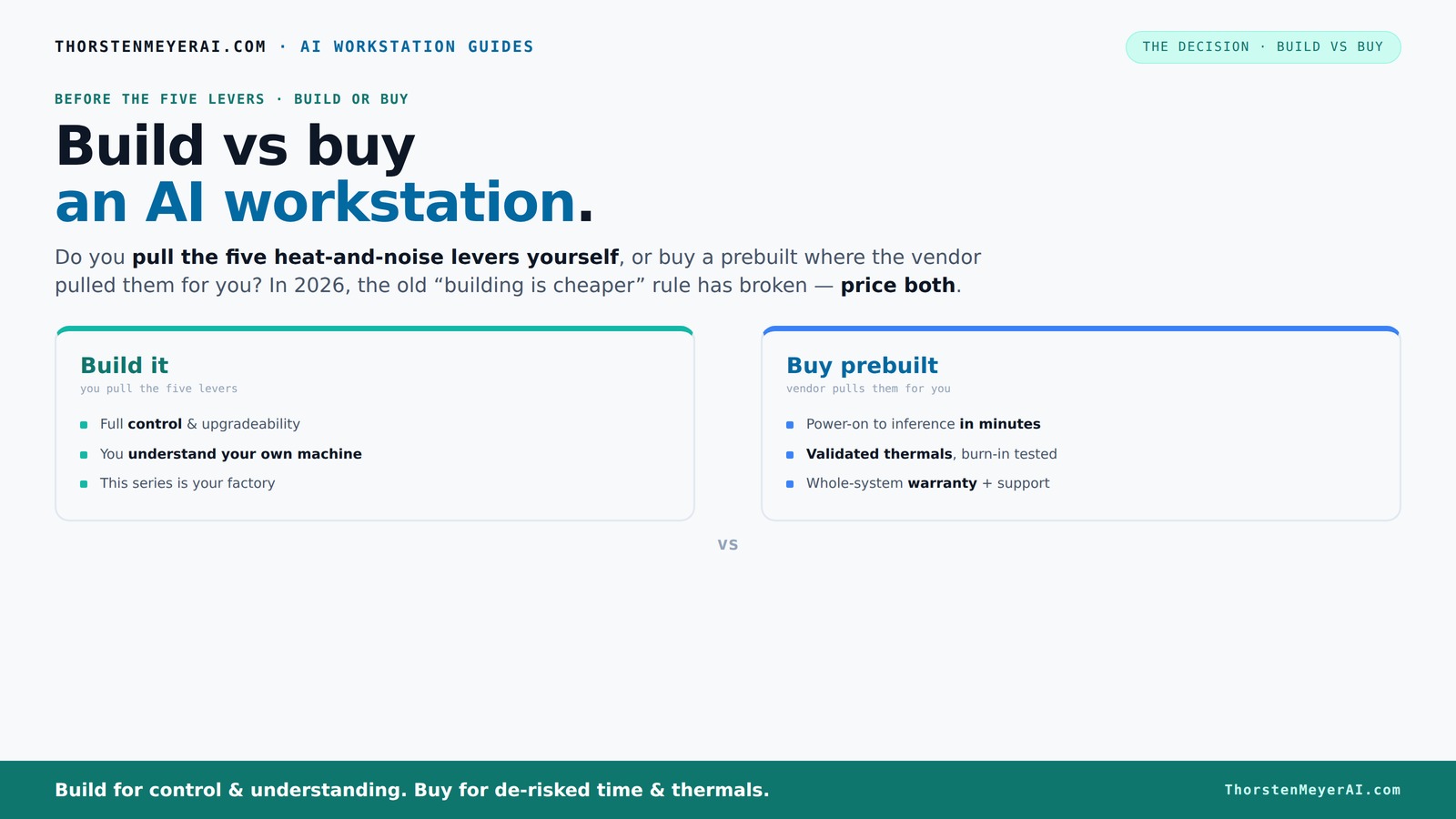
Build vs buy
an AI workstation.
The real question behind this whole series: do you pull the five heat-and-noise levers yourself, or buy a prebuilt where the vendor pulled them for you? And in 2026, the old “building is cheaper” rule has broken. Match your situation in Part 3.
Key Takeaways
- In 2026, prebuilt AI workstations often match or beat DIY on price due to component shortages and bulk discounts.
- Buying a prebuilt saves time, offers validated thermals, and includes support, making it ideal for quick deployment and reliability.
- Building your own system provides maximum control, upgradeability, and learning opportunities—best if you love tinkering or need specific parts.
- Component quality from reputable vendors is high, but DIY offers more customization—just be ready for a steeper learning curve.
- Consider your workload, budget, and future plans—there's no one-size-fits-all answer anymore.
Products Worth Considering

Logitech MX Mechanical Wireless Illuminated Keyboard, Tactile Quiet, Graphite

Amazon Kindle Paperwhite Signature Edition (12th Generation, 2024), 32 GB, Metallic Black

Jackery HomePower 3600 Plus Portable Power Station, 3584Wh, 3600W
As an affiliate, we earn on qualifying purchases.
Why the Build vs Buy Debate Changed in 2026
Building your own AI workstation isn’t the clear bargain it once was. Thanks to global shortages and bulk buying, prebuilt vendors now often offer systems at prices that match or beat DIY. A custom build that used to cost around $1,000 now easily climbs over $1,250, especially with high-end GPUs and DDR5 RAM in short supply.
For example, a top-tier GPU like the NVIDIA RTX 4090, which was once available at around $1,500, now often costs over $2,000 due to scarcity. Meanwhile, prebuilt systems from companies like Lambda or Puget have secured bulk discounts and optimized configurations, making their offerings more affordable than piecing together parts.
This shift pushes the focus from ‘cheapest’ to ‘best value’—considering support, reliability, and thermal validation. So, the old rule of DIY always being cheaper no longer holds. Instead, you need to compare actual prices for your specific setup, which you can learn more about on this site about build vs buy decisions.
Who Pulls the Levers? The Real Difference Between Build and Buy
The core of the build vs buy decision is about control over five key levers: undervolting the GPU, matching the cooling system, optimizing airflow, tuning fan curves, and choosing the right placement. These factors significantly influence the system’s thermal performance, noise levels, and overall stability. Why does this matter? Because well-tuned thermal management can extend component lifespan, improve performance consistency, and reduce noise—crucial for long AI training sessions or sensitive environments.
Buy a prebuilt → the vendor handles all five levers, conducting extensive thermal validation, burn-in testing, and fine-tuning for low noise and optimal heat dissipation. This means you get a system that’s been vetted for reliability under sustained loads, reducing your risk of thermal throttling or overheating during critical AI tasks.
Build it yourself → you take charge of these levers. You select a quiet GPU (check out this [quiet GPU guide](https://thorstenmeyerai.com/quiet-gpus-local-ai/)), undervolt it (see how in this [GPU undervolt article](https://thorstenmeyerai.com/undervolt-gpu-local-inference/)), and pick a case and cooler that match your noise and temperature goals. You become the thermal engineer, learning from each tweak. This control allows you to optimize your system precisely for your workload, but it requires knowledge, patience, and iterative testing to achieve the best results, similar to the insights shared on this guide about build vs buy.
When Does a Prebuilt Make Your Life Easier?
If your time is precious, prebuilt systems are a clear winner. They arrive ready to run with the OS, AI frameworks, and drivers installed. Just power on, connect your data, and you're ready for inference or training, as discussed on this site about AI investment strategies. This saves you the hours or days of troubleshooting, compatibility checks, and BIOS tuning often required with DIY builds.
For example, a professional working on a tight deadline for a deep learning project benefits from a system that’s validated for thermals and stability. Companies like Puget or Lambda test their rigs under sustained 48-hour loads, simulating real-world AI workloads, so you don’t have to worry about thermal throttling, component incompatibility, or stability issues—factors that can derail projects or extend timelines.
Plus, support and warranty come baked in. If something fails mid-training, you call support, and they handle it. That’s worth paying a premium for when your project deadlines depend on it. This peace of mind ensures you can focus on your work rather than troubleshooting hardware problems.
When Is Building Your Own System Still the Smart Play?
Building your own AI workstation makes sense if you need specific components, want a custom cooling setup, or plan to upgrade over time. For more guidance, see this article about build vs buy. This control allows you to select a GPU with particular features, such as higher VRAM capacity or better power efficiency, that prebuilt systems might not offer. Similarly, a custom cooling solution can reduce noise and improve thermal performance, especially for overclocked or high-power components.
Imagine you’re a hobbyist with a passion for tinkering. You can choose a case with superior airflow, install a quieter CPU cooler, or add more RAM later—tailoring the build to your exact preferences. This approach also provides a valuable learning experience, deepening your understanding of hardware and thermal dynamics, which is priceless if you love tech projects.
Furthermore, if your workload demands maximum performance—such as training very large models or running multiple AI tasks simultaneously—DIY allows you to fine-tune hardware settings, undervolt components, and optimize power delivery for peak efficiency. This level of customization can lead to better performance and longer system lifespan, which prebuilt systems might not match due to their generic configurations.
The Impact of Quality Components and Support
Many worry that prebuilt systems cut corners on power supplies, motherboards, or cooling. That’s a valid concern, especially if you're considering budget options. However, leading vendors invest heavily in high-quality parts and rigorous testing, particularly for demanding AI workloads, as highlighted on this site about cryptocurrency and asset management. This focus on quality ensures system stability, durability, and consistent performance, which are critical when training large models or running long inference sessions.
For example, a reputable prebuilt might include a 1200W platinum-rated power supply, capable of supporting multiple GPUs under sustained load without voltage drops. They also validate the entire system under real-world conditions, stress-testing for thermal management and stability. This reduces the risk of thermal throttling, component failure, or system crashes that could cost you time and data.
Compare that to piecing together parts yourself—where verifying each component’s quality, compatibility, and cooling capacity falls on your shoulders. Without proper validation, you risk using lower-quality parts that may fail prematurely or cause system instability. While DIY offers customization, it requires expertise to ensure every component works harmoniously, especially under high loads.
Future-Proofing and Upgrading: Which Path Wins?
Upgrading a DIY system is often more straightforward because you can choose standard, widely compatible components. Swapping out a GPU, adding more RAM, or installing faster storage typically involves fewer hurdles—especially if you select a standard ATX case and modular components. This flexibility allows you to extend your system’s lifespan and adapt to evolving AI workloads.
Prebuilt systems, however, sometimes use proprietary cases, power supplies, or motherboard designs that limit upgrade options. For example, a preconfigured workstation might have a custom form factor or non-standard connectors, making future upgrades more complicated or costly. This can lead to a scenario where replacing or upgrading parts becomes a major project, sometimes requiring a full rebuild.
Nevertheless, some newer prebuilts are designed with upgradeability in mind, supporting additional RAM slots or modular GPU options. If you anticipate needing future upgrades, check the vendor's specifications carefully. Overall, building your own system generally offers more straightforward, cost-effective upgrade paths, enabling your workstation to evolve with your needs.
Key Factors to Consider Before You Decide
- Budget vs. Time: Are you willing to invest additional hours into assembly, troubleshooting, and fine-tuning, or do you prefer a plug-and-play experience that gets you up and running quickly?
- Control vs. Convenience: Do you want full control over every component and customization, or is having a ready-to-use system with minimal setup more appealing?
- Support Needs: Can you handle potential hardware issues yourself, or do you prefer the reassurance of vendor support and warranty services?
- Future Upgrades: Will your workload grow or change, requiring a flexible system that can evolve over time?
- Component Quality: Are you comfortable researching, verifying, and selecting high-quality parts, or do you prefer trusting OEM validation and pre-validated configurations?
Frequently Asked Questions
Is a prebuilt AI workstation good enough for training and inference?
Yes. Many prebuilt systems are now thoroughly validated for sustained loads, with professional thermal management. They’re designed to handle demanding AI workloads reliably, often better than DIY if you’re not an expert.When does it make sense to build instead of buy?
Building makes sense if you want specific components, better upgrade paths, or enjoy the process. It’s ideal if you have the time, skills, and desire to fine-tune your machine for maximum performance.Is DIY really cheaper once you include Windows, tools, troubleshooting, and warranty risk?
Not always. Recent market shifts mean that prebuilt systems often cost as much or less than DIY, especially when factoring in support, warranty, and time saved. It’s worth comparing prices carefully.Which parts matter most for AI work: GPU, VRAM, CPU, RAM, or cooling?
GPU and VRAM are king for training large models, but CPU and RAM also influence inference speed and multitasking. Cooling and power supply quality are critical for sustained workloads—don’t skimp there.How much upgrade room do prebuilt workstations usually have?
It varies. Some prebuilt systems support easy upgrades like adding RAM or swapping GPUs, but others may have proprietary parts. Build your own typically offers the most flexibility.Conclusion
The choice between build and buy hinges on your priorities. If speed and support matter most, go prebuilt. If customization, future-proofing, or learning appeals to you, building can pay off.
In 2026, the smartest move is to compare prices for your exact setup—because the old rule of ‘DIY is cheaper’ no longer holds true. Your perfect AI workstation is the one that balances your needs with your resources. Ready to pick your path?