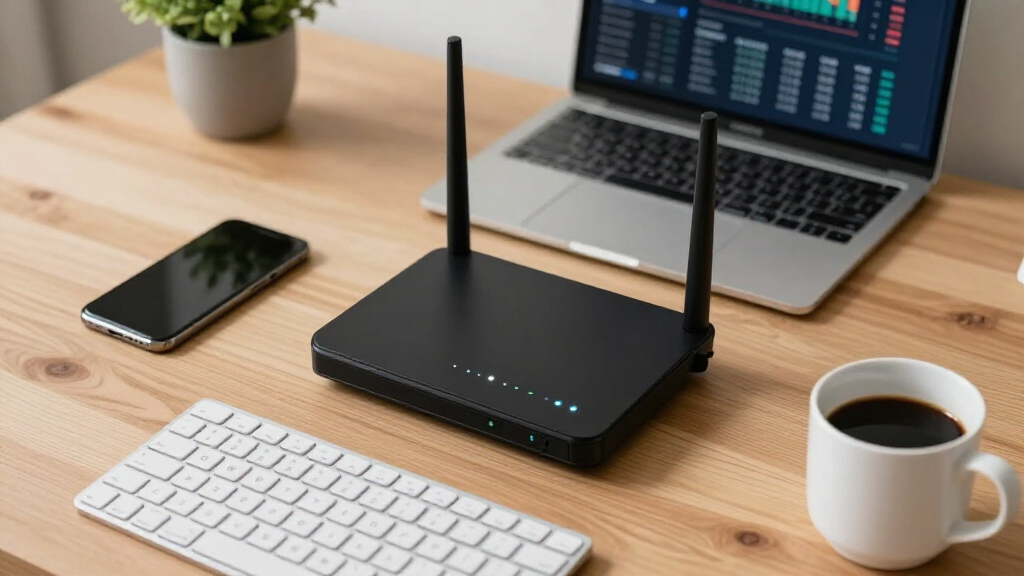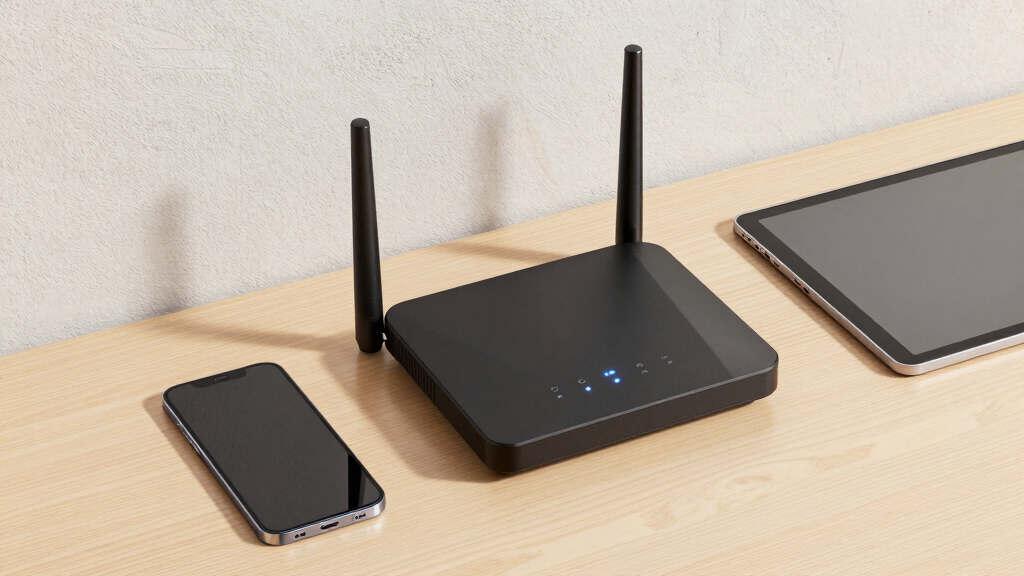

Choosing the right router for a remote team involves balancing speed, security, and ease of management. The TP-Link AX5400 (Archer AX73) stands out for its long-range WiFi 6 coverage, ideal for larger spaces. For robust security and remote management, the ASUS ExpertWiFi EBG15 offers enterprise-grade features that suit IT-heavy environments. However, many options come with tradeoffs—higher security features often mean more complex setup, while budget models may lack advanced controls. Keep reading for a detailed breakdown of the best business routers, tailored to different needs and budgets.
Key Takeaways
- The top routers combine high-speed WiFi 6 or 7 with strong security features suitable for remote teams.
- Many models now include remote management and VPN support, making them easier to oversee outside the office.
- Price often correlates with advanced security, scalability, and professional features; budget options may suffice for small teams.
- Port versatility and wired connectivity options are critical for supporting multiple devices and hybrid setups.
- Portability and LTE/5G options are increasingly relevant for remote workers on the go or in mobile environments.
More Details on Our Top Picks
TP-Link AX5400 WiFi 6 Router (Archer AX73)- Dual Band Gigabit Wireless Internet Router for Streaming, Long Range Coverage
This router stands out for offering a well-balanced mix of speed, coverage, and security at an affordable price point. Compared with the ASUS ExpertWiFi EBG15, the AX73 delivers faster WiFi 6 speeds and broader range, making it ideal for remote teams working across a large home. Its MU-MIMO and OFDMA support mean multiple devices can stream, browse, and conference simultaneously without lag, a critical factor for remote collaboration. The built-in TP-Link HomeShield adds essential security for sensitive work data, while its simple setup via the tether app keeps technical hurdles minimal. However, heat dissipation is a concern, as prolonged use in high-demand scenarios may cause thermal throttling. Also, while it supports mesh via OneMesh, integration isn’t as seamless as some higher-end options, limiting expansion flexibility. This pick makes the most sense for remote teams seeking reliable, high-performance WiFi without breaking the bank.
Pros:- High Wi-Fi 6 speeds up to 5400 Mbps support multiple high-bandwidth devices
- Extensive coverage with 6 antennas and beamforming technology
- Supports MU-MIMO and OFDMA for efficient multi-device performance
- TP-Link HomeShield enhances network security
Cons:- Can run hotter under sustained heavy loads, risking thermal throttling
- Mesh expansion via OneMesh is less seamless compared to premium enterprise options
Best for: Home-based remote teams needing extensive coverage and fast speeds for video conferencing and data transfer.
Not ideal for: Small office environments with complex network needs requiring enterprise-grade security and centralized management.
- WiFi Speed:up to 5400 Mbps
- Antennas:6
- MU-MIMO:Yes
- OFDMA:Yes
- Security:TP-Link HomeShield
- Frequency Band:Dual-Band
- Ports:1× USB 3.0, 5× Gigabit Ethernet
- Coverage:Extended, supports OneMesh
Bottom line: This router is ideal for home remote teams prioritizing speed, coverage, and security at a budget-friendly price.
ASUS ExpertWiFi EBG15 Gigabit VPN Wired Router, up to 3 WAN ethernet Ports + 1 USB WAN, IPS Intrusion Prevention, Layer 7 Firewall, Commercial-Grade Network Security, Remote Management with App
This router is tailored for small businesses that need robust security and remote management features. Unlike the TP-Link AX73, the ASUS ExpertWiFi EBG15 offers multiple WAN ports with load balancing, making it better suited for environments with multiple internet links or backup connections. Its Layer 7 firewall and IPS intrusion prevention provide a level of security that’s critical for remote teams handling sensitive customer data or proprietary information. Easy setup via the ASUS mobile app and web interface ensures quick deployment, even for non-technical staff. Its VLAN support and advanced network controls give it an edge over consumer-grade routers like the TP-Link AX5400. On the downside, its higher price and complex feature set may overwhelm small teams without dedicated IT support. Overall, this makes the most sense for remote teams needing enterprise-grade security with scalable management tools.
Pros:- Supports up to 3 WAN ports with load balancing for reliable connectivity
- Layer 7 firewall and IPS intrusion prevention protect against threats
- VLAN and remote management features for scalable control
- Easy setup via web or mobile app
Cons:- Higher cost than typical consumer routers
- Complex interface might be overkill for less technical users
Best for: Small business remote teams requiring advanced security, multiple WAN options, and remote management.
Not ideal for: Home users or teams with simple networking needs who don’t require extensive security features.
- WAN Ports:3 gigabit Ethernet
- VPN Support:Yes
- Firewall:Layer 7 IPS
- Security Protocols:WPA3, Intrusion Prevention
- Management:Remote via app/web
- Speed:Gigabit
Bottom line: This router is best for small business remote teams needing enterprise security and multi-connection management.
Solis Edge – 5G Hotspot Device, Bundle Includes Lifetime Data (12GB Per Year) and 10GB Global Data, WiFi in 140+ Countries, Access 300+ Mobile Carriers, Portable Internet by SIMO
The Solis Edge excels for remote teams that require internet access in multiple locations, especially during travel or outdoor work. Unlike traditional routers like the TP-Link AX73 or ASUS ExpertWiFi, this device provides true mobile flexibility with 5G and WiFi 6 technology, supporting global connectivity in over 140 countries. Its compact, lightweight design and long-lasting battery make it perfect for fieldwork or mobile teams. The bundled lifetime data plan and global SIM options mean no need for local SIM cards or complex setup, providing reliable internet without dependency on local networks. Its SignalScan feature automatically finds the strongest signal, reducing connectivity issues in remote areas. The main tradeoff is that it’s not suitable as a primary home or office router; it’s designed for mobility and occasional use. This makes it ideal for remote teams that need dependable internet on the move, not static network environments.
Pros:- Supports 5G and WiFi 6 for fast, reliable mobile internet
- Global coverage in 140+ countries
- Includes lifetime data plan (12GB/year) and 10GB global data
- Lightweight, pocket-sized design with long battery life
Cons:- Not suitable for fixed home or office network setups
- Limited data plan for heavy bandwidth use
Best for: Remote teams traveling frequently or working outdoors needing reliable, portable internet access.
Not ideal for: Teams requiring permanent high-speed home or office WiFi as their primary connectivity.
- Connectivity:5G, WiFi 6
- Global Coverage:140+ countries
- Data Plan:Lifetime 12GB/year
- Antenna:Built-in
- Battery:Multiple days of use
- SIM Card:No
Bottom line: This hotspot is perfect for remote teams needing mobile, reliable internet access during travel or outdoor work.
ASUS ExpertWiFi EBR63 AX3000 WiFi 6 Business Router – Custom Guest Portal & SDN, Easy Setup & Remote Management, Scalable with ExpertWiFi AIMesh, Free Commercial-Grade Security, VPN, VLAN
The ASUS EBR63 offers a compelling choice for small teams needing a secure, scalable, and manageable network. Compared to the TP-Link AX5400, it provides better support for multiple SSIDs, VLANs, and guest portals, essential for segmented remote work environments. Its SDN features and remote management via the ASUS ExpertWiFi platform make it easier to control and expand the network as your remote team grows. The built-in WPA3 security, VPN support, and free AiProtection Pro safeguard sensitive corporate data better than typical consumer routers. Setup is straightforward with the ASUS app, and AIMesh compatibility ensures scalable coverage. The main tradeoff is that it’s more expensive and may be more complex than home-oriented models. This makes it ideal for small remote teams that prioritize security and centralized control over simplicity.
Pros:- Supports multiple SSIDs, VLANs, and guest portals
- SDN and remote management via ASUS platform
- Enterprise-grade WPA3 security and VPN support
- Easy setup with ASUS mobile app
Cons:- Higher price point compared to consumer routers
- Complex features may overwhelm non-technical users
Best for: Small remote teams needing enterprise-level security, guest management, and scalable WiFi coverage.
Not ideal for: Home users or very small teams with basic internet needs who don’t require advanced security or VLAN segmentation.
- WiFi Speed:up to 3000 Mbps
- Ethernet Ports:1× Gigabit WAN, 4× Gigabit LAN
- Security:WPA3, VPN
- Management:Remote, via ASUS app
- Features:Guest portal, VLAN, SDN support
- Coverage:Expandable with AIMesh
Bottom line: This router is best suited for small remote teams that need scalable, secure, and manageable WiFi infrastructure.
Tenda WiFi 7 Router BE7200 – Dual-Band High-Speed Wireless Internet Router with 2×2.5G Ports, Quad-Core CPU, MLO & VPN, Private IoT Network, Supports OpenWRT, Ideal for Home & Business Use (BE12Pro)
The Tenda BE7200 delivers exceptional WiFi 7 performance suitable for demanding remote work setups. Its quad-core 2 GHz CPU and 512MB RAM handle multiple high-bandwidth devices with ease, surpassing the TP-Link AX73 and ASUS ExpertWiFi in raw processing power. Support for WiFi 7’s MLO allows for better bandwidth management across multiple devices, with speeds up to 5765 Mbps on 5GHz. The two 2.5G ports support multi-gig connections, making it ideal for remote teams with fiber internet and local NAS. Its VPN support and OpenWRT compatibility give tech-savvy teams control over advanced configurations. Its 9 signal-boosting modules ensure strong coverage across large homes or office spaces. However, its feature set may be overkill for non-technical users, and its higher price reflects this advanced capability. Best for teams that want maximum performance and customization.
Pros:- Supports WiFi 7 with MLO for optimized multi-device bandwidth
- Dual 2.5G ports support multi-gig internet and LAN connections
- Powerful quad-core CPU and 512MB RAM handle many devices simultaneously
- OpenWRT support for custom firmware and advanced control
Cons:- Higher price and complexity may overwhelm average users
- Designed for high-performance environments, not ideal for small or simple setups
Best for: Tech-savvy remote teams or IT professionals requiring high throughput, advanced management, and OpenWRT support.
Not ideal for: Basic home users or teams with simple networking needs seeking plug-and-play solutions.
- WiFi Speed:up to 5765 Mbps
- Giga Ports:2× 2.5G Ethernet, 3× Gigabit Ethernet
- CPU:Quad-Core 2 GHz
- RAM:512MB
- Security:VPN, OpenWRT compatible
- Coverage:Large, signal-boosting modules
Bottom line: This router is best for remote teams with high-performance demands and technical expertise seeking maximum customization and speed.
GL.iNet GL-BE9300 (Flint 3) Tri-Band WiFi 7 Router, High-Speed 6GHz Gaming WiFi Router for Wireless Internet, Long Range, 5 x 2.5G VPN Routers for Fiber Optic Modem, Computer Routers, Home & Business
This router stands out for its Wi-Fi 7 standard with speeds up to 9 Gbps and features like MLO technology, making it ideal for environments needing ultra-fast, reliable connectivity. Compared with the NETGEAR RS140, it offers a longer range (up to 2,000 sq ft) and support for over a hundred devices, suitable for busy offices or large homes. Its focus on long-range coverage and device density involves tradeoffs like a more complex setup process and higher price. However, the easy setup via Ethernet and VPN capabilities make it appealing for remote teams requiring secure, seamless connections.
Key specs include:- WiFi 7 standard with speeds up to 9 Gbps
- Tri-band frequency with 6 GHz support
- Coverage of 2,000 sq ft
- 5 x 2.5G VPN ports
- Multi-Link Operation (MLO)
- 4 antennas for enhanced range
Pros:- Supports Wi-Fi 7 with speeds up to 9 Gbps for demanding applications
- Long-range coverage up to 2,000 sq ft with stable signals
- Device connectivity exceeds 100 devices, ideal for dense environments
- Advanced VPN and MLO technology for secure, low-latency connections
Cons:- Complex initial setup requiring Ethernet and firmware updates
- Higher price point compared to typical WiFi 6 routers
Best for: Remote teams in high-density offices or large homes that need ultra-fast, long-range WiFi 7 connectivity with VPN support.
Not ideal for: Small apartments or users with simple setups, since setup complexity and cost may outweigh benefits.
- WiFi Standard:Wi-Fi 7
- Speed:up to 9 Gbps
- Coverage:2000 sq ft
- VPN Ports:5 x 2.5G
- Antennas:4
- Technology:MLO, OFDMA, 4K QAM
Bottom line: This router is best for remote teams needing high-density, high-speed WiFi 7 with robust security features and extensive coverage.
TP-Link AC1900 Smart WiFi Router (Archer A8) -High Speed MU-MIMO Wireless Router, Dual Band Router for Wireless Internet, Gigabit, Supports Guest WiFi
This model makes the most sense for small to medium homes or remote teams with straightforward needs due to its simple setup process and reliable dual-band WiFi. Compared to the NETGEAR R6700AX, it offers easier software management and a more user-friendly setup via the Tether App, although it lacks Wi-Fi 6 and VPN support, which could be a drawback for security-conscious remote teams. Its coverage of approximately 1,200 sq ft and support for 20 devices make it suitable for smaller offices or homes. The tradeoff involves less future-proofing and fewer advanced security features, but its full gigabit ports and parental controls meet basic remote work needs effectively.
Key specs include:- Dual-band Wi-Fi with speeds up to 1900 Mbps
- Coverage of 1,200 sq ft
- Supports 20 devices
- 4 Gigabit LAN ports
- Simple setup via app
- Supports Guest WiFi
Pros:- Easy to set up with the Tether app for quick deployment
- Reliable dual-band WiFi up to 1900 Mbps
- Supports 20 devices and covers up to 1,200 sq ft
- Gigabit Ethernet ports for wired connections
Cons:- Lacks Wi-Fi 6 and VPN support, limiting future-proofing
- No USB port for file sharing or network storage
Best for: Small remote teams or home offices seeking reliable dual-band WiFi with easy setup and decent coverage.
Not ideal for: Teams needing Wi-Fi 6, VPN, or advanced security features for sensitive remote work.
- WiFi Speed:up to 1900 Mbps
- Coverage:1200 sq ft
- Device Support:20 devices
- Ports:4 Gigabit LAN
- Wi-Fi Bands:Dual-band
- Security:WPA2, WPA3
Bottom line: This router suits small remote teams that prioritize straightforward setup and dependable dual-band WiFi without advanced security needs.
NETGEAR Nighthawk Dual-Band WiFi 7 Router (RS140) – Router Only, BE5000 Wireless Speed (up to 5.0 Gbps) – Covers up to 2,250 sq. ft., 80 Devices – 2.5 Gig Internet Port – Free Expert Help
This router stands out for its Wi-Fi 7 support with speeds up to 5 Gbps and a broad coverage area of 2,250 sq ft, making it ideal for remote teams needing fast, reliable internet across large spaces. Compared to the KuWFi Hotspot, it offers higher speeds and support for more devices (up to 80), suitable for large home offices or remote teams in bigger spaces. The main tradeoff involves its lack of a built-in modem and higher power consumption. Its 2.5 Gbps port provides multi-gig speeds, perfect for high-bandwidth tasks like video conferencing and large file transfers. Overall, it offers the speed and coverage necessary for demanding remote work setups.
Key specs include:- Wi-Fi 7 with up to 5 Gbps
- Coverage of 2,250 sq ft
- Support for 80 devices
- 2.5 Gbps Ethernet port
- Dual-band Wi-Fi
- Compact, modern design
Pros:- High-speed Wi-Fi 7 support up to 5 Gbps
- Large coverage area of 2,250 sq ft
- Supports up to 80 devices simultaneously
- Multi-gig 2.5 Gbps Ethernet port for fast wired connections
Cons:- No built-in modem, requiring separate device for internet access
- Higher cost and power consumption compared to Wi-Fi 6 routers
Best for: Large remote teams or home offices requiring high throughput over extensive areas with support for many devices.
Not ideal for: Small apartments or teams needing integrated modem functionality, as it’s a router only.
- Wi-Fi Speed:up to 5 Gbps
- Coverage:2250 sq ft
- Devices Supported:80
- Ethernet Port:2.5 Gbps
- Wi-Fi Bands:Dual-band
- Design:Sleek, modern
Bottom line: Ideal for remote teams in large spaces needing fast Wi-Fi 7 speeds with support for many devices and extensive coverage.
KuWFi Portable WiFi Hotspot for Outdoor,4G LTE Cat7 WiFi Router with 2GB Data SIM Card (Roaming Required), 3000mAh Battery, Dual-Band 1200Mbps, Supports 10 User – Perfect for Outdoor Travel&RV Trips
This hotspot makes sense for remote teams frequently outdoors or traveling due to its portable design, LTE support, and pre-activated SIM card. Compared with stationary routers like the TP-Link Archer A8, it offers cellular connectivity for locations without traditional broadband, supporting up to 10 users with speeds up to 1200 Mbps. The integrated 3000mAh battery allows for hours of use away from power sources, but its limited data plan (2GB included) and reliance on cellular networks are tradeoffs, especially in areas with poor coverage. It’s perfect for outdoor work, camping, or quick setup in remote locations, but not for continuous high-bandwidth remote work in fixed locations.
Key specs include:- 4G LTE Cat7 support
- Speed up to 1200 Mbps
- Supports 10 users
- 3000mAh battery
- Dual-band Wi-Fi
- Pre-activated 2GB SIM card
Pros:- Portable LTE support with pre-activated SIM card
- Supports up to 10 devices with dual-band Wi-Fi
- Built-in 3000mAh battery for extended outdoor use
- Supports global LTE bands for international travel
Cons:- Limited 2GB data plan included, additional data costs extra
- Cellular signal quality depends on coverage, less reliable indoors or in remote areas
Best for: Remote teams on outdoor trips or in locations lacking reliable broadband, needing portable cellular internet with decent speed.
Not ideal for: Teams requiring large data plans or continuous, high-bandwidth remote work in fixed locations.
- LTE Support:Cat7
- Speed:up to 1200 Mbps
- Battery:3000mAh
- Users:Supports 10 devices
- Frequency:Dual-band
- SIM Card:Pre-activated 2GB
Bottom line: Best suited for mobile remote teams needing portable cellular connectivity during outdoor activities or travel.
NETGEAR WiFi 6 Router 4-Stream (R6700AX) – Router Only, AX1800 Wireless Speed (Up to 1.8 Gbps), Covers up to 1,500 sq. ft., 20 Devices – Free Expert Help, Dual-Band
This router makes sense for small to medium remote offices or homes due to its Wi-Fi 6 support, reliable coverage of 1,500 sq ft, and support for 20 devices. Compared to the TP-Link Archer A8, it offers better security with WPA3 and more future-proof Wi-Fi 6 speeds, though it lacks Wi-Fi 7’s ultra-fast capabilities. Its dual-band performance ensures stable connections for video calls, file sharing, and streaming. The main tradeoff involves its limited coverage compared to Wi-Fi 7 routers, but for most remote workers in smaller spaces, this provides sufficient speed and device support. Its easy setup and support for multiple devices make it a practical choice for remote teams seeking robust Wi-Fi without complexity or excessive cost.
Key specs include:- Wi-Fi 6 (AX1800) with speeds up to 1.8 Gbps
- Coverage of 1,500 sq ft
- Supports 20 devices
- 4 Gigabit Ethernet ports
- Dual-band Wi-Fi
- Supports WPA3 security
Pros:- Supports Wi-Fi 6 with speeds up to 1.8 Gbps
- Reliable coverage of 1,500 sq ft
- Supports WPA3 security for better protection
- Supports up to 20 devices
Cons:- Limited coverage compared to Wi-Fi 7 routers
- No multi-gig Ethernet port for multi-gig speeds
Best for: Small to medium remote teams or home offices needing fast Wi-Fi 6 with good coverage and device support.
Not ideal for: Large spaces requiring Wi-Fi 7 or extensive device support beyond 20 devices.
- Wi-Fi Speed:up to 1.8 Gbps
- Coverage:1500 sq ft
- Device Support:20
- Ports:4 Gigabit LAN
- Wi-Fi Standard:Wi-Fi 6
- Security:WPA3
Bottom line: This router fits remote teams in small to medium spaces seeking fast, secure Wi-Fi with easy setup and device support.
Tongyu AX1800 WiFi 6 Router for Wireless Internet Computer Gaming & 4K Streaming, Dual Band Gigabit Ports OFDMA MU-MIMO Parental Controls Guest Network WPS EasyMesh 60 Devices 1200Mbps 3600sq. ft.
This router stands out for its impressive ability to handle up to 60 devices simultaneously, making it ideal for remote teams with many connected devices. Compared to the TP-Link AC1200, it offers higher device capacity and WiFi 6 technology, which translates into more stable, faster connections—especially in crowded or large office spaces. Its dual-band setup and OFDMA MU-MIMO enhance efficiency, reducing lag during video calls or large file transfers. The tradeoff is that this model is bulkier and slightly more complex to configure for non-technical users. It’s best suited for medium to large remote teams needing robust coverage and high device concurrency.
Pros:- Handles up to 60 devices simultaneously, ideal for crowded environments
- Supports WiFi 6 for faster, more reliable connections
- Large coverage area up to 3600 sq. ft. with four antennas
Cons:- Slightly more expensive than basic dual-band routers
- Requires some technical knowledge to set up and optimize
Best for: Remote teams with 20+ members, multiple devices, and large office spaces
Not ideal for: Small startups or home offices with only a few devices, where simpler, less feature-rich routers suffice
- WiFi Speeds:1200 Mbps on 5 GHz, 574 Mbps on 2.4 GHz
- Device Capacity:Supports up to 60 devices
- Coverage Area:3600 sq. ft.
- Security:Latest Wi-Fi security protocols
- Antennas:4 external antennas
- Ports:4 Gigabit Ethernet ports
Bottom line: This router makes the most sense for larger remote teams needing extensive coverage and high device capacity.
Router Wi-Fi Reset Device. Automatic Router Rebooter. If You Enter a Phone Number it Will Send Texts Upon resets.
Compared with traditional routers like the TP-Link Archer A54, this device offers automatic rebooting and alerts, minimizing downtime without manual intervention. It is designed for small offices or remote setups where continuous internet uptime is critical, and users prefer automation over manual resets. Its ability to send SMS or email notifications upon reboots adds a layer of peace of mind, especially for remote teams managing their own networks. The tradeoff is that it is a single-band device with basic security features, making it less suitable for high-security or high-speed needs. It’s perfect for users who prioritize reliability and minimal maintenance over advanced WiFi features.
Pros:- Automates router reboots to prevent connectivity issues
- Sends SMS or email alerts upon resets for proactive monitoring
- Compact size fits well in small spaces
Cons:- Limited WiFi speed and bandwidth (up to 100 Mbps)
- Single-band 2.4 GHz only, not suitable for high-speed demands
Best for: Small remote teams or offices needing reliable, automated reboots and notifications
Not ideal for: Large teams or high-security environments requiring advanced routing features and WiFi performance
- Connectivity:2.4 GHz WiFi
- Maximum Speed:100 Mbps
- Ports:LAN port
- Features:Automatic reboot, SMS/email notifications
- Size:Compact
- Control:App-based
Bottom line: Ideal for small remote teams that need reliable, automated network management without complex setup.
TP-Link AC1200 WiFi Router (Archer A54) – Dual Band Wireless Internet Router, 4 x 10/100 Mbps Fast Ethernet Ports, EasyMesh Compatible, Support Guest WiFi, Access Point Mode, IPv6 & Parental Controls
This router is a solid choice for small remote teams or home offices, offering dual-band WiFi speeds up to 1200 Mbps at a very affordable price. Unlike the Tongyu AX1800, it does not support WiFi 6 but still provides reliable coverage and basic security features, including guest networks and parental controls. It’s easier to set up with the TP-Link Tether app, making it accessible for less tech-savvy users. The main tradeoff is its limited range and lower device capacity compared to higher-end models, making it less suitable for larger remote teams or dense environments. However, it provides enough performance for small teams with moderate connectivity needs.
Pros:- Affordable with solid dual-band WiFi speeds
- Easy setup via mobile app
- Supports guest WiFi and parental controls
Cons:- Limited coverage area (~1000 sq. ft.)
- Lower device capacity than WiFi 6 routers
Best for: Small remote teams or home offices with up to 10 devices and limited coverage needs
Not ideal for: Teams with high device density or needing extensive coverage in large spaces
- WiFi Speeds:Up to 867 Mbps on 5 GHz, 300 Mbps on 2.4 GHz
- Coverage:Approx. 1000 sq. ft.
- Ethernet Ports:4 x 10/100 Mbps
- Security Features:Guest Network, Parental Controls
- WiFi Generation:WiFi 5
- Setup:Mobile app
Bottom line: This router makes sense for small teams or individual users seeking reliable WiFi without high cost or complexity.
GL.iNet GL-MT3000 (Beryl AX) Portable Travel Router, Pocket Wi-Fi 6 Wireless 2.5G Router, Portable VPN Routers WiFi for Travel, Public Computer Routers, Business, Moblie/RV/Cruise/Plane
Compared with stationary routers like the Tongyu AX1800, the GL.iNet Beryl AX emphasizes portability and advanced security, supporting VPN client and server features built-in. Its WiFi 6 technology ensures faster speeds and better performance even on the go, making it ideal for remote workers traveling or working from varied locations. The device’s support for OpenWrt allows extensive customization, appealing to tech-savvy users needing specific configurations. The main tradeoff is that its coverage range is limited to small spaces, and its higher price reflects the portable, feature-rich design. This makes it perfect for mobile teams or individuals frequently on the move.
Pros:- Supports WiFi 6 for high-speed on the move
- Built-in VPN client and server for secure connections
- Small, portable, ideal for travelers
Cons:- Limited coverage area (~100 meters)
- Higher price point for portable router
Best for: Remote workers or teams requiring portable, secure WiFi on the go
Not ideal for: Teams needing high coverage or dedicated stationary office networking
- WiFi Speed:574 Mbps (2.4G) + 2402 Mbps (5G)
- Ports:2.5G WAN, 1G LAN, USB 3.0
- VPN:OpenVPN, WireGuard
- Coverage:Up to 100 meters
- Security:WPA3, DNS over HTTPS
- Size:Compact and portable
Bottom line: This router suits mobile remote teams needing secure, fast WiFi wherever they travel.

How We Picked
These products were evaluated based on performance, security features, ease of setup, scalability, and management tools. Priority was given to models that support high-speed WiFi standards like WiFi 6 and 7, essential for handling multiple remote connections. We also considered security features such as VPN, intrusion prevention, and guest networks, which are vital for protecting sensitive business data. Usability in a remote or hybrid environment was key, favoring routers that offer remote management and straightforward setup. The ranking reflects a combination of value, feature set, and suitability for different business sizes and technical expertise levels.Factors to Consider When Choosing Best Business Routers For Remote Teams
Selecting the best router for a remote team involves understanding several core factors. Not all routers are built equally; some prioritize speed, others focus on security, while some excel in ease of management. Considering your team size, security needs, and technical skill can help narrow options. Avoid common mistakes like prioritizing raw speed over security or overpaying for features your team won’t use. Let’s explore the main considerations to keep in mind when choosing a business router for remote work.Performance and WiFi Standards
For remote teams, reliable, fast WiFi is non-negotiable. WiFi 6 and 7 standards offer higher throughput and better handling of multiple devices, which is essential when supporting several remote workers and smart devices. While these standards tend to come at a higher cost, they provide future-proofing and smoother daily operation. Be cautious of routers that advertise high speeds without real-world performance data, especially if your team relies heavily on seamless video conferencing and large file transfers.
Security Features
Security is a key consideration, especially when remote workers access sensitive business data. Look for routers with integrated VPN support, intrusion prevention systems, guest network controls, and regular firmware updates. These features help protect your network from external threats and ensure compliance with data security standards. Skipping advanced security can expose your business to breaches, so weigh security features carefully against your team’s needs and technical expertise.
Ease of Setup and Management
Remote management capabilities are vital for teams that lack dedicated IT support. Routers with cloud-based management tools or mobile apps allow easy setup, monitoring, and troubleshooting from anywhere. However, overly complex interfaces can hinder quick adjustments, so look for models that balance advanced features with user-friendly controls. Consider future scalability—if your team is growing, a router with centralized management options can save time in the long run.
Port Availability and Wired Options
While WiFi performance is critical, wired connections provide stability for bandwidth-intensive tasks. Ensure the router offers enough Ethernet ports for desktops, VoIP phones, or servers. For hybrid setups, having multiple gigabit ports and support for Power over Ethernet (PoE) can simplify network infrastructure. Overlooking wired options might lead to bottlenecks or unstable connections for key devices, especially in a business environment.
Scalability and Future-Proofing
Consider whether the router can grow with your business. Features like mesh support, additional WAN ports, or compatibility with enterprise management tools can extend the device’s lifespan. Investing in a slightly more capable model now may save money and hassle later, especially if your remote team expands or your security needs increase. Be wary of routers that excel only for small setups and lack options for expansion.
Frequently Asked Questions
How do I choose a router that supports multiple remote workers efficiently?
When supporting multiple remote workers, prioritize routers with WiFi 6 or 7 for better bandwidth management and multiple device handling. Look for models with MU-MIMO technology, which allows simultaneous data streams to multiple devices, reducing congestion. Security features like VPN support and guest networks ensure safe connectivity for all team members. Additionally, management tools that allow remote oversight and troubleshooting can make a significant difference in maintaining network stability across a dispersed team.
Is it worth investing in an enterprise-grade router for a small remote team?
Investing in an enterprise-grade router can be advantageous if your team handles sensitive data, requires high reliability, or plans to scale quickly. These models often include advanced security, centralized management, and better hardware durability. However, they typically come with higher costs and complexity. For small teams with basic needs, a high-quality consumer or SMB router may suffice, but for security and growth potential, an enterprise solution offers long-term benefits.
Can I replace my existing consumer router with a business router for remote work?
Yes, replacing a consumer router with a dedicated business router can improve performance, security, and management. Business routers are designed for continuous operation, support multiple users, and include enterprise-level security features. Just ensure your internet service and infrastructure support the new device’s specifications, and consider the complexity of setup and management. Upgrading can be straightforward, but some models may require more technical knowledge to configure properly.
What security features should I look for in a router for remote teams?
Key security features include VPN support, intrusion detection and prevention, guest network segmentation, and regular firmware updates. A router with these capabilities helps safeguard sensitive business data and prevents unauthorized access. Additionally, look for models that offer parental controls or content filtering if needed, and ensure the device supports encryption standards like WPA3. Security should be a primary factor, especially when remote access opens the network to broader vulnerabilities.
Is mesh WiFi necessary for a remote team working from a large home or office?
Mesh WiFi systems are beneficial if your remote team members work in large spaces or multiple floors where traditional routers struggle to provide consistent coverage. Mesh networks eliminate dead zones by creating a seamless WiFi environment across the entire area. However, for smaller setups or single rooms, a high-quality single router may suffice. Consider your space size and coverage needs when deciding whether mesh technology is a worthwhile investment.