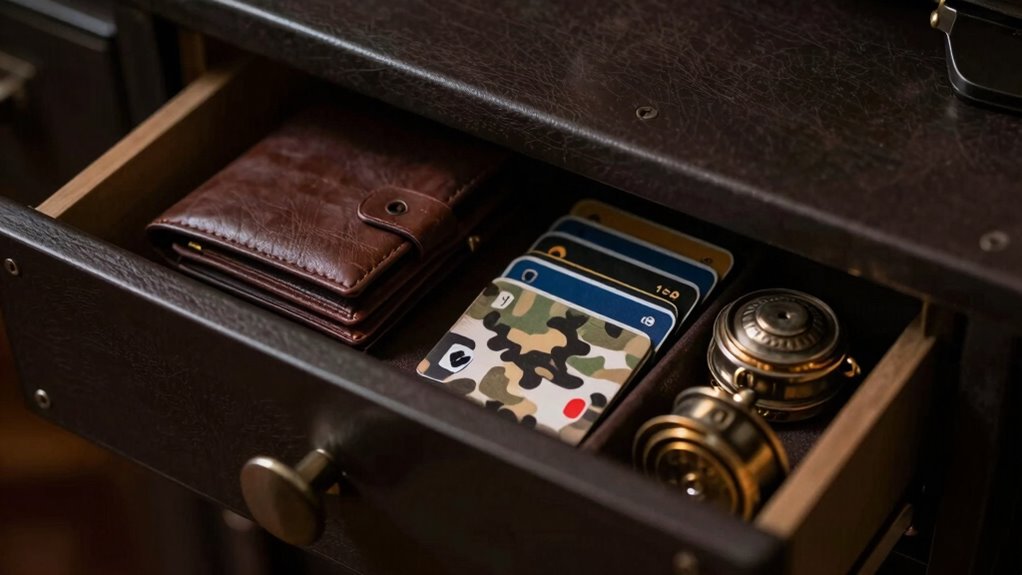

To store wallet backups securely without making them easy to find, you should encrypt your files with strong algorithms like AES-256 and use discreet, non-descriptive names. Keep these backups offline on secure devices such as encrypted USB drives or hardware wallets, stored in hidden or safe locations. Avoid labeling them with obvious terms, and consider keeping the decryption keys separate. For further tips on concealing and protecting your backups, continue exploring effective strategies.

Get hardware and tech essentials delivered free — and shop member deals
- Fast, free delivery on millions of items
- Access to Prime Big Deal Days deals on October 6–7
- Prime Video, Amazon Music and more included
Key Takeaways
- Use strong encryption like AES-256 and keep decryption keys separate from backups.
- Store backups offline in secure locations, such as hidden safes or safe deposit boxes.
- Assign generic, non-descriptive filenames and encrypt files to prevent easy identification.
- Avoid labeling backups with obvious terms related to cryptocurrencies or wallets.
- Regularly review and update storage methods to maintain security and legal compliance.

Have you thought about the best way to protect your crypto wallet backups? Securing your backups isn’t just about hiding them; it’s about making sure they’re safe from theft, loss, or unauthorized access. With the increasing complexity of cryptocurrency regulations, it’s essential to understand how legal and security considerations intertwine. Many jurisdictions require strict compliance measures for crypto assets, which means your backup storage methods should align with these regulations to avoid potential legal issues. To keep your backups secure and compliant, you need a strategy that balances accessibility with stealth.
One effective approach is to implement backup encryption techniques. Encryption transforms your backup data into an unreadable format, making it extremely difficult for anyone to access without the correct key. Use strong, modern encryption algorithms—AES-256 is a popular choice—that are widely recognized for their security. Never store your decryption keys in the same location as your encrypted backups. This separation adds an extra layer of protection, guaranteeing that even if someone finds your backup, they can’t unlock it without your key.
Beyond encryption, consider how you store your backups physically. Avoid obvious locations like your main computer or cloud storage accounts connected to your identity. Instead, think about using secure, offline storage options like encrypted USB drives or hardware wallets. These devices can be kept in a safe deposit box or a hidden, secure spot in your home. The goal is to make it challenging for anyone to stumble upon your backups accidentally or intentionally. Implementing secure storage methods can greatly reduce the risk of physical theft or damage. Additionally, understanding the importance of physical security can help you better protect your assets in the long term.
You should also consider the digital footprint your backups leave. Avoid using easily traceable storage solutions or naming conventions that reveal their contents. For example, don’t label a file as “CryptoBackup” or “Wallet Seed.” Instead, opt for generic names that don’t hint at their purpose, and encrypt the files beforehand. This way, even if someone finds your backup, they won’t know what it contains without decrypting it. Additionally, understanding cryptocurrency regulations can influence how you approach backup security and storage practices. Being aware of these regulations helps ensure your backup strategies are both secure and compliant with legal standards.
As an affiliate, we earn on qualifying purchases.
Frequently Asked Questions
What Are the Best Materials for Discreet Backup Storage?
You should use durable, inconspicuous materials like metal or plastic for stealth storage. Metal containers, such as small lockboxes or metal tins, are excellent for concealed locations because they’re sturdy and easy to hide. Plastic cases with neutral colors can blend into everyday items. Avoid flashy or obvious containers. The key is choosing materials that are durable and discreet, helping you keep your wallet backups secure and hidden from plain sight.
How Often Should I Update My Wallet Backups?
You should update your hardware wallet backups whenever you change your seed phrase or make significant updates to your wallet. Regular updates guarantee your backup remains current and secure. If your seed phrase stays the same, annual checks are usually sufficient. Always verify your backup’s integrity after any update, and store it securely, avoiding easy-to-find locations, so your seed phrase remains protected even if your hardware wallet is lost or compromised.
Can Digital Backups Be Stored Offline Securely?
Sure, digital backups can be stored offline securely—if you’re clever. You’ll want to encrypt the files with strong paper encryption methods, then hide them in stealth locations others won’t think to check. Think beyond the obvious—perhaps inside a locked safe, buried in a discreet spot, or within a decoy container. This way, your digital backup stays safe and inaccessible to prying eyes, even when offline.
What Are Common Mistakes to Avoid When Storing Backups?
You should avoid common mistakes like neglecting password protection and relying on a single storage location. Always encrypt backups with strong passwords to prevent unauthorized access. Additionally, practice geographic diversification by storing copies in different secure locations, reducing the risk of loss from theft, natural disasters, or technical failures. Never store backups in obvious places, and regularly update your security measures to stay ahead of potential threats.
How Do I Recover Access if My Backup Is Lost?
Losing your backup is like losing the map to your treasure. First, check if you have any encrypted backups stored securely; they might still hold the key. If not, consider your recovery options through the cryptocurrency security features, like seed phrases or recovery keys. Always remember, strong backup encryption keeps your assets safe, but never rely on just one copy. Regularly update and securely store your backups to avoid such situations.
hardware wallet for crypto storage
As an affiliate, we earn on qualifying purchases.
As an affiliate, we earn on qualifying purchases.
Conclusion
To keep your wallet backups safe, stay vigilant, stay hidden, and stay prepared. By choosing secure storage methods, avoiding easy-to-find locations, and regularly updating your backups, you protect your assets and peace of mind. Remember, your security depends on your actions—so stay cautious, stay consistent, and stay in control. Because in the end, safeguarding your backups means safeguarding your future. Stay smart, stay secure, and take control of your digital life.
As an affiliate, we earn on qualifying purchases.
As an affiliate, we earn on qualifying purchases.
Fall Picks
fall essentials
As an affiliate, we earn on qualifying purchases.