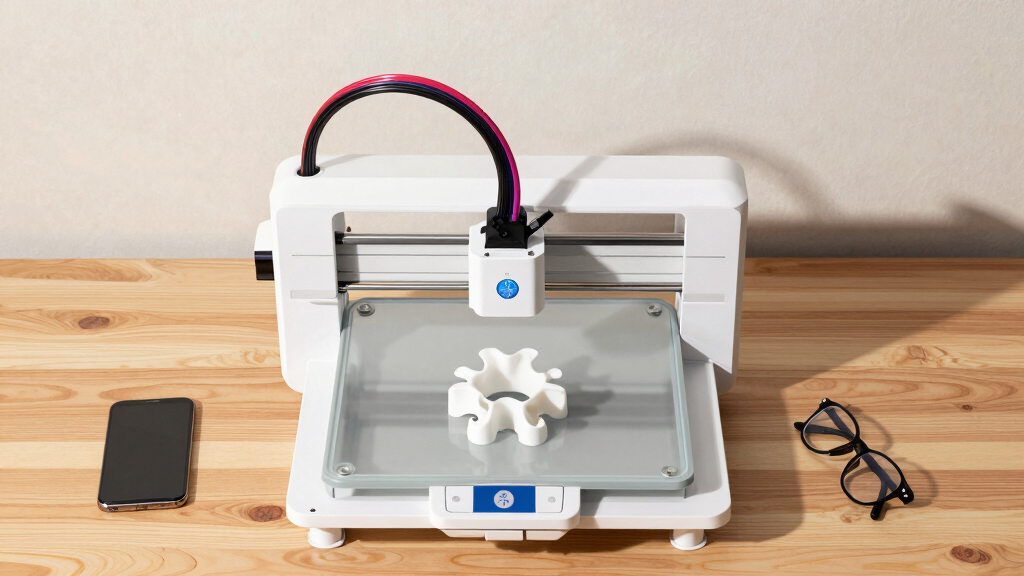

Finding the best 3D printer for product prototyping means balancing speed, precision, build volume, and ease of use. The IdeaFormer-3D IR3 V2 Conveyor Belt stands out for large-scale, continuous production, ideal for high-volume prototypes. The Bambu Lab P1S offers rapid printing with support for multi-materials, making it versatile for complex prototypes. Meanwhile, the ELEGOO Saturn 4 Ultra excels in resin detail for highly precise parts. As tradeoffs often involve speed versus detail or size versus complexity, continue reading for a detailed breakdown of the best options in 2026 to match your specific needs.
Key Takeaways
- Large-format printers like the IdeaFormer-3D IR3 V2 excel in high-volume prototyping but may sacrifice detail resolution.
- Multi-material support, as seen in the Bambu Lab P1S and Creality K2 Plus, enables complex, functional prototypes with varied properties.
- Speed is a significant factor—printers like the FLASHFORGE Adventurer 5M and Anycubic Kobra S1 offer rapid printing, but often at the expense of layer quality.
- Resin printers like the ELEGOO Saturn 4 Ultra provide fine details ideal for intricate prototypes but have smaller build volumes and more post-processing.
- Ease of use and automation features, such as auto bed leveling and simple interfaces, are common in the top picks, reducing setup time and errors.





More Details on Our Top Picks
Official IdeaFormer-3D IR3 V2 Conveyor Belt 3D Printer, Infinite Z Axis Continuous Printing Belt Printer Large Format 250×250×∞mm for Cosplay, Prototyping & Production Auto Leveling 400mm/s Speed
This conveyor belt printer stands out for its ability to produce endless, long models without manual intervention, making it ideal for batch prototyping or manufacturing tasks. Unlike the Flashforge Adventurer 5M, which excels in speed and precision for smaller projects, the IR3 V2’s continuous Z-axis fundamentally shifts productivity for large or repetitive parts. Its upgraded metal belt ensures reliable adhesion with a broad filament compatibility, but the complexity of the conveyor system introduces a learning curve and potential maintenance challenges. The Klipper system offers high-speed, smooth motion, but the setup and firmware are less beginner-friendly than the simpler, plug-and-play options like the Flashforge. Overall, this model is best suited for advanced users needing large, continuous prints with minimal manual effort, accepting some setup complexity for significant throughput benefits.
Pros:- Enables continuous printing with no manual reloading, increasing productivity.
- Supports a wide filament range, including ABS, PETG, TPU, and more.
- Auto-leveling and Y-offset sensor simplify bed calibration.
Cons:- Setup and calibration are more complex compared to standard desktop printers.
- Heavy and large, requiring dedicated space and maintenance.
Best for: Prototyping shops and production environments requiring high-volume, continuous printing of large parts.
Not ideal for: Beginners or hobbyists focused on small, detailed models due to the system’s complexity and learning curve.
- Build Volume:250×250×∞mm
- Print Speed:up to 400mm/s
- Filament Compatibility:PLA, PETG, ABS, TPU, ASA, PP
- Auto Leveling:Yes
- Firmware:Klipper
- Size:20.47 x 30.71 x 12.6 inches
- Weight:44 pounds
- Price:Price not specified
Bottom line: Ideal for experienced users needing large, continuous prototypes and willing to manage a more complex system.
Bambu Lab P1S 3D Printer, Fully Enclosed, Support Up to 16 Colors/Multi Materials, 500mm/s Fast Printing & High Precision, CoreXY & Auto Bed Leveling, Ready-to-Use FDM 3D Printers Large Print Size
The Bambu Lab P1S is designed for rapid, multi-material, multi-color prototyping with its support for up to 16 filaments and a blazing speed of 500mm/s. Compared to the Flashforge Adventurer 5M, which emphasizes ease of use and reliability for beginners, the P1S prioritizes high-speed, high-precision production suitable for complex multi-color models. Its fully enclosed design enhances print quality for advanced filaments, but the multi-material system requires additional setup and filament management, which may be daunting for new users. Auto bed leveling simplifies the process, but the overall system is less plug-and-play than simpler printers, meaning it’s better suited for users comfortable with more advanced hardware. This printer makes the most sense for innovative prototypes that benefit from multi-color and multi-material capabilities, accepting some complexity for speed and versatility.
Pros:- Supports up to 16 filament colors, enabling complex multi-material prints.
- Fast printing speed of up to 500mm/s reduces production time.
- Fully enclosed design improves print quality and safety.
Cons:- Requires additional filament management and setup for multi-material printing.
- More expensive and complex compared to basic single-material printers.
Best for: Designers and engineers working on complex, multi-color, multi-material prototypes requiring fast turnaround.
Not ideal for: Beginners or hobbyists who prefer simple, straightforward printing without multi-material management.
- Build Volume:Support up to 16 filaments
- Print Speed:up to 500mm/s
- Filament Compatibility:Support for 16 filaments
- Auto Bed Leveling:Yes
- Enclosure:Fully enclosed
- Size:18.72 x 20.67 x 18.72 inches
- Weight:38.9 pounds
- Price:Price not specified
Bottom line: Best suited for experienced users needing rapid, multi-color prototypes with high precision.
FLASHFORGE Adventurer 5M 3D Printer with Fully Auto Leveling, Max 600mm/s High Speed Printing, 280°C Direct Extruder with 3S Detachable Nozzle, CoreXY All Metal Structure, Print Size 220x220x220mm
The Flashforge Adventurer 5M offers a compelling balance of high speed, ease of use, and reliable auto-leveling, making it ideal for quick prototyping cycles. Its 600mm/s print speed surpasses most competitors like the Elegoo Saturn 4, enabling rapid iteration. The fully automatic bed leveling and detachable nozzle simplify setup and maintenance, appealing to users who prioritize convenience over complex multi-material features. While it excels in speed and straightforward operation, it is less suited for large or highly detailed models, given its 220x220x220mm build volume. Compared to the Elegoo Saturn 4’s resin capabilities, the FDM approach provides larger, more durable prototypes but with less fine detail. This printer is perfect for fast, reliable prototypes that don’t require ultra-fine resolution but need quick turnaround times.
Pros:- Extremely fast printing speeds up to 600mm/s for rapid prototyping.
- Fully automatic bed leveling reduces setup time and errors.
- Detachable nozzle simplifies maintenance and filament changes.
Cons:- Limited build volume (220x220x220mm) may restrict larger prototypes.
- Lacks multi-material or multi-color support—focused on single filament projects.
Best for: Startups and professionals needing fast, reliable prototypes with minimal fuss and moderate detail.
Not ideal for: Hobbyists focused on ultra-detailed, small-scale models or large-format projects.
- Build Volume:220x220x220mm
- Print Speed:up to 600mm/s
- Extruder Temperature:280°C
- Nozzle:Detachable 3S
- Frame:All-metal CoreXY
- Auto Leveling:Yes
- Size:15.83 x 14.29 x 17.64 inches
- Weight:23.8 pounds
Bottom line: Excellent for fast, reliable prototypes with straightforward operation, ideal for professional environments.
ELEGOO Saturn 4 Ultra 16K Resin 3D Printer with 10″ 16K Mono LCD and Flip-up Lid, Smart Tank Heating at 30 °C, 150mm/h High Speed Printing, Large Printing Size of 8.33 × 4.66 × 8.66 Inches
The ELEGOO Saturn 4 Ultra 16K excels in ultra-fine detail and smooth surface finish, making it the top choice for detailed resin prototypes and miniatures. Its 16K mono LCD provides exceptional resolution compared to the Elegoo Mars or older Saturn models, resulting in lifelike textures and intricacies. The intelligent tank heating system at 30°C improves resin flow and reduces defects, while the quick peel mechanism speeds up print cycles at 150mm/h. Unlike multi-material FDM printers, the Saturn 4 Ultra is specialized for high-precision small parts and detailed models, though its smaller build volume (8.33 × 4.66 × 8.66 inches) limits larger prototype sizes. The AI camera and auto-leveling make it user-friendly, but resin handling involves more cleanup and safety considerations. This printer is best for high-detail, small-scale prototypes where surface quality and fine features are paramount.
Pros:- Ultra-high 16K resolution for exceptional detail.
- Smart tank heating ensures better resin flow and fewer defects.
- Auto-leveling and AI camera enable easy, precise operation.
Cons:- Limited build size restricts larger prototypes.
- Resin printing involves more cleanup and safety precautions.
Best for: Artists, model makers, and R&D teams needing high-resolution resin prototypes with fine detail.
Not ideal for: Producers requiring large or multi-material prototypes, or those seeking quick, large-volume prints.
- Build Volume:8.33 × 4.66 × 8.66 inches
- LCD Resolution:16K Mono
- Heating System:Smart tank at 30°C
- Print Speed:150mm/h
- Chamber Light:Built-in
- AI Monitoring:Yes
- Leveling:Auto
- Weight:35.5 pounds
Bottom line: Perfect for detailed resin prototypes where surface quality and fine features are critical.
AOSEED 3D Printer for Kids, AI-Powered Fully Assembled 3D Printer with Up to 400mm/s Speed, Auto Leveling, 1500+ Models & 17+ Modules, Includes 8 PLA Filaments for Home and School Use, X-MAKER JOY AI+
The AOSEED X-MAKER JOY AI+ is tailored for children and beginners, combining AI-driven model creation, voice and image prompts, and easy one-tap operation. Its rapid speeds of up to 400mm/s enable quick, small projects like toys or educational models, making it a standout for home or school use. The fully enclosed design ensures safety, while the extensive library of models and modules fosters creativity without advanced design skills. Unlike more advanced prototyping printers like the Elegoo Saturn 4 or Bambu Lab P1S, this model sacrifices ultra-fine detail for ease of use and fun features. Its built-in camera and sharing capabilities make it excellent for tracking progress and sharing creations. Best for young learners and families seeking an accessible, engaging prototyping tool, with some limitations in detail and size.
Pros:- AI-powered model creation via voice, text, or images—no design skills needed.
- Fast printing speeds up to 400mm/s for quick projects.
- All-in-one kit includes 8PLA filaments and extensive model library.
Cons:- Limited in detail and size, not suitable for intricate prototypes.
- Focuses on fun and education rather than high-precision engineering parts.
Best for: Kids, educators, and beginners looking to explore 3D printing creatively and safely.
Not ideal for: Professional designers or engineers requiring high-precision, large-volume prototypes.
- Build Volume:Supports small projects
- Speed:up to 400mm/s
- Filament:Includes 8 PLA rolls
- AI Features:Voice, image, and text prompts
- Connectivity:Wi-Fi
- Enclosure:Fully enclosed
- Size:11.42 x 10.63 x 12.2 inches
- Weight:8.82 pounds
Bottom line: Best for introducing children and beginners to prototyping through simple, fast, and engaging tools.
FLASHFORGE AD5X Multi-Color 3D Printer, CoreXY 600mm/s High-Speed, 1-Click Auto Leveling, 300°C Direct Drive Extruder, 220x220x220mm Build Volume, Ideal for Precision and Efficiency
The FLASHFORGE AD5X stands out for its ability to print up to four colors simultaneously, making it perfect for multi-color prototypes that need vibrant detail. Its 600mm/s high-speed CoreXY structure significantly cuts down production time, especially compared to the Bambu Lab P1S, which, while fast, doesn’t offer multi-color support. The 1-click auto leveling simplifies setup, saving time for busy designers, though it may still require some calibration adjustments for complex geometries. The 300°C direct drive extruder supports a wide range of filament types, offering versatility beyond PLA, unlike the ELEGOO Saturn 4’s resin focus. The 220x220x220mm build volume is sufficient for most small to medium prototypes, but larger projects will need other machines. Noise levels are moderate, and remote monitoring through the Flash Maker app enhances workflow control. However, the price point is higher than some competitors, and the multi-color setup can lead to increased filament waste. Ideal for professional prototyping teams needing vibrant, multi-material models quickly, but less suitable for those on a tight budget or with very large build needs.
Pros:- Supports up to 4 colors simultaneously for complex, vibrant prototypes
- High-speed printing at 600mm/s greatly reduces project times
- Simple 1-click auto leveling enhances ease of use
- Versatile filament compatibility including high-temp materials
Cons:- Higher price compared to single-color or lower-speed printers
- Filament waste increases with multi-color purging
- Moderate noise levels may be disruptive in quiet environments
Best for: Prototyping professionals requiring multi-color, high-speed production with reliable auto-leveling.
Not ideal for: Budget-conscious hobbyists or those needing large-scale builds over 220mm in each dimension.
- Build Volume:220x220x220mm
- Max Extruder Temp:300°C
- Print Speed:600mm/s
- Color Support:Up to 4 colors
- Auto Leveling:1-Click
- Extruder Type:Direct Drive
Bottom line: This printer is best suited for professional environments where rapid, multi-color prototypes are essential, despite its premium cost.
Creality K2 Plus Combo 3D Printer, Multi Color Printing with New CFS 600mm/s High-Speed Full Auto-Leveling Dual Al Camera Next-Gen Direct Drive Extruder Large Build Volume 13.78×13.78×13.78inch
The Creality K2 Plus offers an impressive 13.78-inch cubic build volume, ideal for large prototypes that surpass the size limitations of the FLASHFORGE AD5X. Its 16-color capability via four integrated CFS units, combined with automated filament switching and RFID detection, makes multi-material prototyping highly efficient, especially compared to the AD5X’s four-color limit. The 600mm/s high-speed printing with acceleration up to 30,000mm/s² enables rapid production of detailed models, although this speed can sometimes compromise layer accuracy without fine tuning. Its dual AI cameras monitor print quality and detect failures, similar to the Bambu Lab P1S but more integrated for larger projects. The next-gen direct drive extruder handles high-quality filaments like PPA and ASA, making it suitable for engineering prototypes. The robust aerospace-grade aluminum frame ensures stability during extended runs, but the machine’s weight and size necessitate a dedicated space. The comprehensive automation features enhance productivity at the expense of a steeper learning curve for beginners. This machine is perfect for large, multi-color, fast-turnaround prototyping in professional environments, but less so for small-scale or hobby use due to its size and cost.
Pros:- Large build volume (13.78 inches cubic) for bigger prototypes
- Supports up to 16 colors with seamless filament switching
- Fast printing at 600mm/s with high acceleration for quick turnaround
- Dual AI cameras for real-time failure detection
Cons:- Very heavy and requires substantial space and setup effort
- High price point may be prohibitive for small teams
- Speed may reduce accuracy if not properly calibrated
Best for: Large-scale prototyping teams needing rapid, multi-color, multi-material production with high precision.
Not ideal for: Home hobbyists with limited space or those needing smaller, more affordable printers.
- Build Volume:13.78×13.78×13.78 inches
- Max Extruder Temp:350°C
- Print Speed:600mm/s
- Color Support:Up to 16 colors
- Auto Leveling:Full auto with AI
- Frame Material:Aerospace-grade aluminum
Bottom line: Ideal for professional users who need large, multi-material prototypes fast, though at a high cost and logistical commitment.
Creality K2 Combo (A) 3D Printer, Multicolor Printing with CFS, 600mm/s Printing Speed, 95% Pre-Assemble, Smart Al Camera & Auto Leveling, Next-Gen Direct Drive Extruder Large Build Volume 260*260*260mm
The Creality K2 Combo (A) emphasizes ease of use with 95% pre-assembly and ultra-quiet operation, making it suitable for rapid deployment in busy workshop or office environments. Its large build volume of 260x260x260mm outperforms many competitors like the FLASHFORGE AD5X for bigger prototypes, while supporting up to 16 colors through four connected CFS units, comparable to the K2 Plus but with even easier setup. The 600mm/s high-speed printing and automatic features such as auto-leveling and AI-powered failure detection streamline workflows, especially when combined with the smart camera for remote monitoring. The next-generation direct drive extruder handles high-temperature materials like ABS and PPA with ease, making it versatile for engineering and functional prototypes. The robust “matrix” aluminum frame ensures precision stability, though the machine’s size and weight can be challenging for smaller spaces. The included RFID system minimizes filament waste and switching time, but some users report initial calibration challenges. This printer is a solid choice for teams seeking a reliable, fast, and easy-to-use large-volume multi-color solution, but less ideal for small workshops or casual hobbyists.
Pros:- Pre-assembled, quick to set up out of the box
- Large build volume ideal for big prototypes
- Supports up to 16 colors via connected CFS units
- Ultra-fast 600mm/s printing with quiet operation
Cons:- Heavy and requires dedicated space
- Price may be high for smaller teams or hobbyists
- Initial calibration may need attention for optimal results
Best for: Design studios or engineering teams requiring large, multi-color prototypes with minimal setup time.
Not ideal for: Hobbyists or small-scale users looking for a compact, budget-friendly machine.
- Build Volume:260x260x260mm
- Max Extruder Temp:350°C
- Print Speed:600mm/s
- Color Support:Up to 16 colors
- Auto Leveling:Full auto
- Frame Material:Aerospace aluminum
Bottom line: Best suited for professional environments needing large, multi-color, high-speed prototyping with minimal fuss.
Anycubic Kobra S1 Combo Multicolor 3D Printer with Anycubic ACE PRO, 4 Multicolor, Drying and Printing at the Same Time, 600mm/s Fast Speed with 320℃ Hotend, Built-in Camera 44dB Quiet 250*250*250mm
The Anycubic Kobra S1 Combo offers a unique combination of up to 8-color printing when paired with the ACE PRO units, making it ideal for complex, multi-material prototypes. Its 600mm/s fast printing and hotend capable of 320°C enable quick, high-temperature material use such as ABS, surpassing the capabilities of resin-based printers like the ELEGOO Saturn 4 in speed and material variety. The dual active drying system with intelligent filament management ensures consistent filament quality, reducing failed prints and filament waste common in multi-color setups like the FLASHFORGE AD5X. The built-in camera provides remote AI monitoring, akin to the Creality models, but with quieter operation at 44dB, making it suitable for office or educational settings. Its compact size and easy setup appeal to users who want a multi-color machine that’s ready to go without extensive calibration. Although the multi-color complexity can lead to filament entanglement, the overall automation and speed make it perfect for fast prototyping, especially for users who need multiple colors simultaneously.
Ideal for multi-material and multi-color rapid prototyping in educational or small professional environments, but less so for large-scale industrial use.
Pros:- Supports up to 8 colors with ACE PRO filament system
- Fast printing at 600mm/s with high-temp capabilities
- Integrated active filament drying and anti-entanglement features
- Built-in camera for remote AI monitoring
Cons:- Filament management can be complex with multiple colors
- Limited build size (250x250x250mm) for larger prototypes
- Multi-color setup may increase filament waste
Best for: Designers and educators needing quick, multi-color, multi-material prototypes with minimal setup fuss.
Not ideal for: Hobbyists with limited space or those requiring large build volumes over 250mm in each dimension.
- Build Volume:250x250x250mm
- Max Extruder Temp:320°C
- Print Speed:600mm/s
- Color Support:Up to 8 colors
- Auto Filament Drying:Yes
- Noise Level:44dB
Bottom line: An excellent choice for rapid, multi-material, multi-color prototypes in educational or small studio settings, despite size and management limitations.
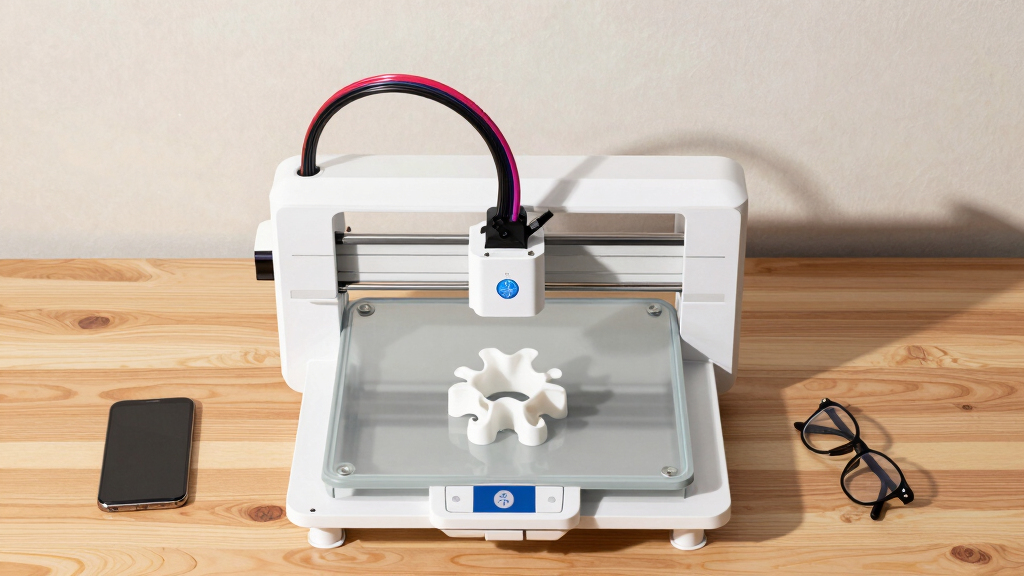
How We Picked
These printers were evaluated based on performance metrics critical for product prototyping, including build volume, print speed, precision, material support, and ease of use. We prioritized models that balance speed and detail, as prototypes often require quick turnaround without sacrificing accuracy. Durability and maintenance requirements also influenced the rankings, ensuring that users can rely on their machines for ongoing development work. Cost was considered, but only in relation to the value and capabilities offered, favoring options that provide meaningful performance advantages for their price point.Factors to Consider When Choosing Best 3D Printers For Product Prototyping
Choosing the ideal 3D printer for product prototyping involves understanding several key factors that impact your workflow, costs, and final results. Your decision should reflect the scale of your projects, desired resolution, and whether speed or detail matters most. Considering these factors carefully can prevent costly mistakes and help you select a machine that aligns with your specific prototyping needs.Build Volume and Size
Prototyping often involves larger or multiple parts, so a significant build volume can reduce the need for assembly or multiple prints. However, larger printers tend to be more expensive and take up more space. Balance your project size requirements with your workspace constraints and budget. If your projects are small or medium-sized, opting for a compact model might save costs without sacrificing functionality.
Print Speed Versus Detail
Fast printers like the FLASHFORGE Adventurer 5M can dramatically cut down production time, but often produce slightly lower resolution surfaces. Conversely, resin printers or high-precision FDM models will take longer but yield smoother, more detailed prototypes. Consider whether rapid iteration or surface quality is more critical for your workflow. A mix of both might require owning multiple machines tailored to different stages of prototyping.
Material Compatibility
Support for various materials—PLA, ABS, resin, or specialty filaments—broadens your prototyping options, enabling more functional or realistic models. Multi-material printers, like the Bambu Lab P1S, are more versatile but may come with higher complexity and cost. Think about the types of prototypes you need and whether expanding material options justifies the investment.
Ease of Use and Automation
Features like auto bed leveling, touchscreen interfaces, and quick-loading filaments significantly reduce setup time and errors, especially for teams or frequent prototyping. Avoid overly complex machines if you’re new to 3D printing or need rapid results, but keep in mind that more automated systems often come at a higher price. Balance your technical comfort with feature set to maximize productivity.
Cost and Total Value
While budget constraints are real, investing in a reliable, feature-rich machine can save time and money in the long run by reducing failures and post-processing. Consider the total cost of ownership, including maintenance, materials, and potential upgrades. Sometimes, paying more upfront yields better performance and durability, especially for high-use prototyping environments.
Frequently Asked Questions
How important is build volume for prototyping?
Build volume is critical because it determines the maximum size of parts you can produce without assembly or multiple prints. Larger build areas reduce the need for post-print assembly and speed up development cycles. However, bigger machines are generally more expensive and require more space. Assess your typical prototype sizes carefully to choose a machine that balances size with cost and workspace constraints.
Should I prioritize speed or detail in my 3D printer?
This depends largely on your prototyping phase. If you need rapid iterations to test form and fit, a faster machine like the Anycubic Kobra S1 may be advantageous. For prototypes requiring high surface quality or intricate features, resin printers or high-precision FDM models are better suited, even if they take longer. Often, a hybrid approach using different printers for each stage provides the best workflow.
Is multi-material support necessary for prototyping?
Multi-material capabilities allow for creating complex, multi-function prototypes with varied properties, making them highly valuable for advanced development. However, these printers tend to be more complex and costly. If your prototypes need multiple materials or colors, investing in a multi-material printer is worthwhile. For simpler projects, single-material printers can be sufficient and more straightforward to operate.
What maintenance considerations should I keep in mind?
Regular maintenance, such as cleaning print beds, nozzle replacements, and firmware updates, is essential for consistent quality. Resin printers require careful handling of chemicals and post-processing steps. Reliable machines with accessible parts and good manufacturer support tend to incur fewer downtime issues. Consider your technical comfort level and whether you prefer machines designed for easy upkeep.
How much should I expect to spend for a good prototyping 3D printer?
Budget options start around $300-$500 for basic models with limited build volume and features, but these may lack speed or precision. Mid-range printers, priced between $1,000 and $3,000, offer a balanced mix of speed, quality, and size. Premium models exceeding $3,000 deliver top-tier performance, large build volumes, and advanced automation, ideal for professional environments. Match your budget to your project complexity to avoid overspending or underbuying.