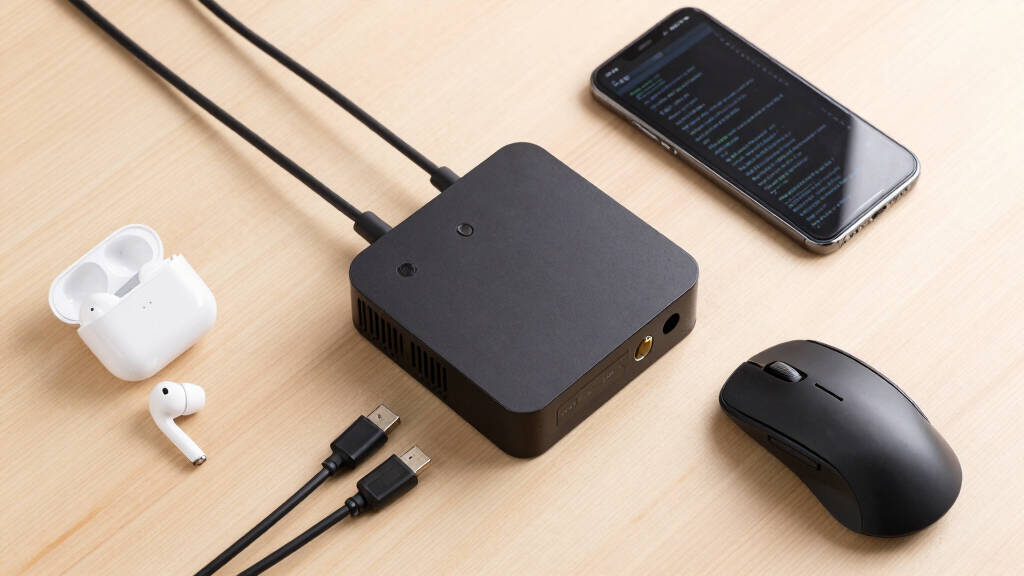

If you’re searching for the best mini PCs for coding and AI tools, you’re likely balancing power, size, and affordability. The Dell Pro Micro with Intel Core Ultra 5 235T stands out for its AI processing capabilities, making it ideal for machine learning tasks. The ASUS NUC 15 Pro offers a robust mix of performance and future-proof features, perfect for demanding development work. However, most mini PCs face tradeoffs between raw power and compactness, often sacrificing expandability or thermal performance. Keep reading for a detailed breakdown of these options to find the best fit for your needs.
Key Takeaways
- The most powerful mini PCs, like the Dell Pro Micro Plus and ASUS NUC 15 Pro, excel in AI workloads but tend to come at a premium price.
- Models with integrated NPU or AI-specific hardware provide significant acceleration for machine learning tasks without needing external GPUs.
- Expandability and ports vary widely; more versatile options include multiple DisplayPorts and Thunderbolt connections, but often increase size and cost.
- Thermal management remains a challenge in mini form factors; higher performance units may require better cooling solutions or have thermal throttling.
- Budget-conscious models often cut corners on RAM or storage, which can bottleneck performance during intensive coding or AI workflows.


More Details on Our Top Picks
Dell Pro Micro Mini Desktop, AI PC with Intel Core Ultra 5 235T (14-Core, 13 Tops NPU), 16GB DDR5 RAM, 512GB PCIe SSD, WiFi 6, Windows 11 Pro – for Business Office Home & Multi-Monitor Workstations
This Dell Pro Micro stands out for its powerful AI performance thanks to the Intel Core Ultra 5 235T and dedicated 13 TOPS NPU, outperforming many traditional mini PCs like the ASUS NUC 15 Pro in AI workloads. Its compact size and enterprise features, including Windows 11 Pro and multi-monitor support, make it ideal for business environments. Compared to the GEEKOM GT13 MAX, it provides more specialized AI capabilities, though it sacrifices some raw graphics power. The 16GB DDR5 RAM and fast PCIe SSD ensure quick responsiveness, yet its limited upgrade options could be a concern for future-proofing. Tradeoff: optimized for AI workloads rather than high-end gaming or graphics-intensive tasks. This mini PC suits AI developers, data analysts, and business professionals requiring a compact, AI-optimized system.
Pros:- Powerful AI acceleration with 13 TOPS NPU
- Supports up to 4 4K monitors for multitasking
- Enterprise-grade security and Windows 11 Pro pre-installed
Cons:- Limited upgrade options for RAM and storage
- Higher price point compared to standard mini PCs without AI features
Best for: AI developers and data analysts needing a compact AI-optimized workstation
Not ideal for: Gamers or creative professionals focused on high-end graphics or 8K video editing
- Processor:Intel Core Ultra 5 235T (14 cores, up to 5.0GHz)
- Memory:16GB DDR5
- Storage:512GB PCIe NVMe SSD
- Graphics:Integrated Intel Graphics
- Display Support:Supports 4x4K displays
- Wireless:WiFi 6 + Bluetooth
- Size:7.17 x 1.41 x 7.01 inches
- OS:Windows 11 Pro
Bottom line: This mini PC is perfect for AI-focused professionals who need compact, enterprise-ready performance.
High Speed GEEKOM IT13 Mini PC 2026 with 13th Gen Intel i5-13600H |16GB RAM | 1TB SSD | Windows 11 Pro | 2 X USB4.0(40Gbps) | Quad Display| WiFi 6E |SD Slot | Intel NUC13 Replacement Desktop Computers
This GEEKOM IT13 offers exceptional value with a 13th Gen Intel i5-13600H and 16GB RAM, outperforming smaller processors like the Intel i5-12500H in multitasking and productivity. Its expandable storage and RAM support up to 128GB RAM and 4TB SSD, making it more future-proof than the ASUS NUC 15 Pro, which is limited to 32GB RAM. The inclusion of dual USB4 ports supporting 8K output and quad-display capabilities makes it ideal for creative workflows and multitasking. However, compared to the Dell Pro Micro Plus, it lacks enterprise security features but compensates with higher upgrade potential. Its robust build and extensive connectivity options make it suitable for professionals needing a versatile, powerful mini PC. Tradeoff: slightly larger footprint and higher power consumption for maximum expandability and performance.
Pros:- Upgradable RAM up to 128GB and SSD up to 4TB
- Supports dual USB4 with 8K output for high-end display setups
- Quad 4K/8K display support for multitasking
Cons:- Larger size and higher power draw compared to ultra-compact models
- Premium price reflecting high expandability and performance
Best for: Content creators, multitaskers, and professionals who want a highly customizable mini PC
Not ideal for: Ultra-portable needs or budget-conscious users who prefer lower-cost options
- Processor:Intel Core i5-13600H (up to 4.8GHz)
- Memory:16GB DDR5 (upgradable to 128GB)
- Storage:1TB PCIe NVMe SSD (expandable)
- Graphics:Intel Iris Xe
- Display Support:Quad 8K/4K
- Wireless:WiFi 6E + Bluetooth 5.2
- Size:8.94 x 6.92 x 5.27 inches
- OS:Windows 11 Pro
Bottom line: This GEEKOM mini PC is a top choice for creative professionals and power users seeking maximum upgradeability.
ASUS NUC 15 Pro, for Intel NUC 15 Pro Mini PC, DDR5 5600 32GB RAM&1TB PCIe4 SSD, Ultra 7-240H Processor(16C/16T/24M Cache,Up to 5.1GHz) Type C 3.2, 8K, WiFi7, Win11 Pro for Business, Home, Office
The ASUS NUC 15 Pro excels for professional creative workflows thanks to its powerful 16-core 5.1GHz CPU and 32GB DDR5 RAM, making it superior to the Dell Micro in multi-threaded tasks like 3D rendering and 8K editing. Its support for up to four displays with dual HDMI 2.1 and USB4 ports is ideal for multitasking and high-resolution projects. Compared to the GEEKOM GT13 MAX, it offers more enterprise features, including a VESA mount and Windows 11 Pro for business. However, its limited upgrade options—max 64GB RAM—can be a drawback for future expansion. The sleek design and advanced connectivity, including WiFi 7, make it suitable for power users needing both performance and versatility. Tradeoff: higher cost for premium build and enterprise features.
Pros:- 16-core, up to 5.1GHz CPU for demanding tasks
- Supports 4 displays at 8K resolution
- WiFi 7 + Thunderbolt 4 for fast connectivity
Cons:- Limited RAM upgrade capacity to 64GB
- Premium price compared to other mini PCs with similar specs
Best for: Creative professionals and power users needing high-resolution multi-display setups
Not ideal for: Gamers or users with budget constraints seeking the lowest-cost options
- Processor:Intel Core Ultra 7 240H (16 cores, up to 5.1GHz)
- Memory:32GB DDR5 5600 MHz
- Storage:1TB PCIe 4 SSD
- Graphics:Intel Arc
- Display Support:Supports 4x8K
- Wireless:WiFi 7 + Bluetooth 5.4
- Size:4.6 x 4.4 x 2.1 inches
- OS:Windows 11 Pro
Bottom line: This mini PC is suited for creative professionals who require high performance and multiple 8K displays.
Dell Pro Micro Plus Desktop Computers (Next Gen OptiPlex 7000 MFF) Mini AI PC, Intel 20-Core Ultra 7 265, 32GB DDR5 RAM, 1TB PCIe SSD, WiFi 6, Bluetooth, 4 DisplayPort + 2 Type-C, Windows 11 Pro
The Dell Pro Micro Plus is tailored for enterprise environments and multi-monitor setups, featuring a 20-core Intel Ultra 7 265 processor with a turbo up to 5.3GHz, outperforming the ASUS NUC 15 Pro in raw multi-threaded power. Its support for four DisplayPorts and two Type-C ports makes it ideal for demanding multitasking environments. The 32GB DDR5 RAM and 1TB SSD ensure high responsiveness and capacity, surpassing the RAM limits of the ASUS NUC 15 for future growth. Its military-grade testing and 3-year warranty provide added reliability. Compared with the GEEKOM GT13 MAX, it leans more toward enterprise and professional use, though at a higher cost. The main tradeoff is size and cost versus raw performance and stability for business use. This PC is perfect for enterprise users and professionals requiring multiple high-resolution displays.
Pros:- 20-core, up to 5.3GHz CPU for heavy workloads
- Supports 4 DisplayPort + 2 Type-C for extensive multitasking
- 3-year warranty and military-grade durability
Cons:- Higher cost compared to other mini PCs with similar specs
- Limited upgrade options for future expansion beyond RAM and SSD
Best for: Enterprise users needing robust multi-monitor and high-performance computing
Not ideal for: Casual users or gamers who do not need enterprise-level features
- Processor:Intel Core Ultra 7 265 (20 cores, up to 5.3GHz)
- Memory:32GB DDR5
- Storage:1TB PCIe SSD
- Graphics:Integrated Intel Graphics
- Display Support:Supports 4 DisplayPorts + 2 Type-C
- Wireless:WiFi 6 + Bluetooth
- Size:7.17 x 3.6 x 1.41 inches
- OS:Windows 11 Pro
Bottom line: This mini PC is ideal for enterprise and professional users demanding high multi-display performance and durability.
GEEKOM GT13 MAX AI Mini PC, with Intel 14th Gen Core Ultra 9 185H | 16GB DDR5 1TB NVMe SSD | Intel Arc Graphics | Dual 2.5G LAN & WiFi 7 | 8K Quad Display | Windows 11 Pro | 3-Year Warranty | SD Slot
The GEEKOM GT13 MAX excels in gaming, creative work, and AI workloads with its Intel Core Ultra 9 185H (16 cores, 22 threads) and up to 8K quad display support. Its integrated Intel Arc Graphics delivers real-time ray tracing and AI-enhanced visuals, surpassing the ASUS NUC 15 Pro in graphics capabilities. The dual 2.5G LAN ports combined with WiFi 7 ensure ultra-fast connectivity, ideal for large data transfers or streaming. Its support for up to 128GB RAM and 4TB SSD offers impressive future expansion. Compared with the GEEKOM IT13, the GT13 MAX emphasizes gaming and AI acceleration, though it’s slightly larger and consumes more power. The 3-year warranty and premium build make it a reliable, high-performance choice for demanding tasks. Tradeoff: higher price and power consumption for top-tier graphics and AI performance.
Pros:- Intel Core Ultra 9 185H with 16 cores and 22 threads
- Supports 8K quad display with advanced graphics
- Dual 2.5G LAN + WiFi 7 for maximum connectivity
Cons:- Higher price and power consumption compared to similar mini PCs
- Larger form factor which may not fit all setups
Best for: Gamers, streamers, and AI content creators seeking high-end graphics and multitasking
Not ideal for: Budget-conscious users or those primarily doing basic coding and office tasks
- Processor:Intel Core Ultra 9 185H (16 cores, up to 5.1GHz)
- Memory:16GB DDR5 (upgradable to 128GB)
- Storage:1TB NVMe SSD (expandable)
- Graphics:Intel Arc
- Display Support:Supports 8K Quad
- Wireless:WiFi 7 + Dual 2.5G LAN
- Size:8.94 x 6.92 x 5.27 inches
- OS:Windows 11 Pro
Bottom line: This mini PC is suited for advanced gaming, content creation, and AI workloads requiring high graphics and connectivity.
High Speed GEEKOM IT13 Mini PC 2026 with 13th Gen Intel i5-13600H |16GB RAM | 1TB SSD | Windows 11 Pro | 2 X USB4.0(40Gbps) | Quad Display| WiFi 6E |SD Slot | Intel NUC13 Replacement Desktop Computers
This GEEKOM IT13 mini PC stands out for its impressive combination of raw processing power with the latest 13th Gen Intel i5-13600H, making it suitable for demanding coding and AI tasks. Compared with the ASUS NUC 15 Pro, it offers similar high-end specs but with a more robust cooling system and a reinforced ABS+PC shell that enhances durability. Its support for four displays via dual USB4.0 ports and HDMI 2.0 makes it ideal for multitasking and visual-intensive workflows, especially when paired with its expandable 16GB RAM (upgradable to 128GB) and 1TB NVMe SSD. The tradeoff is that it’s slightly larger and consumes more power at 90W, which might matter for space-constrained or energy-conscious setups. Overall, this model makes the most sense for users needing a flexible, high-performance mini PC capable of handling intensive coding, AI development, and multitasking in a compact form.
Pros:- Powerful 13th Gen Intel i5-13600H CPU with 12 cores and up to 4.8 GHz
- Supports up to four 8K/4K displays for extensive multitasking
- Expandable RAM (up to 128GB) and storage options including M.2 and SATA slots
- Durable ABS+PC shell with reinforced metal frame for longevity
Cons:- Higher power usage at 90W, less ideal for energy-conscious environments
- Larger footprint compared to ultra-compact mini PCs
Best for: Tech professionals, developers, and AI practitioners who need a powerful, expandable mini PC with multi-display support.
Not ideal for: Casual users or those seeking ultra-compact or energy-efficient setups, as its size and power consumption are higher than simpler alternatives.
- Processor:Intel Core i5-13600H, 12 cores, up to 4.8 GHz
- RAM:16GB DDR4 (upgradeable to 128GB)
- Storage:1TB NVMe SSD, M.2 2242 SATA slot
- Graphics:Intel Iris Xe
- Connectivity:WiFi 6E, Bluetooth 5.2, 2x USB4.0
- Display Support:Quad 8K/4K via USB4 and HDMI
- Power Consumption:90 Watts
- Dimensions:4.6 x 4.4 x 1.9 inches
Bottom line: This mini PC is perfect for professionals who require high-end performance, expandability, and multi-display capabilities without sacrificing small form factor.
Dell Pro Micro Mini Desktop, AI PC with Intel Core Ultra 5 235T (14-Core, 13 Tops NPU), 32GB DDR5 RAM, 1TB PCIe SSD, WiFi 6, Windows 11 Pro – for Business Office Home & Multi-Monitor Workstations
The Dell Pro Micro AI PC is distinguished by its dedicated 13 TOPS NPU integrated with the latest Intel Core Ultra 5 235T, positioning it well for AI tasks like real-time transcription and data analysis. Unlike the GEEKOM IT13, it emphasizes AI acceleration with a built-in NPU, making it ideal for AI-specific workflows. Its 32GB DDR5 RAM and 1TB PCIe SSD enable rapid multitasking and quick data access, while support for four 4K displays via four DisplayPorts enhances productivity in data-heavy environments. Its compact size (7.17″ x 1.41″ x 7.01″) and enterprise features like Windows 11 Pro, remote management, and security make it suitable for business and research settings. The tradeoff is its limited expandability compared to larger models, and it doesn’t support as high display resolutions as some competitors. Overall, it’s a prime choice for users focused on AI workloads combined with business-grade reliability.
Pros:- Dedicated 13 TOPS NPU for accelerated AI processing
- High-performance 14-core Intel Ultra 5 235T CPU with up to 5.0 GHz
- Supports four 4K monitors via four DisplayPorts
- Secure and enterprise-ready with Windows 11 Pro features
Cons:- Limited upgrade options due to compact design
- Higher price point relative to standard mini PCs without AI acceleration
- Less emphasis on high-end graphics, not ideal for gaming or heavy visual workloads
Best for: AI developers, data analysts, and business users requiring dedicated AI acceleration in a small, secure desktop.
Not ideal for: Casual users or hobbyists who do not need dedicated AI NPUs or enterprise features, as the focus on AI may be overkill for basic coding tasks.
- Processor:Intel Core Ultra 5 235T, 14 cores, up to 5.0 GHz
- RAM:32GB DDR5
- Storage:1TB PCIe NVMe SSD
- NPU:13 Tops
- Connectivity:WiFi 6, Bluetooth 5.4, multiple USB 3.2
- Display Support:4 x DisplayPort 1.4a, 4K/8K
- Dimensions:7.17 x 1.41 x 7.01 inches
- Power:130W AC Adapter
Bottom line: This mini PC excels in AI-centric workflows and business environments that benefit from dedicated AI hardware in a compact package.
ASUS NUC 15 Pro AI Mini PC, Intel Series 2 Ultra 5 225H (14C/14T, Up to 4.9GHz), Mini Computers 16GB DDR5 RAM, 1TB PCIe SSD, Win 11 Pro, Intel Arc 130T GPU, Thunderbolt 4, WiFi 7, 8K HDR, VESA Mount
The ASUS NUC 15 Pro is tailored for professionals needing a compact yet powerful machine capable of high-res visual work and AI development. Its Intel Series 2 Ultra 5 225H CPU with 14 cores and up to 4.9 GHz, along with the integrated Intel Arc 130T GPU, ensures smooth handling of 8K HDR content, making it ideal for creative workflows. Compared to the Dell AI PC, it offers higher GPU capability with the Intel Arc 130T and supports WiFi 7, providing faster connectivity and future-proofing. Its tool-less design allows easy upgrades of RAM (up to 96GB) and SSDs (up to 2TB), making it flexible for evolving needs. The inclusion of Thunderbolt 4 and extensive I/O options further enhances its versatility for professional use. The main tradeoff is its premium cost and slightly larger size, which might be less suitable for ultra-space-constrained environments. Overall, this model is best for creators needing high-resolution display support and AI capabilities in a compact form.
Pros:- Powerful 14-core Intel Ultra 5 225H CPU with up to 4.9 GHz
- Supports 8K HDR and four 4K displays for high-res visual workflows
- Extensive I/O including Thunderbolt 4, HDMI 2.1, and WiFi 7 for fast data transfer
- Upgradeable RAM (up to 96GB) and SSDs (up to 2TB) for future-proofing
Cons:- Higher price point reflecting premium features
- Larger size compared to ultra-compact mini PCs
- Potential over-spec for users only doing basic coding or AI tasks
Best for: Creative professionals, video editors, and AI researchers requiring high-resolution output and upgrade flexibility in a small form factor.
Not ideal for: Casual users or budget-conscious buyers seeking simple coding or AI tools without high-end visual demands.
- Processor:Intel Ultra 5 225H, 14 cores, up to 4.9 GHz
- RAM:16GB DDR5
- Storage:1TB PCIe SSD
- GPU:Intel Arc 130T
- Connectivity:WiFi 7, Thunderbolt 4, HDMI 2.1
- Display Support:Supports 8K HDR, 4K via HDMI/DisplayPort
- Dimensions:4.6 x 4.4 x 2.1 inches
- Power:AC Adapter
Bottom line: Ideal for professionals who need high-resolution support, AI acceleration, and upgradeability in a small yet capable desktop.

How We Picked
Our evaluation focused on performance benchmarks relevant to coding and AI, including CPU power, GPU integration, and AI accelerators like NPUs. We prioritized build quality, thermal management, and expandability to ensure these mini PCs can handle sustained workloads. Value was a key factor, balancing high-end features against price points suitable for different user levels. We also considered connectivity options such as USB ports, Thunderbolt, and WiFi standards to support multiple monitors and data transfer. Products are ranked based on how well they combine these factors to support demanding coding and AI applications in a small form factor.
Factors to Consider When Choosing Best Mini PCs For Coding And Ai Tools
Choosing the right mini PC for coding and AI involves more than just raw specs. Key considerations include processing power, expandability, thermal management, and connectivity. Understanding these factors helps avoid common pitfalls like underpowered hardware or insufficient ports, which can hamper productivity or limit future upgrades. Here are the main points to keep in mind when selecting your mini workstation.Processing Power and AI Hardware
For coding and AI, a strong CPU with multiple cores, high clock speeds, and integrated AI accelerators like NPUs or dedicated GPUs make a significant difference. While high-end Intel or AMD processors deliver excellent general performance, AI tasks benefit from specialized hardware, reducing training and inference times. Buyers should weigh the importance of raw CPU power against integrated AI features, especially if deep learning is a priority. Cutting corners on CPU can lead to bottlenecks, but overspending on CPU alone may not be justified if other components aren’t balanced.
Expandability and Ports
Mini PCs often sacrifice expandability for size, so pay close attention to available ports and upgrade options. Multiple USB-C or Thunderbolt ports support high-speed data transfer and external GPUs, which can be game-changers for AI work. Additionally, having several DisplayPorts or HDMI outputs enables multi-monitor setups essential for coding and data visualization. Limited RAM slots or storage options can restrict future upgrades, so consider models that offer room to grow. Skipping this can lead to the need for a new purchase sooner than expected.
Thermal Management and Noise
Compact form factors challenge thermal dissipation, which can cause thermal throttling during intensive tasks. Look for mini PCs with efficient cooling solutions—large heatsinks, multiple fans, or advanced airflow designs. Noise levels also matter if you plan to work in quiet environments; some high-performance units generate noticeable fan noise under load. Sacrificing thermal management for size might save space but can impair sustained performance, so balance compactness with robust cooling features.
Connectivity and External Support
For coding and AI development, reliable high-speed connectivity is essential. WiFi 6 or WiFi 6E support ensures fast, stable internet, especially if cloud resources or online datasets are involved. Thunderbolt 4 and multiple USB ports facilitate connecting external GPUs, storage, and peripherals, reducing bottlenecks. Consider whether the mini PC supports Ethernet, SD card slots, or other interfaces you might need. Missing out on key ports can limit your workflow flexibility and future expansion.
Price and Value
High-performance mini PCs with AI features can command premium prices, but there are also more budget-friendly options that suffice for lighter workloads. Balance your budget against required performance—overpaying for unnecessary power wastes money, while underspending can lead to frustration. Look for models that meet your current needs and offer upgrade paths, ensuring longevity. Remember, a slightly higher initial investment might save costs in upgrades or replacements later.
Frequently Asked Questions
Can I upgrade the CPU or GPU in a mini PC?
Most mini PCs do not support CPU or GPU upgrades due to their compact design and integrated components. Some models with accessible panels may allow RAM or storage upgrades, but the CPU and GPU are often soldered onto the motherboard. If upgradeability is a priority, look for mini PCs specifically designed with accessible components, though these are less common. For future-proofing, investing in a model with the most powerful specs upfront is generally recommended.
Are mini PCs suitable for heavy AI model training?
Mini PCs can handle AI inference tasks and some lighter training, especially if equipped with dedicated AI accelerators or powerful CPUs and GPUs. However, for large-scale model training, these compact units often fall short due to thermal constraints and limited expandability. For serious AI training, a mini PC might serve best as a development station or for inference, while larger desktops or servers are better suited for intensive training workloads.
How important is thermal management in mini PCs for AI work?
Thermal management is critical because sustained AI and coding workloads generate significant heat. Poor cooling can lead to thermal throttling, reducing performance when you need it most. High-quality mini PCs incorporate advanced cooling solutions, but some compromise size for airflow, risking overheating. Choosing a model with proven thermal design ensures consistent performance and device longevity, especially during long working sessions or complex computations.
Should I prioritize integrated AI hardware over a dedicated GPU?
Integrated AI hardware like NPUs can accelerate specific AI tasks efficiently and with less power consumption, making them ideal for compact setups. Dedicated GPUs offer broader compatibility with various AI frameworks and larger models, but often come with increased size, cost, and power requirements. If your AI work involves frequent training of large models, a mini PC with a capable GPU might be better, but for inference or lighter tasks, integrated AI hardware can suffice and save space.
What is the best mini PC for a beginner coder interested in AI?
For beginners, a mini PC that balances ease of use, upgradeability, and price is ideal. Look for models with sufficient RAM (at least 16GB), SSD storage, and decent CPU performance, such as the GEEKOM IT13. Simpler setup processes and good online support can make initial experience smoother. Avoid overly complex or high-end models that might overwhelm new users with features they don’t yet need, focusing instead on reliability and expandability for future growth.
Conclusion
If you’re after the best overall performance for demanding AI and coding, the ASUS NUC 15 Pro provides a balanced combination of power, expandability, and future-proof features. For those on a tighter budget, the GEEKOM IT13 offers solid performance with room to upgrade, making it the best value pick. Premium users who require maximum AI acceleration will find the GEEKOM GT13 MAX with its dedicated graphics and extended warranty worth the investment. Beginners or casual developers should consider the Dell Pro Micro for its simplicity and pre-configured AI capabilities, while professionals needing multi-monitor setups will appreciate models with extensive ports like the Dell Pro Micro Plus. Ultimately, your choice depends on budget, performance needs, and future expansion plans.