
The best quantum-secure cold wallets pair strong offline key protection with a clear path for responding to future cryptographic changes; no wallet can promise that it is fully quantum-proof. I rank the Trezor Safe 7 as best overall for its modern interface and security-focused design, while the OneKey Pro stands out for its air-gapped workflow and multiple secure elements. For buyers who prefer a simpler card format, Tangem is a notable alternative, though its recovery approach differs from screen-based devices. The main tradeoffs are convenience versus isolation, familiar recovery methods versus backup complexity, and current security features versus unverified claims about future quantum resistance. Read on for the full comparison and a practical guide to choosing for your risk profile.

Get hardware and tech essentials delivered free with Prime
- Fast, free delivery on millions of items
- Prime Video, Amazon Music and more included
- Member-only deals all year
Key Takeaways
- Quantum readiness is not the same as quantum resistance: the listed product details do not establish that any wallet supports post-quantum signatures, so buyers should verify firmware and network support rather than infer protection from secure elements or air-gapping.
- Air-gapped models offer a distinct operating tradeoff: ELLIPAL Titan Air-Gapped, Titan 2.0, and OneKey Pro emphasize offline transaction workflows, while Bluetooth and NFC models make routine use easier but add wireless interaction to evaluate.
- Recovery design separates card wallets from screen devices: Tangem, CoolWallet Go, ELLIPAL X Card, and Safnect use card-oriented formats, while touchscreens and biometric models offer different ways to review and authorize activity.
- More security hardware does not automatically mean better future protection: secure elements, fingerprints, and offline signing protect against particular threats but do not by themselves replace a wallet’s cryptographic signature scheme.
- The strongest fit depends on how often and how broadly you use crypto: feature-rich devices such as Trezor Safe 7 and OneKey Pro may suit active, multi-asset users; simpler cards may appeal to those prioritizing portability and a lighter operating routine.
| SecuX V20 Plus Crypto Hardware Wallet with Bluetooth and Touchscreen |  | Best for On-Device Address Checks | Connectivity: Bluetooth, USB-C | Compatible platforms: Windows, Mac, Linux, iOS, Android | Supported assets: Major cryptocurrencies and over 1,000 ERC-20 tokens | VIEW LATEST PRICE | See Our Full Breakdown |
| CoolWallet Go NFC Crypto Wallet | 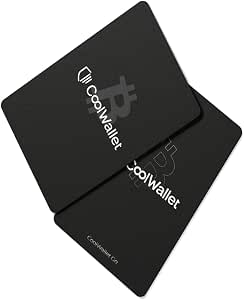 | Best Slim, Battery-Free Pick | Form factor: Slim | Power: Battery-free | Connectivity: NFC | VIEW LATEST PRICE | See Our Full Breakdown |
| D’CENT Biometric Cryptocurrency Hardware Wallet |  | Best Compact Biometric Option | Security certification: EAL5+ secure element | Authentication: Fingerprint or PIN | Connectivity: Bluetooth | VIEW LATEST PRICE | See Our Full Breakdown |
| DCENT X Crypto Hardware Wallet with Fingerprint Unlock and AMOLED Touchscreen |  | Best for Screen-Based Transaction Review | Screen: 2.4-inch AMOLED touchscreen | Biometric unlock: Fingerprint; unlocks in about 0.5 seconds | Secure element: CC EAL6+ certified | VIEW LATEST PRICE | See Our Full Breakdown |
| ELLIPAL Titan Air-Gapped Cryptocurrency Hardware Wallet |  | Best for Network Isolation | Connectivity: Air-gapped; does not connect to networks or other devices | Supported currencies: BTC, BCH, ETH, EOS, TRX, DASH, DOGE, DGB, LTC, XRP, USDT, and more | Token support: TRC10, TRC20, and ERC20 | VIEW LATEST PRICE | See Our Full Breakdown |
| ELLIPAL Titan 2.0 Air-Gapped Crypto Hardware Wallet |  | Best for QR-Based Offline Signing | Transaction connectivity: QR code; no Wi-Fi, Bluetooth, or USB data connection for transactions | Supported assets: 45+ coins and over 10,000 tokens | Accounts: Up to 5 | VIEW LATEST PRICE | See Our Full Breakdown |
| Tangem Crypto Wallet, 2-Pack |  | Best for Durable Card-Style Backups | Pack count: 2 | Connectivity: NFC | Security chip: EAL6+ | VIEW LATEST PRICE | See Our Full Breakdown |
| Arculus Crypto Cold Storage Wallet with 3-Factor Authentication |  | Best for Layered Card Authentication | Material: Stainless steel | Dimensions: 0.2 × 3.37 × 0.08 inches | Authentication: Biometric lock, 6-digit PIN, and Arculus card | VIEW LATEST PRICE | See Our Full Breakdown |
| Trezor Safe 7 Crypto Hardware Wallet with Bluetooth and Color Touchscreen |  | Best Premium Screen-and-Connectivity Option | Connectivity: Encrypted Bluetooth, USB-C | Security: TROPIC01 chip and EAL6+ secure element | Display: High-resolution color touchscreen | VIEW LATEST PRICE | See Our Full Breakdown |
| imKey Pro Crypto Hardware Wallet |  | Best Lightweight Button-Confirmed Wallet | Security chip: Infineon CC EAL6+ certified | Connectivity: Bluetooth 4.1 | Supported assets and networks: Bitcoin, Ethereum, LTC, ATOM, FIL, TRX, EVM-compatible chains, zkSync, Arbitrum, NFTs | VIEW LATEST PRICE | See Our Full Breakdown |
| ELLIPAL X Card NFC Crypto Hardware Wallet |  | Best Compact NFC Pick | Security chip: EAL6+ | Connectivity: NFC | Supported blockchains: 45+ | VIEW LATEST PRICE | See Our Full Breakdown |
| Safnect Crypto Hardware Wallet, 3-Pack |  | Best for Distributed Card Backups | Pack count: 3 | Security chip: EAL6+ secure element | Connectivity: NFC | VIEW LATEST PRICE | See Our Full Breakdown |
| UKey Fingerprint Cold Wallet with Touchscreen and NFC Backup |  | Best for Biometric, On-Device Review | Security chip: EAL6+ | Unlock method: Fingerprint | Display: Touchscreen | VIEW LATEST PRICE | See Our Full Breakdown |
| Trezor Safe 5 Crypto Hardware Wallet with Color Touchscreen |  | Best Mainstream Touchscreen Wallet | Model: Trezor Safe 5 (TS5) | Secure element: EAL 6+ | Supported assets: Thousands of coins and tokens | VIEW LATEST PRICE | See Our Full Breakdown |
| OneKey Pro Crypto Cold Wallet |  | Best Advanced Air-Gapped Pick | Model: OneKey Pro | Secure elements: 4 × EAL6+ | Signing and features: Air-gapped QR signing, fingerprint unlock, touchscreen, wireless charging | VIEW LATEST PRICE | See Our Full Breakdown |
| quantum-secure cold wallet | Connectivity |
|---|---|
| SecuX V20 Plus Crypto Hardware | Bluetooth, USB-C |
| CoolWallet Go NFC Crypto Walle | NFC |
| D’CENT Biometric Cryptocurrenc | Bluetooth |
| DCENT X Crypto Hardware Wallet | Bluetooth and USB-C |
| ELLIPAL Titan Air-Gapped Crypt | Air-gapped; does not connect to networks or other devices |
| ELLIPAL Titan 2.0 Air-Gapped C | — |
| Tangem Crypto Wallet | NFC |
| Arculus Crypto Cold Storage Wa | NFC |
| Trezor Safe 7 Crypto Hardware | Encrypted Bluetooth, USB-C |
| imKey Pro Crypto Hardware Wall | Bluetooth 4.1 |
| ELLIPAL X Card NFC Crypto Hard | NFC |
| Safnect Crypto Hardware Wallet | NFC |
| UKey Fingerprint Cold Wallet w | USB, Bluetooth, QR |
| Trezor Safe 5 Crypto Hardware | — |
| OneKey Pro Crypto Cold Wallet | Bluetooth, USB |
More Details on Our Top Picks
SecuX V20 Plus Crypto Hardware Wallet with Bluetooth and Touchscreen
I’d shortlist the SecuX V20 Plus for buyers who want a large screen and several ways to connect without relying on Bluetooth alone. Its 2.8-inch touchscreen lets you check an address on the wallet itself before approving, while USB-C provides a wired option for compatible computers and phones. The CC EAL 5+ secure element and aluminum case add hardware protection, but they do not make this wallet quantum-secure: the supplied specifications list no post-quantum cryptography. Compared with the ELLIPAL Titan, the V20 Plus is less isolated because it supports Bluetooth and USB-C rather than remaining air-gapped. That flexibility may suit regular app users, though it adds connected-device exposure. Linux users should also note the Chrome requirement, and the listing gives conflicting minimum Android versions.
Pros:- 2.8-inch touchscreen supports on-screen address verification
- CC EAL 5+ certified secure element
- Bluetooth and USB-C offer wireless and wired connection options
- Aluminum case and support for more than 1,000 ERC-20 tokens
Cons:- Product details do not identify post-quantum cryptography, so quantum-security claims are not established
- Linux connectivity requires Chrome
- Android minimum-version information conflicts between the description and specifications
Best for: Crypto holders who want a roomy on-device address check, broad token support, and a choice of Bluetooth or USB-C connections.
Not ideal for: Buyers seeking documented post-quantum signing or strict air-gap operation, and Linux users who do not want to use Chrome.
- Connectivity:Bluetooth, USB-C
- Compatible platforms:Windows, Mac, Linux, iOS, Android
- Supported assets:Major cryptocurrencies and over 1,000 ERC-20 tokens
- Security certification:CC EAL 5+ secure element
- Display:2.8-inch full-color touchscreen
- Material:Aluminum
- Dimensions:3.86 × 3.86 × 0.59 inches
Our verdict“Choose the SecuX V20 Plus for a large verification screen and flexible connectivity, not for verified post-quantum protection or air-gapped storage.”
CoolWallet Go NFC Crypto Wallet
The CoolWallet Go is the most pocket-oriented choice here: its slim, battery-free card format uses NFC tap-to-sign and keeps keys in an EAL6+ secure element with on-card encryption. That makes it a simpler carry option than the screen-equipped D’CENT Biometric Cryptocurrency Hardware Wallet, but it also means buyers manage assets through the CoolWallet mobile app rather than reviewing transactions on a built-in display. Its support for major blockchains, thousands of tokens, and NFTs is broad, yet the product information does not describe any post-quantum cryptography. The high-level secure-element rating should not be mistaken for quantum resistance. I’d pick it for mobile-first holders who value a thin, battery-free wallet; buyers who want a standalone transaction screen or broader connection choices should compare the SecuX V20 Plus instead.
Pros:- Battery-free NFC tap-to-sign operation
- EAL6+ secure element with on-card encryption
- Supports multiple blockchains, thousands of tokens, and NFTs
- Slim form factor is designed to fit in a physical wallet
Cons:- Requires the CoolWallet app on an iOS or Android device for asset control
- No built-in screen for reviewing transaction details on the wallet
- Product details do not establish post-quantum cryptography
Best for: Mobile-first holders who want a slim, battery-free NFC wallet for managing supported assets through an iOS or Android app.
Not ideal for: People who want a wallet with its own transaction display, desktop connectivity, or documented post-quantum cryptography.
- Form factor:Slim
- Power:Battery-free
- Connectivity:NFC
- Security:EAL6+ secure element and on-card encryption
- Compatibility:iOS and Android through the CoolWallet app
- Materials:Polycarbonate body with PVC lining
- Dimensions:4.5 × 3.3 × 1 inches
- Warranty:Two years
Our verdict“Pick the CoolWallet Go if pocketability and battery-free phone-based signing matter more than a built-in display or documented quantum resistance.”
D’CENT Biometric Cryptocurrency Hardware Wallet
The D’CENT Biometric offers a useful middle ground for holders who want physical transaction approval without carrying a larger touchscreen wallet. It combines an EAL5+ secure element with fingerprint or PIN authentication, and its small OLED display and four buttons provide a way to review transactions on the device. Compared with the newer DCENT X, it has a smaller, non-touch display and a lower stated secure-element level, but its compact 36-gram design may suit buyers who prefer a simpler handheld unit. Bluetooth and MetaMask connectivity broaden its use with mobile assets, while the app remains necessary for Bluetooth-based management. The listed specifications cover many assets and networks, but neither they nor the EAL rating establish post-quantum signing; I’d treat this as conventional hardware-key protection, not a quantum-secure wallet.
Pros:- EAL5+ secure element stores private keys offline
- Fingerprint or PIN authentication for transaction approval
- 1.1-inch OLED and four buttons support on-device transaction review
- Compact 36-gram design with Bluetooth and MetaMask connectivity
Cons:- Bluetooth-based management requires the D’CENT mobile app
- Small OLED display is less suited to detailed review than the DCENT X touchscreen
- Product details do not establish post-quantum cryptography
Best for: Mobile crypto holders who want fingerprint or PIN approval, a compact device, and transaction review on a small screen.
Not ideal for: Buyers who need a large touchscreen, minimal app dependence, or verified post-quantum cryptographic support.
- Security certification:EAL5+ secure element
- Authentication:Fingerprint or PIN
- Connectivity:Bluetooth
- Supported assets:More than 10,000 assets across over 100 blockchains
- Display:1.1-inch OLED
- Controls:Four buttons
- Dimensions:0.43 × 1.69 × 3.03 inches
- Weight:36 g
Our verdict“Choose the D’CENT Biometric for compact fingerprint-or-PIN approval, but look to the DCENT X if a larger screen and EAL6+ element matter more.”
DCENT X Crypto Hardware Wallet with Fingerprint Unlock and AMOLED Touchscreen
For buyers who want biometric access and more room to inspect a transaction before approval, the DCENT X is the strongest fit in this group. Its 2.4-inch AMOLED touchscreen, fingerprint unlock, and CC EAL6+ secure element make it more capable on-device than the older D’CENT Biometric, whose smaller OLED and buttons are better suited to basic checks. Bluetooth and USB-C add connection flexibility, and the stated capacity of up to 80 accounts may help users separating holdings. The tradeoff is a conventional recovery-phrase workflow: owners must safeguard a 24-word phrase and manage an optional passphrase themselves. The product details do not state that it uses post-quantum cryptography, so the EAL6+ certification is not evidence of quantum-resistant signing. Treat this as a feature-rich conventional cold wallet, not a verified quantum-secure one.
Pros:- CC EAL6+ secure element with fingerprint unlock
- 2.4-inch AMOLED touchscreen supports transaction review before confirmation
- Bluetooth and USB-C connectivity
- Supports more than 10,000 coins and tokens across 100+ networks, with up to 80 accounts
Cons:- Requires safeguarding a 24-word recovery phrase, with optional passphrase management
- One-tap backup card is sold separately
- Product details do not establish post-quantum cryptography
Best for: Multi-account holders who want fingerprint access, a large transaction-review screen, and Bluetooth or USB-C connectivity.
Not ideal for: Buyers who want air-gapped operation, a backup process without phrase management, or documented post-quantum cryptography.
- Screen:2.4-inch AMOLED touchscreen
- Biometric unlock:Fingerprint; unlocks in about 0.5 seconds
- Secure element:CC EAL6+ certified
- Supported assets and networks:More than 10,000 coins and tokens across 100+ networks
- Account capacity:Up to 80 accounts
- Connectivity:Bluetooth and USB-C
- Recovery:24-word BIP-39 phrase with optional 25th-word passphrase
- Compatibility:DCENT app for iOS and Android
Our verdict“Pick the DCENT X for a larger biometric touchscreen and extensive account support, while recognizing that its listed security is not documented as quantum-resistant.”
ELLIPAL Titan Air-Gapped Cryptocurrency Hardware Wallet
The ELLIPAL Titan stands apart from the Bluetooth and NFC wallets here by keeping the wallet itself air-gapped, with no connection to networks or other devices. For buyers who rank reduced direct connectivity above convenience, that is its defining advantage over the SecuX V20 Plus and D’CENT Biometric. The metal case, IP65 dust and water resistance, auto-wiping security feature, and offline firmware updates add physical and operational protections. Account management still depends on the iOS or Android companion app, and firmware updates and charging require the security adapter, so “air-gapped” does not mean app-free. This model supports a range of cryptocurrencies and token standards, but its supplied details do not identify post-quantum algorithms. I’d choose it for isolation, not as proof against future quantum attacks.
Pros:- Air-gapped design avoids network and device connections
- Metal casing with IP65 dust and water resistance
- Supports multiple cryptocurrencies and TRC10, TRC20, and ERC20 tokens
- Companion app supports account management and two-step transaction verification
Cons:- Firmware updates and charging require the security adapter
- Account management and exchange connections depend on the companion app
- Product details do not establish post-quantum cryptography
Best for: Holders who prioritize keeping their signing device disconnected from networks and are comfortable managing transactions through a companion app.
Not ideal for: Buyers who want direct USB or Bluetooth connections, app-free management, or documented post-quantum cryptography.
- Connectivity:Air-gapped; does not connect to networks or other devices
- Supported currencies:BTC, BCH, ETH, EOS, TRX, DASH, DOGE, DGB, LTC, XRP, USDT, and more
- Token support:TRC10, TRC20, and ERC20
- Companion app:Android and iOS
- Material:Metal
- Ingress protection:IP65 dust and water resistance
- Security features:Auto-wiping on detected security breach; offline firmware updates
Our verdict“Choose the ELLIPAL Titan for network isolation and a rugged case, but not if you need direct connectivity or confirmed post-quantum signing.”
ELLIPAL Titan 2.0 Air-Gapped Crypto Hardware Wallet
The ELLIPAL Titan 2.0 is the clearest fit here for buyers who want transactions signed without a cable or wireless data connection: it uses QR codes and has no Wi-Fi, Bluetooth, or USB data connection for transactions. Its 4-inch touchscreen gives you room to inspect transaction details before approving them, while support for more than 10,000 tokens and up to five accounts suits people managing varied holdings. Compared with the Bluetooth-based imKey Pro, this design keeps transaction signing off a wireless link, but adds QR scanning to the routine. Asset management also depends on the ELLIPAL app, so it is less self-contained than a card wallet. The supplied specifications do not establish post-quantum cryptography; its appeal is air-gapped key handling, not a verified quantum-resistant signature scheme.
Pros:- QR-based signing avoids Wi-Fi, Bluetooth, and USB data connections for transactions.
- Large 4-inch touchscreen makes transaction details easier to review before signing.
- Supports more than 10,000 tokens across 45+ coins.
- Holds up to five separate accounts on one device.
Cons:- QR scanning adds steps to each signing workflow.
- Asset management requires the ELLIPAL app.
- Product data does not specify post-quantum cryptographic algorithms.
Best for: Crypto holders who prioritize offline transaction signing, manage multiple accounts, and are comfortable using a phone app and QR scans.
Not ideal for: People who want quick tap-to-use transactions or are specifically seeking verified post-quantum cryptographic support.
- Transaction connectivity:QR code; no Wi-Fi, Bluetooth, or USB data connection for transactions
- Supported assets:45+ coins and over 10,000 tokens
- Accounts:Up to 5
- Display:4-inch touchscreen
- Memory storage:1 GB
- Compatible devices:Android and iOS smartphones; Windows, macOS, and Linux computers; browser extension wallets
- Dimensions:0.38 in D × 4 in W × 0.38 in H
Our verdict“Choose the Titan 2.0 if air-gapped QR signing matters more to you than a faster NFC or Bluetooth workflow.”
Tangem Crypto Wallet, 2-Pack
Tangem’s strongest distinction is its two-card backup setup: the cards use NFC, and the included backups are designed to recover access without a seed phrase. Its EAL6+ chip stores private keys offline, while the waterproof, shockproof construction is a practical advantage for people who carry a wallet rather than store it in a drawer. Compared with the Arculus card, Tangem includes an extra backup card and specifies durability ratings and temperature testing; Arculus instead lists biometric and PIN authentication. Tangem still depends on a compatible phone with NFC, and its card format is less suited to users who want a screen on the wallet itself. The supplied data describes secure offline storage, but does not identify post-quantum cryptography, so I would not treat the “quantum-secure” label as proven algorithmic resistance.
Pros:- EAL6+ secure chip generates and stores private keys offline.
- Two backup cards support recovery without a seed phrase.
- IP69K waterproofing, shock resistance, and testing from −25°C to 50°C.
- NFC operation requires no cables, Bluetooth, or batteries.
Cons:- Requires a compatible NFC-enabled phone.
- Card form factor has no built-in screen for reviewing transaction details.
- Product data does not specify post-quantum cryptographic algorithms.
Best for: Mobile-first holders who want a compact wallet with spare recovery cards and rugged construction for everyday carry.
Not ideal for: Buyers without an NFC-capable phone or anyone who wants a built-in display to inspect transaction details on the wallet.
- Pack count:2
- Connectivity:NFC
- Security chip:EAL6+
- Supported blockchains:90+
- Backup:2 backup cards with end-to-end encryption
- Durability:Waterproof (IP69K), shockproof, tested from −25°C to 50°C
- Warranty:25 years
Our verdict“Pick Tangem if you want a rugged, phone-operated card wallet with backup cards rather than an on-device display.”
Arculus Crypto Cold Storage Wallet with 3-Factor Authentication
Arculus puts the emphasis on three-factor authentication: a stainless steel card, a 6-digit PIN, and biometric authentication all form part of its access process. That layered approach makes it a distinctive option for phone-based cold storage, and NFC lets the card communicate with the app without a cable. Compared with the Tangem Crypto Wallet, 2-Pack, Arculus lists a PIN and biometric lock, while Tangem’s package instead highlights two backup cards and ruggedness. The tradeoff is a tighter dependence on the Arculus app and a compatible mobile device; the card itself has no screen for transaction review. Its two-year warranty is also shorter than Tangem’s stated 25 years. The listed secure element is EAL6+, but no post-quantum algorithm is specified, so buyers should distinguish hardware security from demonstrated quantum resistance.
Pros:- Combines card possession, a 6-digit PIN, and biometric authentication.
- CC EAL6+ secure element protects encrypted private keys.
- NFC supports cord-free transactions through the app.
- Stainless steel construction gives the card a durable, slim form.
Cons:- Requires the Arculus app and a compatible mobile device.
- No built-in display for checking transaction details on the card.
- Two-year manufacturer warranty is shorter than Tangem’s stated coverage.
Best for: Phone-first users who want PIN and biometric checks alongside a physical card when authorizing wallet access.
Not ideal for: People who want a screen on their wallet, longer stated warranty coverage, or independently specified post-quantum cryptography.
- Material:Stainless steel
- Dimensions:0.2 × 3.37 × 0.08 inches
- Authentication:Biometric lock, 6-digit PIN, and Arculus card
- Connectivity:NFC
- Security technology:CC EAL6+ secure element
- Supported assets:Bitcoin, Ethereum, Tether, XRP, Cardano, Litecoin, Polkadot, and others
- Manufacturer warranty:2 years
Our verdict“Choose Arculus if you value PIN-and-biometric access checks more than backup-card flexibility or an on-device screen.”
Trezor Safe 7 Crypto Hardware Wallet with Bluetooth and Color Touchscreen
The Trezor Safe 7 is the most feature-rich connected device in this group, pairing a color touchscreen with encrypted Bluetooth and USB-C. Its TROPIC01 chip and EAL6+ secure element offer a dual-chip approach, while the aluminum body, reinforced glass, and IP54 rating add protection for regular carry. Compared with the ELLIPAL Titan 2.0, the Safe 7 trades QR-only signing for more convenient wireless and wired connections; that convenience means it is not air-gapped in the same way. Qi2 wireless charging and a LiFePO₄ battery further suit frequent mobile use, but Trezor Suite is required for management, and the listed compatibility does not name macOS or Linux. No post-quantum algorithm is specified, so its security hardware should not be mistaken for confirmed quantum-resistant cryptography.
Pros:- Dual-chip design pairs the TROPIC01 chip with an EAL6+ secure element.
- Color touchscreen supports direct transaction review.
- Encrypted Bluetooth and USB-C offer mobile and desktop connection options.
- Aluminum unibody, reinforced glass back, and IP54 dust and splash resistance.
Cons:- Requires the Trezor Suite app to manage crypto.
- Provided compatibility lists Android, iOS, and PC but does not specify other desktop systems.
- Wireless connectivity does not provide the QR-only air-gapped workflow of the ELLIPAL Titan 2.0.
Best for: Experienced holders who want a premium touchscreen device with mobile and desktop connectivity, robust materials, and dual-chip security.
Not ideal for: Buyers who require QR-only air-gapped signing, broad explicitly listed desktop compatibility, or verified post-quantum cryptography.
- Connectivity:Encrypted Bluetooth, USB-C
- Security:TROPIC01 chip and EAL6+ secure element
- Display:High-resolution color touchscreen
- Charging:Qi2-compatible wireless charging
- Battery:LiFePO₄
- Water and dust resistance:IP54
- Weight:1.6 ounces
- Dimensions:0.33 × 1.75 × 2.97 inches
Our verdict“Choose the Safe 7 if you want a premium connected touchscreen wallet and do not require air-gapped signing.”
imKey Pro Crypto Hardware Wallet
The imKey Pro suits buyers who want a compact hardware wallet with physical-button transaction confirmation rather than a large touchscreen. Its Infineon CC EAL6+ chip stores private keys offline, and the supported list includes major coins, EVM-compatible networks, Layer 2 options, and NFTs. At about 17 g and 2.3 mm thick, it is easier to carry than the screen-led Trezor Safe 7, though that model offers a color display and more connection flexibility. Bluetooth 4.1 connects the imKey Pro to compatible apps, so it is not an air-gapped choice like the ELLIPAL Titan 2.0. The battery is rated for up to about four weeks per charge, and transactions still need an app or wallet for broadcasting. Its security chip rating does not establish post-quantum resistance.
Pros:- Infineon CC EAL6+ certified chip stores private keys offline.
- Physical button confirmation keeps transaction approval on the device.
- Supports multiple networks, Layer 2 solutions, and NFTs.
- Thin, lightweight design with Bluetooth connectivity.
Cons:- Bluetooth means it is not air-gapped like the ELLIPAL Titan 2.0.
- Battery life is rated at up to approximately four weeks per charge.
- Requires a compatible app or wallet to broadcast transactions.
Best for: People who want a light, button-operated wallet for supported coins, Layer 2 networks, and NFTs, and are comfortable using a compatible app.
Not ideal for: Users who want QR-only air-gapped signing, a large on-device display, or long stretches between charges.
- Security chip:Infineon CC EAL6+ certified
- Connectivity:Bluetooth 4.1
- Supported assets and networks:Bitcoin, Ethereum, LTC, ATOM, FIL, TRX, EVM-compatible chains, zkSync, Arbitrum, NFTs
- Thickness:2.3 mm
- Weight:Approximately 17 g
- Battery capacity:33 mAh lithium-polymer
- Battery life:Up to approximately four weeks per charge
- Materials:Zinc alloy body, PC panel
Our verdict“Pick the imKey Pro if portability and physical confirmation matter more than a touchscreen or QR-only isolation.”
ELLIPAL X Card NFC Crypto Hardware Wallet
The ELLIPAL X Card is a strong fit for buyers who want offline key storage in a card-sized format rather than a larger screen-based device. Its EAL6+ secure chip keeps private keys offline, while NFC taps authorize transactions without Bluetooth or a USB connection. Compared with the Safnect three-pack, this is a simpler single-card choice, but it does not offer multiple cards for geographically separated backups or the listed IP66 water resistance. Support for 45+ blockchains and 10,000+ tokens gives it broad reach, and importing compatible recovery phrases may ease a move from another wallet. The tradeoff is app dependence: crypto management requires the ELLIPAL mobile app, and each transaction needs the physical card and an NFC tap.
Pros:- EAL6+ secure chip stores private keys offline.
- NFC transaction approval avoids Bluetooth and USB connections.
- Supports 45+ blockchains and 10,000+ tokens.
- No battery or charging required; compatible recovery phrases can be imported.
Cons:- Requires the ELLIPAL mobile app to manage crypto.
- Transactions require the card and an NFC tap.
- A single-card format offers fewer built-in options for geographically separated card backups than the Safnect three-pack.
Best for: Mobile-first holders seeking a compact, battery-free NFC wallet for assets across many blockchains.
Not ideal for: People who want a wallet with its own screen, desktop management, or backups distributed across multiple cards.
- Security chip:EAL6+
- Connectivity:NFC
- Supported blockchains:45+
- Supported tokens:10,000+
- Power:No battery; no charging required
- Form factor:Compact card
- Material and color:Plastic; black/grey
- Warranty:2 years
Our verdict“Choose the ELLIPAL X Card if you want broad asset support in a battery-free NFC card and are comfortable managing it through a mobile app.”
Safnect Crypto Hardware Wallet, 3-Pack
The Safnect three-pack’s clearest advantage is having three separate NFC wallets, which lets a holder store cards in different secure locations instead of relying on one physical card. Each uses an EAL6+ secure element and requires no battery, Bluetooth, or Wi-Fi; a mobile app handles wallet management. Its IP66 water resistance and 2 mm profile make the cards more suited to practical carry and storage than the ELLIPAL X Card, whose supplied details do not list water resistance or multiple cards. Safnect also lists support for 54+ blockchains and 2,800+ tokens, though that token count is narrower than ELLIPAL’s stated 10,000+. The three-card setup brings extra recovery organization, but users still need a compatible phone and the Safnect app.
Pros:- Three cards allow storage in separate locations.
- EAL6+ secure element with no battery, Bluetooth, or Wi-Fi.
- IP66 water resistance and a slim 2 mm profile.
- Supports 54+ blockchains and 2,800+ tokens.
Cons:- Requires a compatible mobile device and Safnect app.
- No built-in screen or battery for standalone operation.
- The stated 2,800+ token support is lower than the ELLIPAL X Card’s 10,000+.
Best for: Crypto holders who want multiple NFC cards to store separately and value a slim, water-resistant form.
Not ideal for: People seeking a standalone-screen wallet, broad desktop access, or the widest stated token coverage.
- Pack count:3
- Security chip:EAL6+ secure element
- Connectivity:NFC
- Supported blockchains:54+
- Supported assets:Bitcoin, Ethereum, Solana, and 2,800+ tokens
- Thickness:2 mm
- Water resistance:IP66
- Material:Polyvinyl chloride
- Warranty:25 years
Our verdict“Pick the Safnect three-pack if your priority is keeping multiple water-resistant NFC cards in separate locations, not managing assets without a phone.”
UKey Fingerprint Cold Wallet with Touchscreen and NFC Backup
UKey suits buyers who want to unlock with a fingerprint and inspect wallet actions on a touchscreen before approval. That on-device review is a meaningful contrast with card-style options such as the ELLIPAL X Card, which depends on an app and an NFC tap rather than a listed built-in display. UKey also includes NFC backup support, an EAL6+ chip, and USB, Bluetooth, and QR connectivity. Those choices offer more connection flexibility than Safnect’s NFC-only design, but they also mean the device is not as connection-minimal. The listed package includes a lithium-ion battery and a backup card, so buyers need to plan for battery care and secure physical recovery materials. Product data does not specify supported assets, making it harder to compare its portfolio reach with the other wallets here.
Pros:- Fingerprint unlocking adds a local access step.
- Touchscreen allows users to review wallet actions before approval.
- NFC backup support and compatible recovery accessories.
- EAL6+ secure chip with USB, Bluetooth, and QR connectivity.
Cons:- Requires a lithium-ion battery.
- Physical backup materials need secure storage and recovery planning.
- Supported assets are not specified in the supplied product data.
Best for: Mobile crypto users who value fingerprint access and want to review actions on the wallet’s own touchscreen.
Not ideal for: Buyers who prioritize a battery-free card, a simple NFC-only setup, or clearly stated multi-chain asset coverage.
- Security chip:EAL6+
- Unlock method:Fingerprint
- Display:Touchscreen
- Backup support:NFC
- Connectivity:USB, Bluetooth, QR
- Battery:1 included lithium-ion battery
- Included accessory:Backup card
- Item weight:13.9 ounces
- Model number:UKC26-BLK
Our verdict“Choose UKey if biometric access and a built-in transaction-review screen matter more to you than a battery-free, app-led card wallet.”
Trezor Safe 5 Crypto Hardware Wallet with Color Touchscreen
The Trezor Safe 5 is the more straightforward choice for buyers who want a color touchscreen, haptic feedback, and a familiar desktop-and-mobile app workflow. Its EAL 6+ Secure Element and Gorilla Glass display pair hardware security with a surface designed for repeated on-device interaction. Compared with the air-gapped OneKey Pro, the Safe 5 offers a less elaborate security setup: the supplied details do not list QR air-gapped signing or fingerprint unlocking. In return, Trezor Suite support across desktop and mobile gives it a clear management path, while support for thousands of assets covers a broad portfolio. Its compact 23 g body is easy to carry, but it is not described as water-resistant, and asset management depends on Trezor Suite.
Pros:- EAL 6+ Secure Element.
- Color touchscreen with haptic feedback for on-device interaction.
- Gorilla Glass display.
- Supports thousands of coins and tokens through Trezor Suite.
Cons:- Requires Trezor Suite for asset management.
- No air-gapped QR signing or fingerprint unlock is listed in the supplied details.
- Product data advises keeping it safe and dry but does not list water resistance.
Best for: Buyers who want an established app-based workflow, an on-device color screen, and support for a broad range of assets.
Not ideal for: People seeking QR air-gapped signing, fingerprint access, or a wallet they can manage without Trezor Suite.
- Model:Trezor Safe 5 (TS5)
- Secure element:EAL 6+
- Supported assets:Thousands of coins and tokens
- Display:Color touchscreen with Gorilla Glass
- Additional display feature:Haptic feedback
- App compatibility:Trezor Suite desktop and mobile app
- Dimensions:2.6 × 0.3 × 1.6 in
- Weight:23 g
- Included components:USB cable and recovery seed card
Our verdict“Choose the Trezor Safe 5 if you want a compact touchscreen wallet with Trezor Suite support and do not need air-gapped signing.”
OneKey Pro Crypto Cold Wallet
The OneKey Pro is the most feature-dense choice here for buyers who put air-gapped QR signing and multiple secure elements ahead of a simpler setup. Its four EAL6+ secure elements, fingerprint-enabled touchscreen, and support for more than 10,000 coins and NFTs across 100+ blockchains give it a broader stated security and asset profile than the Trezor Safe 5. QR signing keeps transaction authorization apart from a direct cable connection, though the product also lists Bluetooth and USB, so wireless connectivity remains part of the overall design. The 65 g device is heavier than the 23 g Trezor, and the supplied details describe mobile-device compatibility rather than a native desktop app. Its wide feature set may be more than buyers seeking a basic wallet need.
Pros:- Air-gapped QR signing keeps transaction approval separate from direct USB or Bluetooth connections.
- Four EAL6+ secure elements.
- Fingerprint unlock and touchscreen.
- Supports 10,000+ coins and NFTs across 100+ blockchains.
Cons:- Product data lists mobile compatibility, not a native desktop app.
- Bluetooth remains an available connection method alongside air-gapped QR signing.
- At 65 g, it is heavier than the 23 g Trezor Safe 5.
Best for: Security-focused mobile users who want air-gapped QR signing, fingerprint access, and broad coin and NFT support.
Not ideal for: Desktop-first users, buyers seeking the lightest device, or anyone who prefers a simple wallet with fewer connection choices.
- Model:OneKey Pro
- Secure elements:4 × EAL6+
- Signing and features:Air-gapped QR signing, fingerprint unlock, touchscreen, wireless charging
- Connectivity:Bluetooth, USB
- Supported assets:10,000+ coins and NFTs
- Supported blockchains:100+
- Memory storage capacity:512 MB
- Compatible devices:Mobile
- Weight and warranty:65 g; 1-year warranty
Our verdict“Choose the OneKey Pro if you want the lineup’s most extensive listed air-gapped and secure-element setup and can accept mobile-led management.”

How We Picked
I ranked these wallets by how clearly their design supports the core cold-storage job: keeping private keys isolated while allowing owners to verify and authorize transactions. I weighed connection methods, on-device review and confirmation, recovery options, physical form, stated security components, asset support information, and the everyday steps a buyer must maintain. For a quantum-focused roundup, I also treated post-quantum claims cautiously: a touchscreen, fingerprint reader, secure element, NFC, or air gap does not prove that a wallet or its supported blockchains use quantum-resistant cryptography.
The order favors products with a useful balance of offline security, practical operation, and clear buyer-relevant features, rather than a single headline specification. Devices with distinct strengths—such as the OneKey Pro’s air-gapped design or Tangem’s card form—remain useful alternatives, but their fit depends on the buyer’s preferred workflow and recovery plan. Since product names and supplied descriptions do not document supported post-quantum algorithms, I do not present any pick as quantum-proof; buyers should confirm current firmware, signing support, and recovery procedures directly with the manufacturer before purchase.
Factors to Consider When Choosing Best Quantum-secure Cold Wallets
Choosing a cold wallet for a possible quantum threat calls for two separate checks: how it protects keys today and whether its software and supported networks can adopt stronger cryptography later. I would treat the second question as an ongoing compatibility and upgrade issue, not a feature implied by a wallet’s hardware.
Separate Quantum-Readiness From Offline Security
Offline key storage reduces exposure to remote attacks, but it does not make a signature scheme resistant to future quantum computers. Before buying, look for specific statements about post-quantum algorithms, planned firmware support, and the networks that can actually use those algorithms. Ask whether the device can receive security updates without weakening its offline workflow. A manufacturer’s general use of encryption or secure hardware is not the same as a post-quantum signing capability. Avoid choosing on the word “secure” alone; seek technical documentation and check whether independent security reviews address the relevant claim.
Check Whether Your Blockchain Can Change Its Signing Rules
A wallet can only sign transactions using methods supported by the relevant blockchain, so device capability is only one part of future readiness. A network may need its own protocol upgrade before users can adopt post-quantum signatures. Check whether the assets you hold have a credible upgrade path and how the project plans to handle existing accounts. Do not assume that support for many coins means support for every security change those networks may introduce. For substantial holdings, keep a record of each network’s migration guidance and avoid moving funds based on unverified claims.
Choose Recovery You Can Keep Working Over Time
Recovery is often a bigger practical risk than the device itself: a lost wallet is recoverable only if its backup remains accessible and valid. Compare seed phrase recovery with card-based or other backup systems, and learn what happens if a card, phone, or vendor service disappears. Keep recovery material separate from the device, protected from theft, fire, and water, and never store a usable copy in a cloud account. A backup method that feels simple today may create dependence on a particular app or product later. Before transferring significant assets, rehearse recovery with a small amount and confirm the procedure from official documentation.
Match Connectivity to Your Real Threat Model
Air-gapped signing can reduce direct connection points, while Bluetooth, USB, NFC, or companion-app workflows can make regular transactions less cumbersome. Neither approach removes every risk: an offline device still needs a trustworthy way to display transaction details, and a connected workflow still depends on careful pairing and updates. Think about how often you transact and where you will use the wallet, rather than treating “air-gapped” as an automatic winner. If you rarely move funds, a slower signing routine may be an acceptable trade for separation. If you transact often, prioritize clear on-device transaction review and a connection process you can follow consistently.
Treat Biometrics and Secure Elements as Specific Protections
Fingerprint unlocks, secure elements, and tamper-focused designs address particular physical or device-level risks; they do not replace strong backups, safe transaction review, or compatible cryptography. A fingerprint reader may help prevent casual access, but buyers should understand the fallback PIN and recovery process. Secure-element counts and certification labels need context: check what was evaluated and which parts of the product the certification covers. Do not use a biometric feature as a reason to skip a strong passcode or protect recovery material less carefully. Compare the complete security model, not the number of sensors or chips listed.
Plan for Updates, Support, and Long-Term Portability
Cold storage is a long-term commitment, so consider how the manufacturer communicates security changes and supports firmware updates. Confirm that updates can be authenticated and learn how to apply them without exposing recovery information. Check whether you can recover funds using widely supported standards if the device maker stops operating or the product line is discontinued. A wallet with broad asset support may simplify current management, but portability depends on recovery compatibility and network rules, not just a coin-count claim. Save official recovery and update instructions in a secure place, and review them periodically as software and blockchain standards change.
Frequently Asked Questions
Does any wallet in this roundup guarantee protection from quantum computers?
No. The listed product information does not establish that these wallets use post-quantum signature algorithms, and hardware isolation is not proof of quantum resistance. A secure element or air-gapped workflow can help with other attack types while leaving the cryptographic signature question unanswered. Look for explicit documentation naming the algorithm, supported firmware, and compatible blockchain networks. Treat “quantum-secure” as a claim that needs technical verification, not a label inferred from a product’s general security features.
Should I choose an air-gapped wallet over Bluetooth or NFC for long-term holdings?
An air-gapped workflow can reduce direct communication between the signing device and connected equipment, which may suit buyers who move funds infrequently. Bluetooth and NFC can make routine authorization more convenient, but they require careful device pairing and transaction checks. Neither connection choice alone determines whether a wallet is safe or quantum-ready. Consider your likely transaction frequency, your ability to follow the signing process, and whether the device clearly displays the destination and amount. For long-term storage, a reliable recovery plan matters at least as much as the connection method.
Are card-style wallets a safe choice if I do not want to manage a seed phrase?
Card-style devices may offer a simpler physical routine, but buyers should understand exactly how recovery works before relying on them. Find out how many cards or backups are needed, what happens if one is lost, and whether recovery depends on a phone app or ongoing vendor support. “No seed phrase” does not mean “no recovery risk”; it means the backup model is different. Test the documented recovery process before storing meaningful assets, using a small amount first. Choose the format whose loss and replacement procedures you can realistically maintain.
Does a wallet with several secure elements or biometric access offer better quantum protection?
Not by itself. Secure elements can protect sensitive operations against certain physical and device-level attacks, and biometrics can add an access check, but neither feature tells you which signature algorithm the wallet uses. Quantum resistance depends on cryptography and whether the relevant blockchain supports it. Compare security claims by asking what threat each feature addresses and what happens if it fails. Keep the PIN, recovery materials, and transaction verification process strong even when the hardware offers multiple safeguards.
What should I verify before moving existing crypto to a new cold wallet?
First confirm that the exact assets and networks you hold are supported, since a wallet’s broad compatibility statement may not cover every token or network feature. Read the recovery instructions and check that you can restore access without depending on the original device. Update firmware only through the manufacturer’s documented process, and verify transaction details on the wallet screen before approving a transfer. Send a small test amount, confirm receipt, and test recovery before moving the rest. Keep an eye on network upgrade announcements too, since future signing changes may require action beyond replacing the hardware.
Conclusion
My best overall choice is the Trezor Safe 7 for buyers seeking a modern hardware-wallet workflow, while the OneKey Pro is the best premium fit for those who value air-gapped operation and its specified security hardware. For a simpler card-based route, Tangem is a strong candidate and may be the best value by convenience, provided its recovery model suits you. Beginners should start with the device whose setup, transaction review, and backup process they can follow reliably; a screen-based option such as the Trezor Safe 5 may feel more direct than a more elaborate workflow. For buyers prioritizing offline signing, compare the ELLIPAL models and OneKey Pro; for those prioritizing compact NFC use, look at CoolWallet Go or ELLIPAL X Card. None should be treated as proven quantum-proof: choose the form factor that fits your habits, then verify current cryptographic support and plan to revisit that choice as networks and firmware evolve.