
To upgrade your home office effectively, focus on your internet connectivity first. Make sure your router is placed centrally, free from obstructions, and updated with the latest firmware. Use secure encryption like WPA3 and enable QoS settings to prioritize work applications. Regularly check for signal issues or dead zones, and consider upgrading to a higher-quality router for faster speeds. Improving your network reliability now can make a real difference—keep going to discover more tips for a seamless setup.

Get hardware and tech essentials delivered free with Prime
- Fast, free delivery on millions of items
- Prime Video, Amazon Music and more included
- Member-only deals all year
Key Takeaways
- Ensure strong, secure Wi-Fi with updated passwords and encryption to support reliable remote work.
- Optimize router placement for maximum coverage and minimal dead zones in the home office area.
- Prioritize bandwidth for work applications using QoS settings to prevent interruptions.
- Regularly update firmware and drivers to maintain network security and performance.
- Minimize interference from other devices and neighboring networks for stable connectivity.
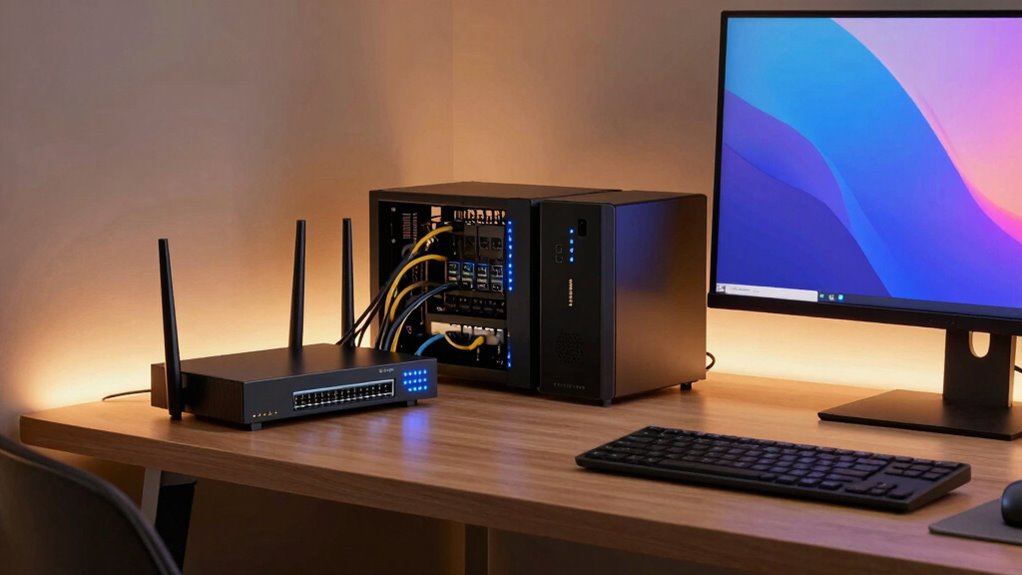
With more people working remotely than ever before, having reliable home office connectivity is essential for maintaining productivity and staying connected. Your first priority should be ensuring your internet setup is secure and stable. Wireless security isn’t just about protecting your data from outside threats; it’s also about creating a safe environment for all your devices. Change default passwords on your router, enable WPA3 encryption if available, and regularly update your firmware to patch vulnerabilities. These steps help prevent unauthorized access and keep your work information safe.
A strong, reliable wireless connection is the backbone of your home office. If your Wi-Fi keeps dropping or slows down during critical tasks, it’s time to troubleshoot your network. Start by checking your router’s placement—placing it in a central, open spot minimizes dead zones and maximizes signal strength. Avoid physical obstructions like thick walls or furniture that can weaken the signal. If issues persist, consider upgrading your router to a model that supports higher speeds and better coverage. Sometimes, a simple restart of your network equipment can resolve temporary glitches, but if problems continue, explore network troubleshooting. Use your device’s diagnostic tools or your router’s admin interface to identify issues. Updating your network drivers and firmware often fixes bugs that interfere with connectivity, ensuring smoother operation. Additionally, understanding the importance of wireless security can help you safeguard your network from potential threats. Managing your network traffic by prioritizing work-related applications can also improve performance. Many modern routers offer Quality of Service (QoS) settings that let you allocate bandwidth to critical tasks, which is crucial when working from home. Recognizing the role of network configuration in optimizing your setup can further enhance your connection stability. To maximize your network’s effectiveness, consider researching wireless performance best practices tailored to your specific environment. Paying attention to signal interference from other devices or neighboring networks can also help improve your overall connectivity.
Products Worth Considering

DJI Mic 3 Wireless Microphone System (2 Transmitters, 1 Receiver, Charging Case)

Samsung 27-Inch Odyssey QD-OLED G8 4K 240Hz Gaming Monitor

Amazon Kindle Scribe Colorsoft 64GB (1st Generation)
As an affiliate, we earn on qualifying purchases.
Frequently Asked Questions
How Do I Prioritize Devices for Optimal Network Performance?
You should start with device prioritization by identifying your most important devices, like your work laptop or video conferencing tools, and give them higher network priority. Implement network segmentation to separate your critical devices from less essential ones, reducing congestion. This way, you guarantee your essential devices get the bandwidth they need, improving overall performance and minimizing lag during vital work tasks.
What Are the Best Ways to Prevent Wi-Fi Dead Zones?
Like a knight wielding a modern Excalibur, you can prevent Wi-Fi dead zones by strategically placing mesh extenders and signal boosters throughout your home. Position these devices near dead zones and central locations to guarantee even coverage. Avoid obstructions like thick walls or furniture. Regularly update firmware, and consider dual-band extenders for better performance. These steps keep your network strong, so you stay connected wherever you work or relax.
How Often Should I Update My Home Networking Equipment?
You should update your home networking equipment every 3 to 5 years to keep up with evolving technology. Regular updates help guarantee hardware compatibility and improve performance. If you notice frequent signal interference or slower speeds, consider upgrading sooner. Staying current with your router and accessories minimizes dead zones, enhances security, and maintains strong, reliable connectivity, which is vital for an efficient home office setup.
Can Upgrading My Router Improve Overall Internet Security?
Upgrading your router acts like a fortress, shielding your digital life with stronger network encryption. Newer routers often come with advanced security features and faster firmware updates, closing vulnerabilities and enhancing protection. Imagine locking every digital door and window tightly—an upgrade makes it easier to defend against cyber threats. Yes, a new router substantially boosts your overall internet security by providing better encryption and more robust firmware updates.
What Are Affordable Options for High-Speed Internet Upgrades?
You can find affordable high-speed internet upgrades by exploring fiber options, which often offer faster speeds at competitive prices. Check with local providers about budget plans tailored to your needs. Many companies now provide promotional deals or flexible packages, making it easier to upgrade without breaking the bank. Comparing these options guarantees you get reliable, high-speed internet that supports your home office and streaming needs efficiently.
Conclusion
A great home office upgrade begins with solid connectivity, not just stylish furniture. When your internet is reliable, your productivity soars—research shows that a stable connection can boost work efficiency by up to 30%. So, prioritize upgrading your Wi-Fi and network setup before splurging on decor. With better connectivity, you’ll experience fewer disruptions, smoother video calls, and a more seamless work-from-home experience—making your space truly work for you.