
A good camera for courses, calls, and content offers clear visuals with high resolution, good autofocus, and effective lighting to keep you looking sharp and vibrant. It should also have crisp audio, whether through built-in microphones or external options, to keep viewers engaged and able to understand you easily. Ease of use and seamless connectivity make recording smooth. If you want to discover how to choose the best equipment for your needs, keep exploring the details.

Get hardware and tech essentials delivered free with Prime
- Fast, free delivery on millions of items
- Prime Video, Amazon Music and more included
- Member-only deals all year
Key Takeaways
- High-quality lighting capabilities or compatibility with external lighting to ensure clear, vibrant visuals.
- Superior audio features or external microphones for crisp, noise-free sound.
- At least 1080p resolution with autofocus for sharp, detailed images during movement.
- User-friendly setup and reliable connectivity with computers and streaming platforms.
- Overall balance of excellent image, sound, ease of use, and consistent performance for professional content.
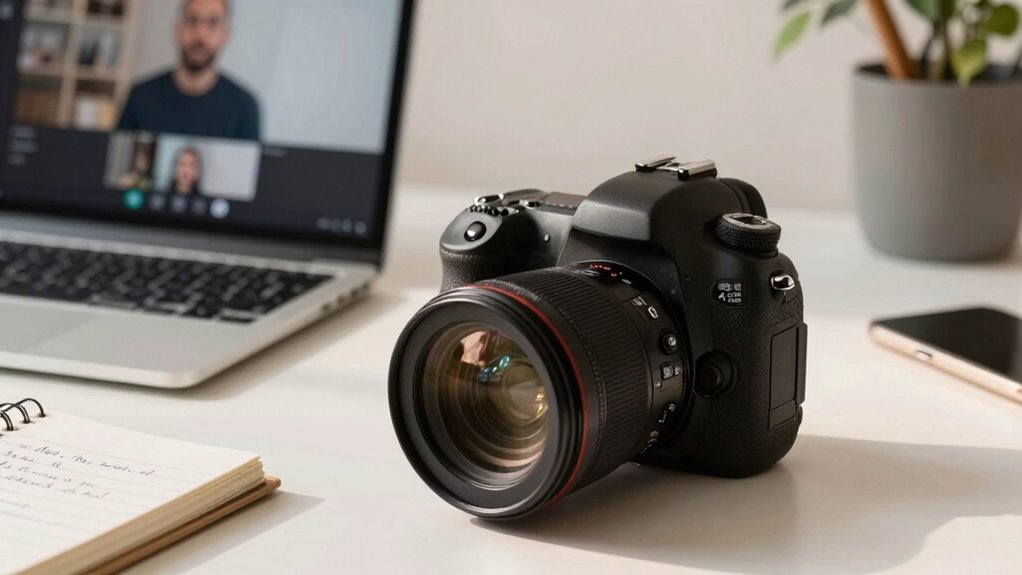
Choosing the right camera is essential if you want your courses, calls, and content to look professional and engaging. When selecting a camera, one of the most important factors to consider is lighting quality. Good lighting can make your image sharper, colors more vibrant, and overall appearance more polished. Even the best camera can struggle in poor lighting, resulting in grainy or dull footage. Look for a camera that performs well in various lighting conditions or think about investing in additional lighting equipment to complement it. Proper lighting ensures your face is well-lit, minimizing shadows and highlighting your features clearly, which keeps viewers focused and engaged. Additionally, understanding the lighting conditions in which you’ll be recording can help you choose a camera with better performance in those environments.
Good lighting enhances your video’s clarity, vibrancy, and professionalism, making your content more engaging and polished.
Another critical aspect is audio clarity. No matter how high-quality your video is, if your audio is unclear or muffled, viewers will quickly lose interest. A good camera for courses and content should either have a built-in microphone that captures sound accurately or be compatible with external microphones. External mics often deliver superior audio clarity, reducing background noise and emphasizing your voice. Clear audio helps your audience understand you without straining or asking for repetitions, making your content more professional and accessible. When audio is crisp and free of distracting noise, your viewers feel more connected and more likely to stay engaged throughout your session.
In addition to lighting quality and audio clarity, a good camera should offer sharp image resolution. Higher resolution cameras produce clearer images, allowing viewers to see facial expressions and details better. This is especially important for online courses where personal connection can enhance learning. Look for at least 1080p resolution, but if your budget allows, consider 4K for even crisper visuals, especially if you plan to produce high-quality content that may be repurposed later. Focus on cameras with good autofocus and face detection features; these ensure your image remains sharp even when you move slightly or change angles, keeping you consistently in frame.
Lastly, ease of use and connectivity matter. A camera that is simple to set up and operate saves you time and frustration. Compatibility with your computer or streaming platform, along with easy-to-access controls, can streamline your workflow. The best cameras for courses and content are those that combine excellent lighting performance, superb audio clarity, high resolution, and user-friendly features. When these elements come together, your videos will look polished, sound professional, and captivate your audience from start to finish.
As an affiliate, we earn on qualifying purchases.
Frequently Asked Questions
How Important Is Microphone Quality Alongside Camera Performance?
Microphone quality is just as important as camera performance because clear audio keeps your audience engaged. You want good audio clarity, which depends on microphone sensitivity—if it’s too sensitive, it picks up background noise; if not sensitive enough, your voice sounds muffled. Investing in a quality microphone guarantees your speech is crisp and understandable, making your courses, calls, and content more professional and effective.
Can Smartphone Cameras Replace Dedicated Webcams Effectively?
Smartphone cameras can act as a sturdy bridge over dedicated webcams, but they aren’t always a perfect match. They excel in video stabilization and autofocus accuracy, making your video smooth and sharp. However, they might lack consistent lighting control and connectivity options. If you prioritize mobility and convenience, smartphones work well. But for professional, steady streams, a dedicated webcam still holds the edge, offering more reliability and control.
What Are the Best Camera Features for Live Streaming?
For live streaming, you want a camera with excellent stabilization so your footage stays smooth, even if you move slightly. Autofocus accuracy is essential to keep you sharp and clear throughout your stream. Look for features like low latency and good image quality in various lighting conditions. These features guarantee your audience stays engaged without distractions, providing professional-looking content that’s stable and crisp every time you go live.
How Does Lighting Impact Camera Quality for Content Creation?
Did you know that poor lighting can reduce image quality by up to 50%? Lighting quality directly impacts your camera’s ability to produce sharp, clear images. Good lighting enhances color accuracy, making your content more vibrant and professional-looking. When you improve lighting, your camera captures better detail, reduces noise, and ensures your viewers see accurate colors. This makes your courses, calls, and content more engaging and credible.
Are Higher Megapixels Necessary for Online Courses and Calls?
Higher megapixels aren’t necessary for online courses and calls, as the megapixel myth often suggests. Resolution relevance depends more on your camera’s sensor quality and how well it handles lighting than just megapixel count. You generally don’t need ultra-high megapixels for video calls or courses; focus on good lighting, stable framing, and clear audio. A camera with balanced resolution and quality sensors will serve you best for content creation.
external microphone for computer
As an affiliate, we earn on qualifying purchases.
As an affiliate, we earn on qualifying purchases.
Conclusion
So, next time you’re on a call or filming your epic YouTube debut, remember: a good camera isn’t just about pixels—it’s your loyal sidekick, ready to turn your blurry face into a crisp masterpiece. Forget hiding behind the curtain of bad quality; with the right camera, you’ll be the star of your own Hollywood blockbuster, even if your biggest audience is your cat. After all, who needs a fancy set when you have the perfect lens?
4K video camera for content creation
As an affiliate, we earn on qualifying purchases.
As an affiliate, we earn on qualifying purchases.
As an affiliate, we earn on qualifying purchases.
Halloween Picks
halloween
As an affiliate, we earn on qualifying purchases.