

TL;DR

Get hardware and tech essentials delivered free with Prime
- Fast, free delivery on millions of items
- Prime Video, Amazon Music and more included
- Member-only deals all year
A local video-to-publishing workflow allows you to generate all your social media clips, web embeds, and content assets from just one video file. It avoids uploading to cloud platforms, keeps your media under your control, and speeds up the entire process. This method is perfect for teams who prioritize quality, speed, and data privacy.
Imagine finishing a video and having a full suite of promotional assets ready in minutes — all without ever uploading your media into a cloud platform. That’s exactly what a local-first, video-to-publishing system promises. It’s a game-changer for anyone tired of slow, manual repackaging or losing control over their media assets.
In this article, I’ll walk you through how this workflow works, why it’s a breakthrough for speed and quality, and who really benefits from it. If you’re tired of the endless back-and-forth with cloud uploads, this could redefine your entire publishing process.
Key Takeaways
- Processing videos locally keeps your original quality intact and speeds up the entire publishing process.
- A single source video can generate a full suite of assets — social clips, web embeds, blog drafts — all from one file.
- You retain full control and security over your media by avoiding upload dependencies.
- This workflow is ideal for broadcasters, agencies, and creators managing sensitive or large media libraries.
- Choosing local processing over cloud editing means less waiting, fewer quality compromises, and more control.
As an affiliate, we earn on qualifying purchases.
What Does ‘Without the Cloud’ Actually Mean?
‘Without the cloud’ means keeping your media on your own storage — whether that’s your local drives, studio servers, or private data centers — and processing everything there. You don’t have to upload or move files into a third-party cloud environment to get your assets ready.
For example, a media team at a local TV station uses this workflow. They process a 50GB raw footage file directly from their NAS, generate clips, social posts, and web embeds, then publish directly to their servers or social platforms. No cloud upload needed, and quality stays pristine. Learn more about local publishing workflows.
This approach contrasts sharply with cloud-based editors, which often require uploading assets into SaaS platforms, risking compression, delays, and losing control over the original media. The key is that the system leverages existing storage, eliminating the need to move files around unnecessarily. This matters because it preserves the original quality, reduces upload times, and minimizes the risk of data breaches or accidental leaks, which are critical in sensitive or proprietary projects.

As an affiliate, we earn on qualifying purchases.
How a Single Video Becomes a Full Publishing Kit in Minutes
Here’s the process: drop your video file or paste a link into the system. The software then analyzes your media on four levels — audio, visuals, scene changes, and on-screen text. It understands what’s happening, who’s speaking, and what’s visually important.
Within minutes, it generates a package: titles, descriptions, clips, social posts, blog drafts, and even thumbnails. All assets are tailored for each platform — YouTube, TikTok, Instagram, etc. — based on what the software identifies as high-retention moments.
This automation isn’t just about speed; it’s about strategic asset creation. By understanding the content deeply, the system helps you target the right clips and snippets for maximum engagement, reducing guesswork and manual editing time. For example, it can identify emotionally charged moments or key talking points, enabling you to focus your editing efforts on the most impactful segments. This process ultimately accelerates your publishing cycle and enhances content relevance.
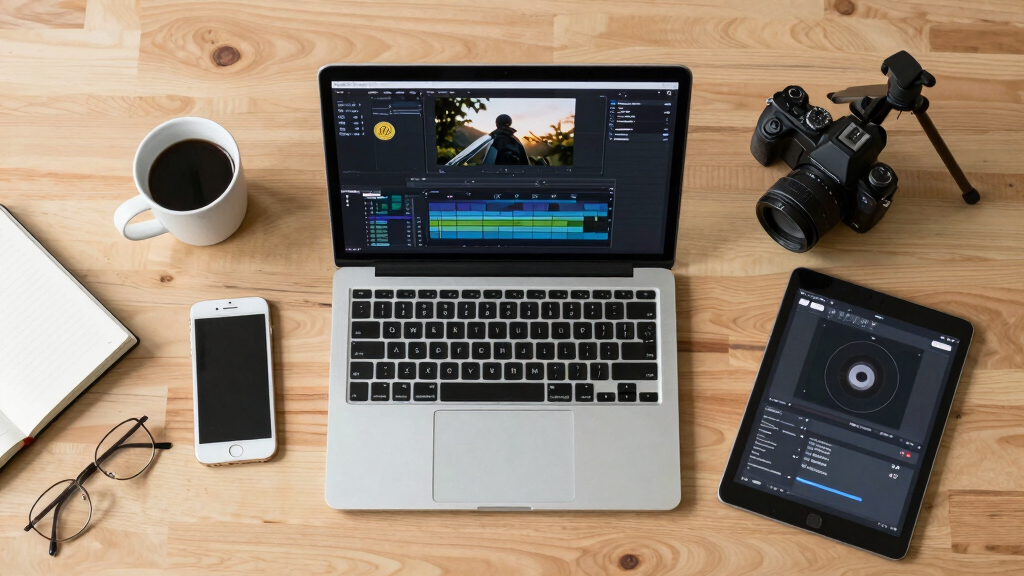
video to social media clip converter
As an affiliate, we earn on qualifying purchases.
As an affiliate, we earn on qualifying purchases.
Why ‘Without the Cloud’ Saves You Time and Preserves Quality
Processing locally means no waiting for uploads, no cloud-based compression artifacts, and no risk of losing your original quality. When you publish from source media, the system encodes directly from your original files, maintaining the highest resolution and fidelity. Discover more about local media processing.
Take a documentary producer with 4K footage: they can generate clips, social snippets, and web embeds instantly, without waiting hours for uploads or risking quality loss. It’s faster, cleaner, and more reliable.
Beyond speed, this approach minimizes the potential degradation of media quality that often occurs during cloud transcoding or multiple re-encodings. By working directly from the original files, you avoid the cumulative loss that can diminish visual clarity and detail, which is especially critical for high-resolution or color-sensitive projects. Additionally, keeping everything local reduces latency, ensuring quicker turnaround times—crucial for time-sensitive releases or live content. Security-wise, it means your sensitive footage stays within your trusted infrastructure, reducing exposure to breaches or leaks associated with cloud storage, which is vital for confidential projects or proprietary content.

privacy-focused video editing software
As an affiliate, we earn on qualifying purchases.
As an affiliate, we earn on qualifying purchases.
Who Benefits Most from This Workflow? Think Big and Small
This system is perfect for broadcasters, media teams, and independent creators who manage large archives or need quick turnaround. It’s also a boon for organizations with strict data policies or limited internet bandwidth. Visit The Event Within for more on secure media workflows.
Say you’re a small production company with a limited server room. Instead of uploading a raw video to a cloud editor, you process everything locally, generate assets, then push only final clips or web embeds. This approach doesn’t just save time; it also reduces the risk of data exposure during transfer and minimizes dependency on unstable internet connections, which can delay projects. For large organizations, it enables tighter control over media security, reduces cloud storage costs, and streamlines workflows by eliminating unnecessary upload and download cycles. The key is that it empowers you to work faster, more securely, and with greater confidence in your media’s integrity.

Common Questions About ‘One Video, Many Assets’ Workflow
- What does ‘without the cloud’ really mean? It means processing and publishing from your existing storage without uploading media into third-party cloud systems.
- Can I produce playlists and social clips? Yes. The system can generate web playlists, social snippets, and multiple formats from one source video.
- Is original quality preserved? Absolutely. Publishing is done directly from your source media, avoiding recompression artifacts.
- How does it compare to cloud editing? It’s faster, more secure, and keeps your media under your control, with no need to upload or re-encode media in a cloud environment. This means fewer delays, better quality retention, and enhanced security, which are crucial when working with sensitive or proprietary content.
How It Stacks Up Against Traditional Cloud Video Workflows
| Feature | Local-First Workflow | Cloud-Based Editing |
|---|---|---|
| Media Storage | Remains on your servers or drives | Uploaded into cloud platforms |
| Processing Speed | Fast, limited only by your hardware | Depends on internet speed and server load |
| Quality Preservation | High, no recompression needed | Variable, may involve quality loss |
| Control & Security | Full control, less risk | Shared control, higher risk |
| Workflow Complexity | Simpler, fewer steps | More steps, cloud dependencies |
Frequently Asked Questions
Does this workflow require special hardware?
Not necessarily. It runs on your existing hardware, but faster processors and ample storage speed up analysis and rendering. For large projects, a beefier workstation makes a noticeable difference.
Can I still use cloud storage with this system?
Absolutely. You can keep your media stored on-prem or in private cloud storage. The system works seamlessly with whatever infrastructure you prefer, only processing locally.
Is there a learning curve to set this up?
Not much. The interface is designed to be intuitive, especially if you’re familiar with video editing tools. Plus, detailed guides and support are available to get you started quickly.
What happens if I want to switch to cloud workflows later?
You can do that too. This system is flexible and can integrate into hybrid workflows, so you’re not locked into one method.
Conclusion
If you want a faster, more secure, and quality-preserving way to publish your videos, this local-first workflow is a game-changer. It’s a simple shift that saves hours and keeps your media under your thumb.
Imagine the next time you finish a video — instead of hours of manual editing and uploading, you hit publish and watch your assets come alive across platforms, all from your own workspace. That’s the power of one video in, a full publishing kit out — without the cloud.

Halloween Picks
halloween
As an affiliate, we earn on qualifying purchases.