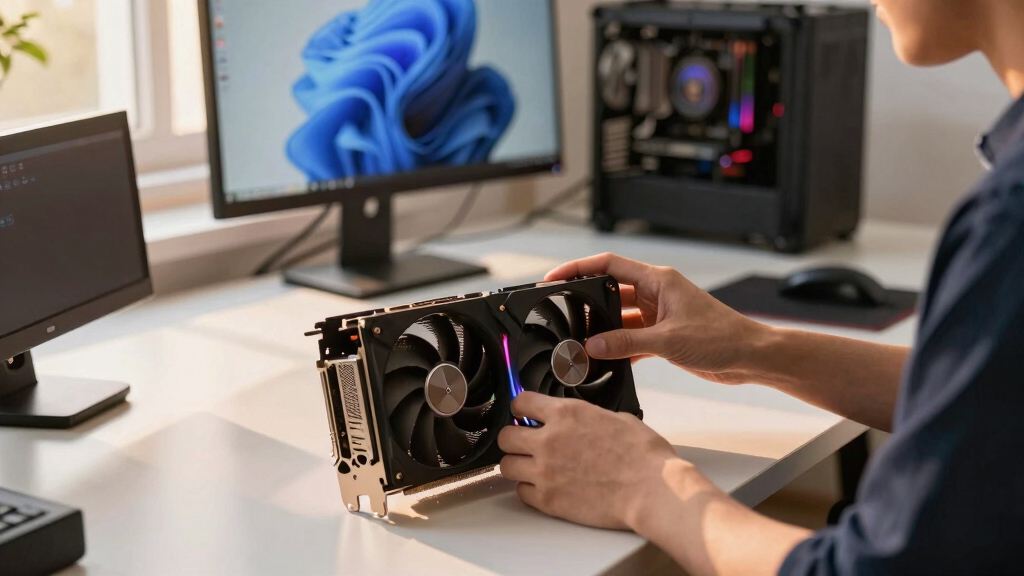

📊 Full opportunity report: Quiet GPUs for Local AI: Acoustic and Thermal Roundup on ThorstenMeyerAI.com — validation score, market gap, and execution plan.

Get hardware and tech essentials delivered free with Prime
- Fast, free delivery on millions of items
- Prime Video, Amazon Music and more included
- Member-only deals all year
TL;DR
This roundup evaluates the quietest GPUs for local AI workstations in 2026, emphasizing cooling, noise levels, and VRAM capacity. The focus is on how to build a high-performance, low-noise AI rig.
In 2026, the most effective GPUs for local AI workloads are those that balance high VRAM capacity with low noise and heat output, achieved through undervolting and optimized cooling solutions, rather than raw power alone.
This roundup evaluates several GPUs across different VRAM tiers, emphasizing how power management and cooling design influence noise and thermal performance. Optimizing thermal solutions can significantly improve these aspects. The key finding is that undervolting and selecting partner cards with superior cooling significantly reduce noise levels and heat, making high-performance GPUs more suitable for sit-next-to workspace setups.
The flagship choice is the RTX 5090 with 32GB VRAM, capable of running large models at Q4 with proper cooling and power capping. The 24GB RTX 4090 and used RTX 3090 offer cost-effective alternatives, especially when paired with efficient cooling and undervolting. For smaller models, the RTX 5080 and RTX 4060 Ti with 16GB VRAM provide low power consumption, heat, and noise, ideal for moderate workloads. The professional-grade RTX PRO 6000 Blackwell with 96GB VRAM targets dense, large-model deployments in professional environments.
Quiet GPUs
for local AI.
The GPU makes ~70% of your heat and most of your noise. But here’s the secret: the chip doesn’t decide how loud your card is — the cooler design and your power settings do. Match your VRAM tier in Part 2, then make it quiet.
Capping to 70–80% sheds a huge amount of heat for almost no inference loss — because inference is memory-bound. A capped 5090 is dramatically cooler & quieter than stock. Do this first.
Within one GPU model, partner cards differ enormously. For a single card, a large triple-fan open-air with zero-RPM idle runs slow & quiet. For multi-GPU, the calculus flips →
With room to breathe, a large triple-fan open-air cooler spreads heat across a big fin stack and runs its fans slowly. The quietest choice — what most people should buy.
Why Quiet GPUs Matter for Local AI Setups
This review highlights how noise and heat management are critical factors for local AI deployment, especially for users working in shared or office environments. Choosing GPUs with effective cooling and undervolting capabilities allows for quieter, cooler, and more sustainable AI workstations, reducing energy costs and improving user comfort. For insights on thermal management, see our guide to thermal paste and pads. As model sizes grow, thermal and acoustic performance become decisive in hardware selection, impacting overall productivity and hardware longevity.Products Worth Considering

Sony WH-1000XM4C Wireless Noise-Cancelling Headphones, Black

Logitech MX Mechanical Wireless Illuminated Keyboard, Tactile Quiet, Graphite

Samsung 27-inch Odyssey OLED G6 QD-OLED QHD Gaming Monitor
As an affiliate, we earn on qualifying purchases.
2026 GPU Landscape for Local AI: VRAM and Efficiency Trends
The GPU market in 2026 continues to prioritize VRAM capacity, with tiers ranging from 16GB to 96GB, to support increasingly large language models and AI workloads. Undervolting and improved cooling designs have become standard strategies to reduce heat and noise, as power efficiency gains are crucial for sustainable high-performance computing. The RTX 5090, RTX 4090, and professional-grade options like the RTX PRO 6000 Blackwell exemplify this trend, with a focus on balancing raw power with acoustic and thermal management."Partner cards with large triple-fan heatsinks and zero-RPM modes are essential for maintaining a quiet, high-performance AI workstation."
— GPU manufacturer representative
Remaining Questions on Long-Term Reliability and Performance
While current testing shows significant noise and heat reductions through undervolting and cooling optimization, long-term effects of aggressive power capping on GPU lifespan are still under study. Additionally, the availability and pricing of high-end GPUs like the RTX 5090 may fluctuate, affecting adoption rates.
Next Steps for Building Quiet, High-Performance AI Rigs
Manufacturers are expected to release more partner cards with optimized cooling and better undervolting tools. Learn more about best thermal solutions for high-TDP GPUs to enhance performance and noise reduction. Future updates may include firmware improvements and software support for noise and thermal management. Users should monitor new releases and community testing results to refine their GPU choices for quiet, efficient AI workstations.
Key Questions
How much can undervolting reduce GPU noise?
Undervolting can significantly lower GPU heat output, which in turn allows fans to run at lower speeds, reducing noise levels by up to 50% or more depending on the card and cooling solution.
Is the RTX 5090 suitable for continuous AI inference workloads?
Yes, especially when power-capped and paired with an efficient cooling system, the RTX 5090 can operate quietly and reliably under sustained loads, making it ideal for local AI inference tasks.
What is the best cooling strategy for quiet GPUs?
Large triple-fan open-air designs with high-quality heatsinks and zero-RPM idle modes are currently the most effective for maintaining low noise levels during continuous operation.
Will professional GPUs like the RTX PRO 6000 Blackwell be noisy?
Professional-grade GPUs are designed for dense deployments and typically feature advanced cooling, but noise levels depend on the specific cooling solution and power settings used.
Are used GPUs a good option for quiet, affordable local AI rigs?
Used GPUs like the RTX 3090 can be cost-effective and, with proper cooling and undervolting, operate quietly, but they may have higher thermal output and less warranty coverage.
Source: ThorstenMeyerAI.com